


Creality K1 Max Error Codes: Troubleshooting and Fixes
all
2024-12-23 05:18:25
Troubleshooting a 3D printer like the Creality K1 Max, with its wide range of features and capabilities, can often be a complex task. This sophisticated device may encounter issues from time to time that require attention.
This article outlines a series of fault codes for the K1 Max, offering solutions to these problems. It empowers users to diagnose and fix issues via a fault code system, tailored specifically to North American English preferences.
If an error code does not appear in this document, users should export the log and send it to our after-sales service team for further analysis.

K1 Max 3D Printer
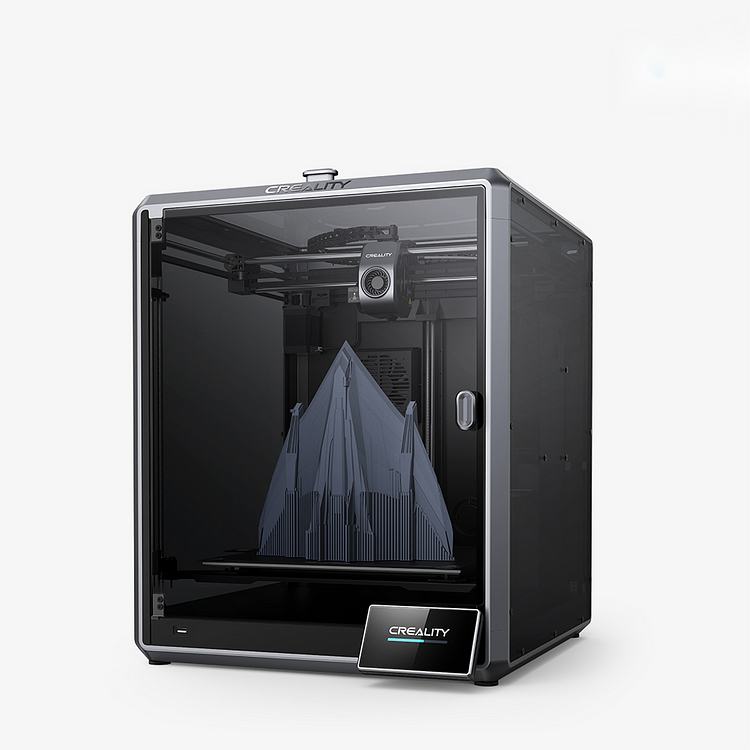
The Creality K1 Max 3D Printer is now available for $1249 at Creality. This AI Fast 3D Printer boasts a remarkable printing speed of up to 600mm/s, a generous print volume of 300x300x300mm, and is equipped with AI technologies like a camera and LiDAR for automatic monitoring and print optimization. Featuring an enhanced Z-axis, automatic bed leveling, and error detection, it requires no assembly, making it an exceptionally user-friendly option for a healthier workspace.
The following is a comprehensive list of fault codes for the Creality K1 Max printer:
| Code | Description | Why this error occurs | Solution |
| 100 | Copying Gcode file from USB to local; Copying error, printing not started | / | / |
| 101 | AI detection prompt Key:101, A print quality problem has been detected and printing has been paused AI detected an issue during printing, printing paused |
1.False trigger due to using colored consumables |
1. If it is a false trigger or human judgment can continue printing, you can click continue printing on the machine screen/slicing software/creative cloud at any end 2. If printing fails, you need to clean the machine and re-initiate printing 3. The function can be turned off in System Settings - Camera - AI function |
| 102 | / | Current gcode file name is too long | / |
| 103 | AI detection prompt Key:103, A print quality problem has been detected and printing has been paused | First layer detection result abnormal, printing paused | 1. If false trigger or user decides it's safe to continue, click to resume print on machine screen, slicing software or Creativity Cloud 2. If print failure, clean machine and restart printing 3. To disable feature, go to System Settings - Camera - AI Function |
| 104 | Error Key:104, Foreign object detected on the printing platform, printing paused | Heat bed foreign object detection abnormal, printing paused Possible reasons: 1. Special patterns on the printing platform surface triggered falsely 2. White residue on the printing platform surface triggered falsely 3. Placement of other items on the printing platform triggered |
/ |
| 108 | / | Laser radar offset correction failure | / |
| 109 | Error Key:109, Fan feedback exception | Heat break fan abnormal, printing paused | / |
| 110 | / | Main MCU hardware connection abnormal | / |
| 111 | / | Nozzle MCU hardware connection abnormal | / |
| 112 | / | Heat bed MCU hardware connection abnormal | / |
| 500 | AI detection prompt Key:500, Printing quality problems detected by AI | AI detected an issue during printing, only a prompt is given | / |
| 501 | Error Key:501, Heat break fan exception | 1. Loose terminal connector 2. Fan stuck by screw during installation 3. Fan damaged |
1. Remove the nozzle cover and small board, check whether the heat sink fixing screws have fallen into the heat break fan, tighten the screws fixing the heat sink fan 2. Replug the heat break fan terminal 3. Replace the heat break fan |
| 502 | Error Key:502, Mainboard fan exception | Mainboard fan abnormal Possible reasons: 1. Loose terminal connector 2. Fan stuck by screw during installation 3. Fan damaged |
/ |
| 503 | / | First layer detection abnormal, only a prompt is given | / |
| 504 | AI detection prompt Key:504, Current file does not support flow detection | Flow detection abnormal, only a prompt is given | / |
| 505 | AI detection prompt Key:505, AI LiDAR anomaly | Laser radar does not exist, only a prompt is given | 1. Check laser radar wiring 2. Replace laser radar |
| 506 | AI detection prompt Key:506, AI LiDAR calibration failure | Laser radar calibration failure, only a prompt is given | / |
| 507 | Laser radar calibration failed, only a prompt | Laser radar calibration failure, only a prompt is given | / |
| 508 | Error Key:508, Current storage space usage has reached %s, please clean up in time | / | / |
| 2000 | Error Key:2000, Unknown exception | Cannot update MCU configuration because MCU is turned off | Restart first; check the connection line |
| 2001 | Error Key:2001, Unknown exception | 1. Unable to read the register status of the E-axis drive IC, a timeout occurred 2. Poor contact or interference with the communication line between the mainboard and the nozzle leads to a timeout of the nozzle MCU communication |
1. Resend the nozzle board 2. Resend the nozzle cable |
| 2002 | / | Host cannot connect | / |
| 2014 | Slicing distance is negative or greater than entire movement length | 1. Problem with the printing file, not using the official slicing, or selecting the wrong model 2. System error |
1. Check whether the official slicing is used, whether the third-party slicing configuration is provided by the official, and whether the official slicing model is selected correctly 2. Restart and re-initiate printing after |
| 2016 | / | Printing not paused, recovery aborted | / |
| 2019 | / | Target temperature {0} exceeds the set range ({1}:{2}) | / |
| 2020 | / | Homing error: {0} | / |
| 2021 | / | {0} homing timeout error | / |
| 2056 | / | No data measured by the {0} axis accelerometer | / |
| 2057 | / | Unknown exception | / |
| 2060 | / | / | 1. Unplug the nozzle terminal 2. Replace the nozzle connection line 3. Restart |
| 2065 | / | Unable to set ADXL345 register [0x%x] to 0x%x: got 0x%x. This usually means connection problems (like wiring faults) or ADXL345 chip failure. | Replace the nozzle small board |
| 2069 | / | There is a "M107 P3" code in the slicing file | Confirm whether the slicing software is the latest version, then re-slice |
| 2090 | / | Timer off, this usually means that the host is overloaded. | / |
| 2091 | / | Missed the next schedule, this usually means intermittent communication failure between the microcontroller and the host. | / |
| 2092 | / | ADC out of range, this usually happens when the heater temperature exceeds its configured minimum or maximum temperature. | / |
| 2093 | / | Reschedule timer in the past, step too far in the past, when the microcontroller requests to step at a rate higher than its capability. | / |
| 2095 | / | Must return to the origin first | / |
| 2111 | Error Key: 2111, Unknown exception | The extrusion temperature is below the minimum temperature set by the machine configuration, and the minimum limit for CrealityOS is 170 degrees | 1. Slicing problem, please use the official slicing or contact the official to use the third-party slicing configuration file provided by the official 2. Problem caused by key2507, stop printing, heat the nozzle, if error ket2507 is reported, please refer to the error handling scheme of 2507 |
| 2112 | / | Movement exceeds maximum stretch ({0}mm^2 vs {1}mm^2) <br /> For detailed information, please refer to the "Maximum Extrusion Cross Section" configuration option | / |
| 2113 | / | The extruder is not configured | / |
| 2114 | / | Extrusion when there is no extruder | / |
| 2115 | / | Unknown value {0} in enumeration type {1} | / |
| 2116 | / | Invalid output format {0} | / |
| 2117 | / | Extra data at the end of the message | / |
| 2118 | / | Cannot query adxl345 fifo | / |
| 2119 | / | Invalid adxl345 id (got {0} vs {1}). This usually indicates a connection problem (e.g., wiring failure) or adxl345 chip failure | / |
| 2210 | / | Unable to automatically load filament, the extruder is below the minimum temperature | / |
| 2211 | / | Printing has been paused | / |
| 2242 | / | First zero: {0} {1} {2} [{3}] | / |
| 2243 | / | Out of range: {0} {1} {2} [{3}] | / |
| 2252 | / | The minimum value of parameter {0} must be {1} | / |
| 2253 | / | The maximum value of parameter {0} must be {1} | / |
| 2283 | / | Printer not ready | / |
| 2295 | / | Failed to restart MCU{0} | / |
| 2298 | / | Unable to update MCU{0} configuration because it's turned off | / |
| 2299 | / | Unable to configure MCU {0} | / |
| 2300 | / | Error occurred during MCU{0} configuration: {1} | / |
| 2308 | / | No data measured from {0}-axis accelerometer | / |
| 2313 | / | Internal error occurred while processing accelerometer data{0} | / |
| 2340 | / | The temperature required by heater%s (%.1f) is out of range (%.1f:%.1f) | / |
| 2343 | / | Main mcu connection timeout | / |
| 2344 | / | Nozzle mcu connection timeout | / |
| 2345 | / | Heat bed mcu connection timeout | / |
| 2503 | Error Key:2503, Unknown exception | Unable to read Z-axis stress film data | / |
| 2504 | Error Key:2504, Unknown exception | Z zeroing exception | / |
| 2505 | Error Key:2505, Unknown exception | Motor driver chip TMC exception Possible causes: Overheating: main board fan anomaly, low voltage: printing speed is too fast |
/ |
| 2506 | Error Key:2506, Unknown exception | Communication exception Possible causes: Common problem: 1, nozzle wiring problem |
/ |
| 2509 | Error Key:2509, Unknown exception | Nozzle sensor temperature anomaly | / |
| 2510 | Error Key:2510, Unknown exception | Heat bed sensor temperature anomaly | / |
| 2511 | Error Key:2511, Unknown exception | Cavity temperature anomaly | / |
| 2512 | / | Main MCU chip temperature anomaly | / |
| 2513 | / | Command format is incorrect | / |
| 2514 | / | Command parameter format is incorrect | / |
| 3002 | / | When not printing, nozzle communication exception, main board side nozzle wire is not inserted in place Possible causes: Check the terminal contact problem on the main board side |
/ |
| 2520 | Reading pressure sensor timeout, i.e. this read HX711 needs 11ms, but actual HX711 still not ready after 25ms | Replace leveling board | If occurs frequently, replace machine |
| 2521 | Error Key:2521, Leveling Sensor Chip Anomaly or Sensor Damage | The pressure data read is a constant value, such as always being -1 Possible causes: Z-axis sensor chip anomaly or sensor damage |
/ |
| 2522 | Error Key:2522, Level Sensor Data Transmission Anomaly | The pressure sensor cannot detect pressure, i.e., before and after placing heavy objects on the hot bed, the pressure data collected does not change Possible causes: Z-axis sensor chip anomaly or sensor damage |
/ |
| 2523 | Error Key:2523, Level Sensor Data Transmission Anomaly | During measurement, serial port packet loss, or Z-axis stuck timeout did not trigger, thus losing pressure data. Possible causes: Z-axis sensor data transmission anomaly |
/ |
| 2524 | Error Key:2524, Leveling sensor chip abnormality, sensor damage or environmental impact. | The pressure data noise collected when the machine is stationary is too large Possible causes: Z-axis sensor chip anomaly, sensor damage or environmental impact |
/ |
| 2526 | Error Key:2526, Z-axis movement not smooth or lead screw rotation not smooth | Z-axis motor, during leveling process, loses steps, and still loses steps after deceleration retesting Possible causes: Z-axis movement not smooth, or lead screw rotation not smooth |
/ |
| 2527 | Error Key:2527, Level Sensor Data Transmission Anomaly | During measurement, after triggering, serial port packet loss results in incomplete motor step data received Possible causes: Z-axis sensor data transmission anomaly |
/ |
| 2529 | Error Key:2529, Leveling sensor chip abnormality, sensor damage or environmental impact. | When G28 Z-axis zeroing, the number of measurements exceeds the limit (maximum 20 times) Possible causes: Z-axis sensor chip anomaly, sensor damage or environmental impact |
/ |
| 2532 | Error Key:2532, Abnormal wiring connection or poor contact | The synchronization wire between the two MCUs is not working properly (disconnected) Possible causes: Abnormal wiring connection or poor contact |
/ |
| 2533 | Error Key:2533, Parameter anomaly, please re-level | In the case of CHECK_BED_MESH AUTO_G29=0, i.e., leveling is not allowed, but the hot bed does not match the leveling data Possible causes: Parameter anomaly |
/ |
| 2560 | / | Communication with main MCU is abnormal Possible causes: Communication with the lower machine is lost, and the upper machine has not received data for more than 5 seconds |
Check the wiring, restart. |
| 2561 | / | Communication with nozzle MCU is abnormal | Check the wiring, restart. |
| 2562 | / | Communication with heat bed MCU is abnormal | Check the wiring, restart. |
| 2563 | / | Communication with rpi MCU is abnormal | Check the wiring, restart. |
| 2564 | Error Key:2564, The nozzle is not heating as expected | The nozzle is not heating as expected Possible causes: The nozzle heating is turned on, but the temperature is not rising |
Check the ceramic heating block and heating wiring, reinsert the terminal, check whether the ceramic heating ring is broken or damaged, check whether the terminal is loose, whether the thermistor base and heating rod base are loose; if damaged, please contact cs heat bed is not heating as expected |
| 2565 | Hotbed not heating as expected | The heat bed heating is turned on, but the temperature is not rising | Please reinsert the hotbed wiring and check if the soldering point of the heated bed power supply is desoldered. If so, please contact cs@creality.com |
Below are detailed solutions to common coding errors with the Creality K1 Max:
Error Code: 502
1. Issue Description

2. Cause Analysis
Loose terminal connection.
The fan was secured by a screw improperly during setup.
Damaged fan.
3. Troubleshooting and Solution
Replace the K1 Max mainboard fan
Error Code: 504
1. Issue Description
When trying to select a model for printing, the display shows "AI detection alert. Code: 504, the current file is not supported by flow detection," and the machine fails to respond.
2. Cause Analysis
Use of non-official slicing software.
The Creality Print software version is older than V4.3.5.5769.
3. Troubleshooting and Solution
1. Visit the official website and download the "Creality Print" slicing software. Install and use it to slice your models.
2. Verify your software version under the "Software Update" section. It must be V4.3.5.5769 or newer to enable the flow detection feature.
3. To check the version of CrealityPrint: Open CrealityPrint, click on Help, then select About Us.
Error Code: 506
1. Issue Description
During normal operation, the machine indicates a 506 AI LiDAR calibration failure.

2. Cause Analysis
1. Foreign objects or damage on the calibration sticker
2. AI module lens is dirty
3. Significant height difference between the calibration plate and the hotbed platform
4. AI LiDAR malfunction
3. Troubleshooting and Solution
1. Clean or replace the calibration sticker
2. Clean the AI module lens
3. Adjust the height of the calibration plate
4. Replace AI module
Error Code: 2000
1. Issue Description
The motherboard and the hotend adapter board unexpectedly lose communication.

2. Cause Analysis
1. Sudden communication loss between the main board and the nozzle board
2. Internal error; log retrieval necessary for precise problem identification.
3. Troubleshooting and Solution
1. Remove the nozzle cover and reconnect the nozzle connection cable. Replace the cable if the issue persists after disconnecting and reconnecting.
2. Follow the K1 Max startup procedure if this occurs during startup.
Error Code: 2001
1. Issue Description
The display shows "Error, key: 2001, Unknown Exception."

2. Cause Analysis
1. Main thread error causing the program to crash.
2. Internal error; log retrieval required for accurate problem location.
3. Troubleshooting and Solution
1. Restart the printer.
2. Follow the K1 startup procedure if it occurs at startup. If issues persist, contact customer support.
Error Code: 2060
1. Issue Description
A 2060 error occurs under normal machine use
2. Cause Analysis
Uncertain and requires detailed log analysis for diagnosis.
3. Troubleshooting and Solution
1. Power down and restart; likely resolved with a reboot.
2. Disconnect and reconnect the nozzle terminal after a shutdown, then check if the issue is resolved.
3. Replace the nozzle connection cable.
Error Code: 2111
1. Issue Description
The screen shows code 2111 right after starting a print.

2. Cause Analysis
2111 indicates the extrusion temperature has fallen below 170°C due to either:
-
Incorrect slicing file
-
Anomalies in nozzle heating
3. Troubleshooting and Solution
3.1 Sliced file header error
3.1.1 Official slicer
Always use the official slicer version 4.3.5 or newer, and select the K1 Max model specifically; do not use settings intended for other models.

3.1.2 hird-party slices
Review and resolve slicing errors with the provided slicers.
3.2 Nozzle heating anomaly
If the documents are OK, exit to the printing interface and heat the nozzle separately.
If heating problems persist, refer to related error handling (2507 or 2564).
Error Code: 2243
1. Issue Description
Printing pauses with an error code 2243.
2. Cause Analysis
Slicing errors cause Gcode coordinates to exceed machine capabilities
Misconfiguration in slicing file header; non-official slicer used
3. Troubleshooting and Solution
1. Review the problematic Gcode file.
2. Access the Gcode through Notepad.
3. Ensure the slicing file header is correct.

4. Check Gcode X, Y, Z values against K1 Max's limit (0-300 XYZ).

Error Code: 2505
1. Issue Description

The display indicates error code 2505.
2. Cause Analysis
Main board fan bolt obstructs the X-axis driver on the main board, causing damage.

Virtual soldering of the driver chip.

3. Troubleshooting and Solution
1. Follow replacement instructions for the affected components.
2. Examine and potentially replace the main board fan wire.
3. Remove a fan bolt to avoid contact with the heat sink.

Error Code: 2507
1. Issue Description
For firmware versions below 1.3.1.x, the screen displays "Error: E004, key: 2507, not heating as expected."

2. Cause Analysis
Failure to reach or maintain the required temperature.
3. Troubleshooting and Solution
1. Reboot the device and separately preheat the hotend to 240°C and the hotbed to 90°C for ten minutes to pinpoint the issue.
2. For hotend-related errors, follow the guide for error 2564.
3. If there's an error with the hotbed, follow the troubleshooting process for error code 2565.
Error Code: 2564
1. Issue Description
The screen displays "Error, key: 2564, Extruder not heating as expected."

2. Cause Analysis
1. The thermal terminal wire is disconnected while the nozzle heats up
2. Loose or improperly connected ceramic heating block/thermal wire at the nozzle
3. Damaged or incomplete solder joints on the hot end's ceramic heating ring wires
4. Loose nozzle thermistor
3. Troubleshooting and Solution
1. Inspect and ensure secure connections for both the nozzle heating wire and the thermal terminal block on the nozzle's circuit.
2. Examine the nozzle's ceramic heating ring, specifically for cracks.
3. Contact customer service for additional support.

Error Code: 2565
1. Issue Description
The screen displays "Error, key: 2565, Hotbed not heating as expected."

2. Cause Analysis
1. Damaged hotbed fuse
2. Open circuit in Hot Bed Power cable
3. Troubleshooting and Solution
1. Open the machine's bottom cove
2. Review and secure hotbed plate wiring
3. Use a professional multimeter for voltage tests if skilled; otherwise, skip. Contact customer support if discrepancies are detected
4. A replacement for the hot bed plate kit may be facilitated through customer support
Error Code: 3002
1. Issue Description
Error, key: 3002 appears on the screen.
2. Cause Analysis
1. The nozzle drag chain cable abnormality or loose terminal connection (main board port: J51)
2. Leveling plate drag chain cable abnormality or loose terminal connection (connector: J11 on the motherboard)
3. Misalignment of firmware versions between devices
4. Motherboard malfunction
3. Troubleshooting and Solution
1. Replace or securely reconnect the nozzle drag chain cable.
2. Replace or securely reattach the leveling drag chain cable.
3. Upgrade firmware.
4. Consider replacing the main board.
Error Code: 109
1. Issue Description
Abnormal behavior detected in throat fan.

2. Cause Analysis
1. Abnormal behavior detected in throat fan.
2. Faulty or detached fan wiring.
3. Nozzle board complications.
3. Troubleshooting and Solution
1. Heat the nozzle to 60 degrees to check fan activity; replace if necessary.
2. Reexamine and resecure the fan wiring.
3. Consider replacing the nozzle board if problems persist.
Error Code: 2509
1. Issue Description
Anomalies with nozzle temperature readings are detected.

2. Cause Analysis
1. Issue with thermal responsiveness.
2. Damaged or improperly connected thermal responsiveness wire.
3. Nozzle board dysfunctional.
3. Troubleshooting and Solution
1. Inspect for issues with thermal sensitivity wiring; reconnect or replace as needed.
2. Reconnect the thermal sensitivity cable.
3. Swap out the nozzle assembly if needed.
4. Contact customer service for nozzle board issues
Error Code: 2121
1. Issue Description
Inability to open the Gcode file due to special characters in the filename.
2. Cause Analysis
Special characters in the Gcode file's name result in readability issues.

3. Troubleshooting and Solution
1. Confirm printer functionality with a differently named sample model.
2. Rename the problematic model's Gcode file using basic alphanumeric characters.
Conclusion
The Creality K1 Max Troubleshooting guide offers critical solutions for resolving prevalent issues, enhancing your 3D printing experience and ensuring optimal performance of your K1 Max. By conducting regular maintenance and following the troubleshooting steps diligently, you can achieve a seamless and effective 3D printing process.
Recent News

all
2026-10-19
6 Halloween 3D Prints for a Cosy Canadian October
A pumpkin by the door, a ghost on the bookshelf and a candy bowl that needs refilling suspiciousl...

all
2025-10-16
Trick or Treat! Creality's Halloween Party Sale Extravaganza – A Haunting Deal is Coming!
The leaves are falling, the nights are getting longer, and Halloween is just around the corner! C...

all
2024-12-23
Advantages of laser engraving (low investment high return)
In the era of entrepreneurship, many people will look for entrepreneurial opportunities. How abou...

all
2024-12-23
Why do my printed 3D models have layers that crack or break?
3D printed models are built by printing layer by layer. If the two layers do not adhere well to e...