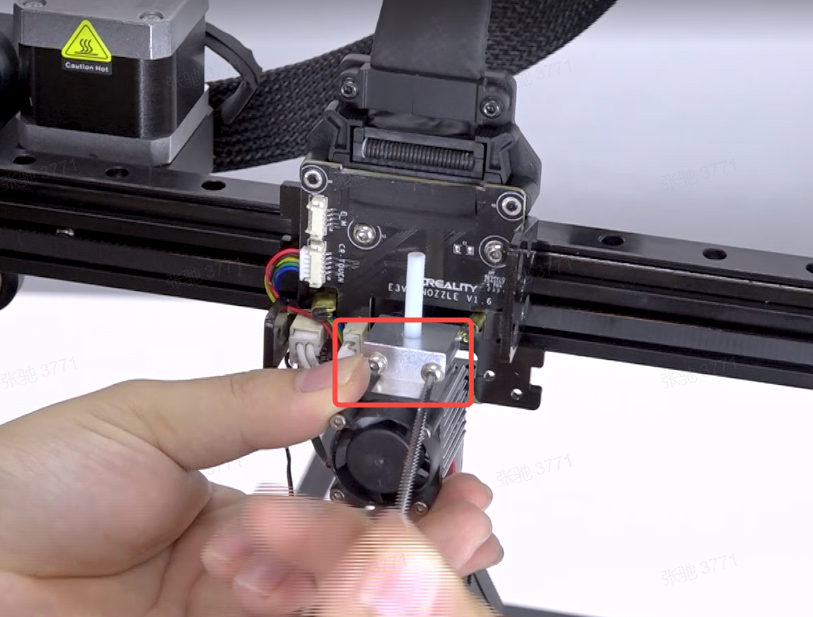
This article presents a comprehensive troubleshooting guide for addressing various common issues encountered with the Creality Ender 3 V3 KE 3D Printer. These issues include problems with OTA online upgrades, hot end clogging after ABS printing, filament feeding issues, and leveling problems.
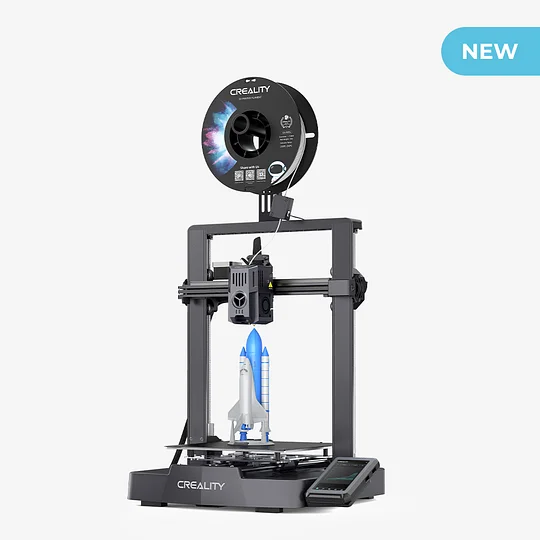
Creality Ender-3 V3 KE 3D Printer: Smarter and Faster for 3D Printing
The Creality Ender-3 V3 KE 3D Printer boasts enhanced features, such as ultra-smooth motion and a stable steel linear rail on the X-axis for precise printing. The "Sprite" Direct Extruder facilitates high-temperature printing up to 300℃ and ensures smooth filament feed. With improved design to minimize vibrations, the printer offers a faster and more intuitive printing experience, achieving a remarkable speed of 500 mm/s and acceleration of 8000 mm/s² for efficient, high-quality output.
Now, let's delve into the troubleshooting for specific issues:
Y-Axis Motion Anomaly Sound Troubleshooting
1. Phenomenon Description
Abnormal noise during Y-axis movement.
2. Cause Analysis
2.1 Nozzle scraping the model during filling.
2.2 Improperly connected motor wires.
2.3 Loose Y-axis belt.
3. Troubleshooting and Solution
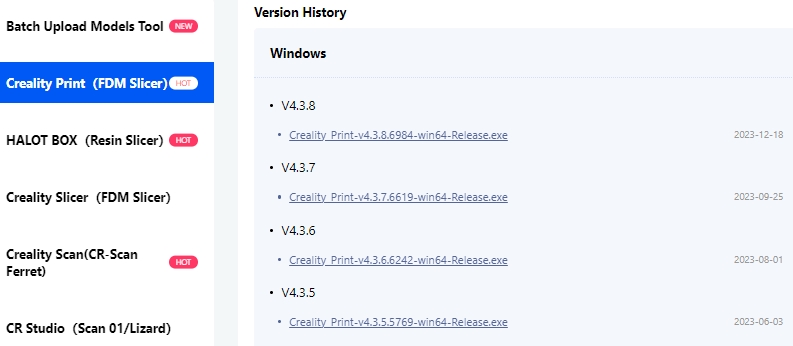
3.1 Use default parameters in the latest slicing software or select zigzag fill. (You can download the latest version of slicing software)
3.2 Re-adjust the Y-belt. (+ illustration)
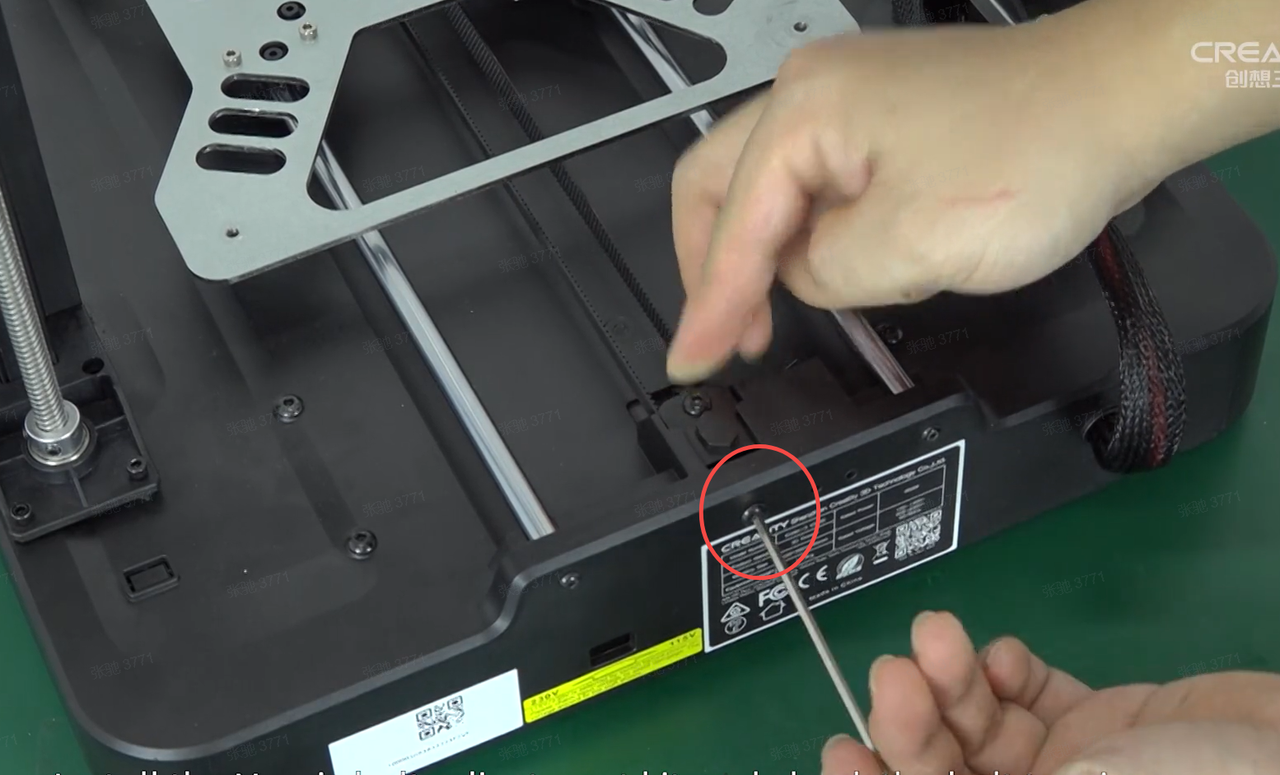
3.3 Re-plug the motor wire for abnormal sound.
3.4 Power off, unplug motor wire, and manually check for abnormal noise,
Material Breakage Detection Failure Troubleshooting
1. Phenomenon Description
Filament detection indicates material shortage during printing.
2. Cause Analysis
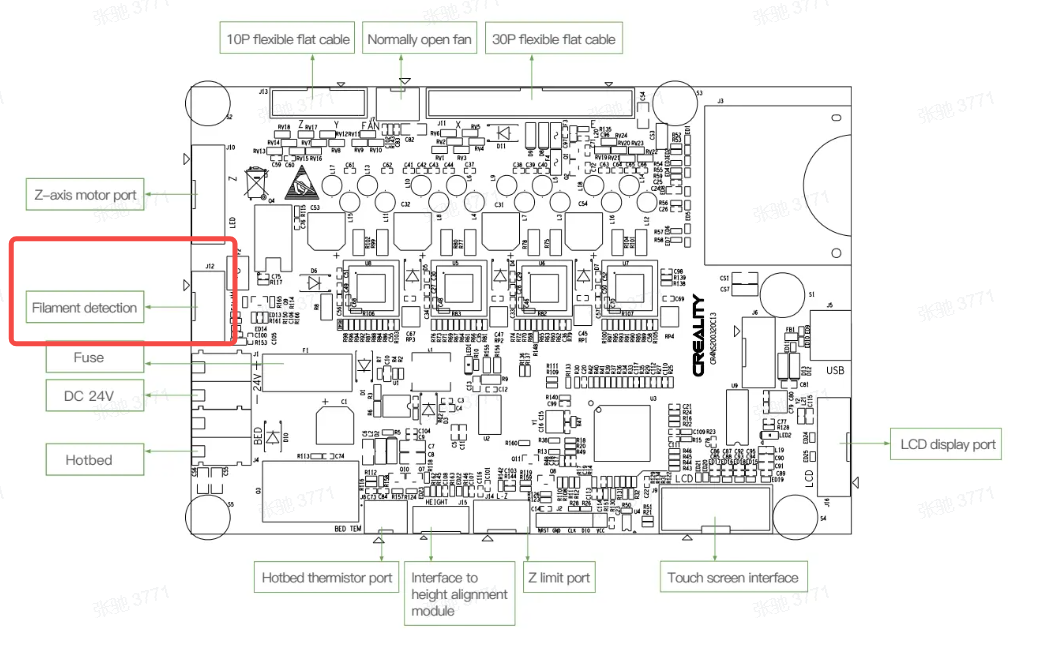
2.1 Assembly without disconnecting the material detection line.
2.2 Gantry frame pressing material detection line.
3. Troubleshooting and Solution
Dismantle the gantry, reinstall, and carefully plug in the filament detection line (including the mainboard end). Be careful not to pinch the filament detection line during the installation process of the gantry.
AI Laser Lidar Anomaly Troubleshooting
1. Phenomenon Description
Error message indicates AI LiDAR system anomaly.
2. Cause Analysis
AI Laser Radar accessory not installed, but related features selected - first layer detection, flow calibration - were selected on the screen.
3. Troubleshooting and Solution
Turn off first layer detection, flow calibration, and restore factory settings, then perform self-diagnostic again.
Ender 3 V3 KE Slicing Software Troubleshooting
Slice Preset Temperature Fluctuates During Printing
1. Phenomenon Description
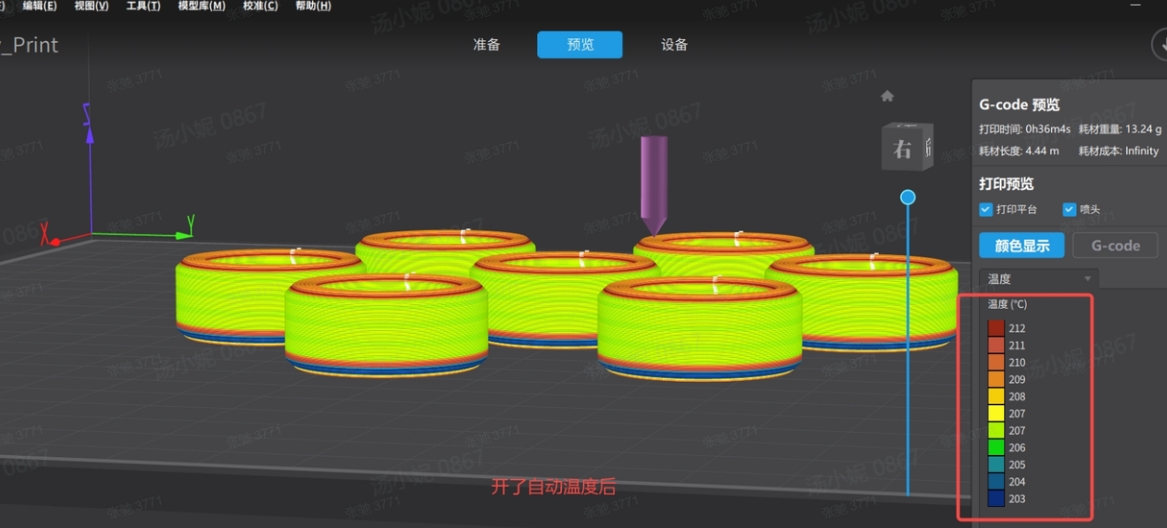
The preset temperature of the slice fluctuated from 210 to 203 while printing.
2. Cause Analysis
Automatic temperature function turned on by default.
3. Troubleshooting and Solution
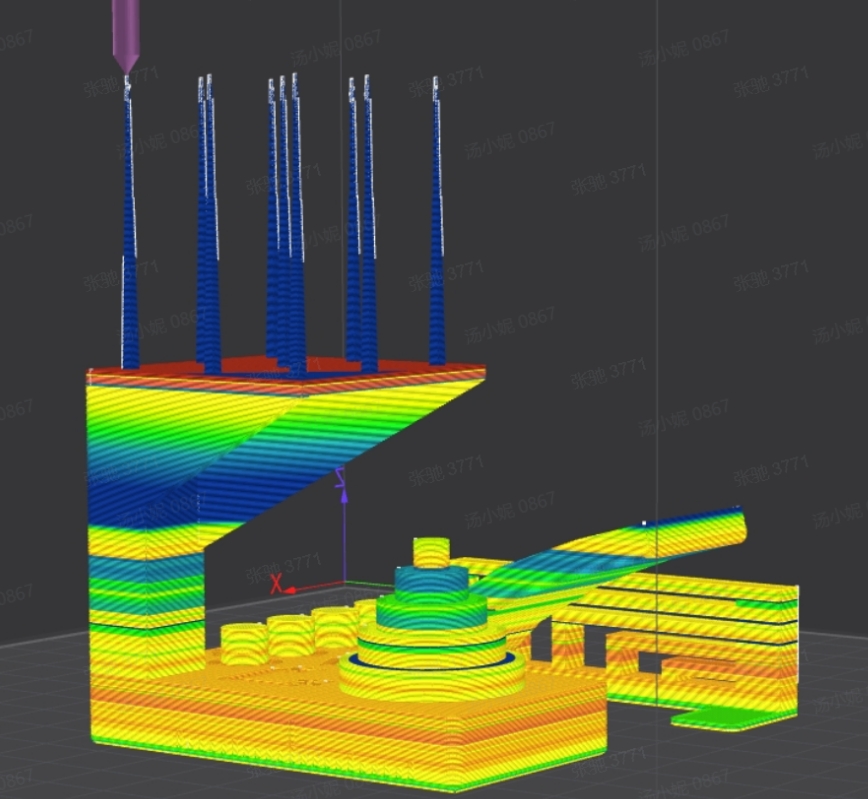
Users are advised to enable the automatic temperature feature. This adjusts the model slicing algorithm based on the flow and specific traits of the model, particularly in smaller areas.
For instance, in a comprehensive model, the top part of the tower is set at a lower temperature (200 degrees) to effectively minimize draping. Meanwhile, maintaining regular temperature printing at the bottom ensures model precision and assembly, among other things.
The Slicing Software LAN Print Device Interface Cannot Find the Machine.
1. Phenomenon Description
IP filled in slicing software device interface, but machine not found.
2. Cause Analysis
User did not check model matching.
3. Troubleshooting and Solution
Select model matching to find the connected machine.
Ender 3 V3 KE Layer Misalignment Troubleshooting
1. Phenomenon Description
Layer shifting during the printing process, please distinguish between this and layer line issues.
2. Cause Analysis
2.1 Belt loosening.
2.2 Extruder kit wobbling.
2.3 The nozzle rubs against the infill area when producing large-scale models.
2.4 Issues with support settings result in unstable models.
3. Troubleshooting and Solution
3.1 Verify if the belt is properly installed and its tension is normal.
3.2 Inspect if the screws securing the nozzle kit are loose.
3.3 Use the latest slicing software's default parameters to print, or choose the default parameters for zigzag infill. (Download link for the
latest version of slicing software)
3.4 It is recommended to print a cylindrical test piece for more detailed examination.
The Platform is Damaged or Scratched by the Nozzle.
1. Phenomenon Description
The build plate gets damaged or scraped by the nozzle during leveling or printing.
2. Cause Analysis
An anomaly in the high module results in the nozzle continually colliding with the platform's bottom left corner during leveling.
3. Troubleshooting and Solution
Please reach out to the after-sales service at store.au for assistance in problem-solving.
Screen Error: Solution for Motor Drive Anomaly
1. Phenomenon Description
Screen error indicates motor drive abnormality.
2. Cause Analysis
2.1 The motor wires may have sustained physical damage.
2.2 The mainboard cooling fan isn't spinning, leading to the motor driver chip overheating and malfunctioning.
3. Troubleshooting and Solution
3.1 Check for any damages or loose connections in the motor wires.
3.2 Inspect whether the mainboard cooling fan is functioning properly. If it isn't spinning as it should, refer to the troubleshooting methods for fan issues.
Print Layer Lines Troubleshooting
1. Phenomenon Description
The printed model shows layer lines.
2. Cause Analysis
2.1 The gantry assembly may have loosened.
2.2 The Z-axis V-wheel might be stuttering or loose.
2.3 The screws securing the extruder backplate might have come loose.
2.4 The belt may be slack.
2.5 The nozzle assembly might have loosened.
2.6 There may be significant wobble in the Y-axis heated bed or the heated bed slider plate.
3. Troubleshooting and Solution
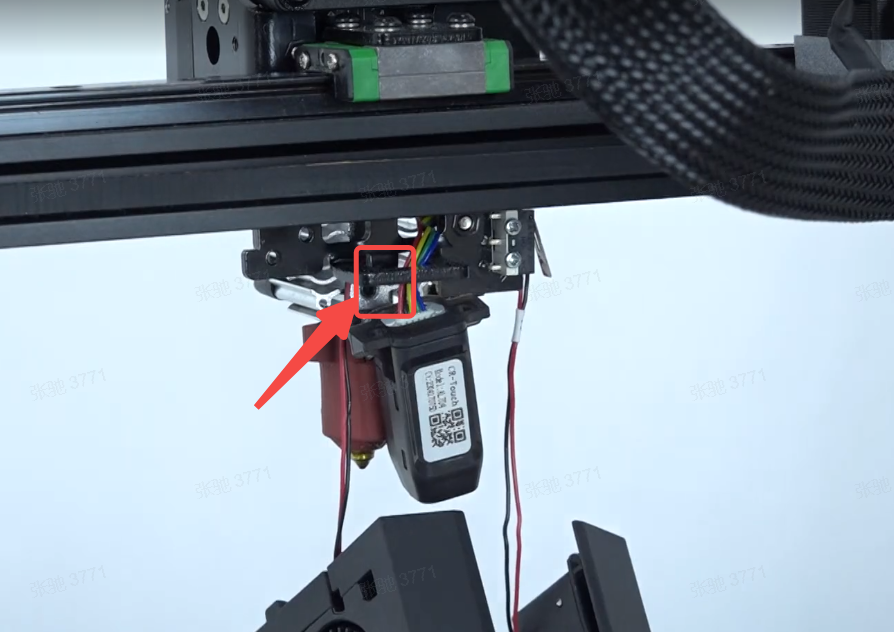
3.1 Review the assembly instructions or video to reassemble the gantry properly.
3.2 Inspect the Z-axis V-wheel for any issues like sticking or looseness, and ensure smooth movement of the Z-axis.
3.3 Verify if the screws that fix the nozzle assembly are loose.
3.4 Ensure the X and Y axis belts' tension is correctly adjusted.
 People Also Read:
Creality K1 Series Printing Parameter Settings
Creality Ender 3 V3 KE New Arrival