i7
$279.00


🔔 Subscribe to obtain a 💵 $500 coupon pack for your order!
🔔 Subscribe to obtain a 💵 $500 coupon pack for your order!



 14-Day Return & Refund
 100% Secure Checkout
 Up to 12-Month Warranty
 Lifetime Customer Support
⚡ Key Features of i7:
🎮 Perfect For: Everyday Hobbyists | Gaming | Home Decor | Family Projects
⚡ Key Features of i7:
🎮 Perfect For: Everyday Hobbyists | Gaming | Home Decor | Family Projects

i7

i7 Autofill

i7 Color Combo (i7 Single Model+CFS Lite)

i7 Nano Combo (i7 Single Model+CFS Nano)

4KG Hyper PLA RFID
Combo Details


Getting the 3D Model Ready
No need to tinker with parameters. Just pick a 3D model you'd like to print. All pre-print hassles are done automatically.
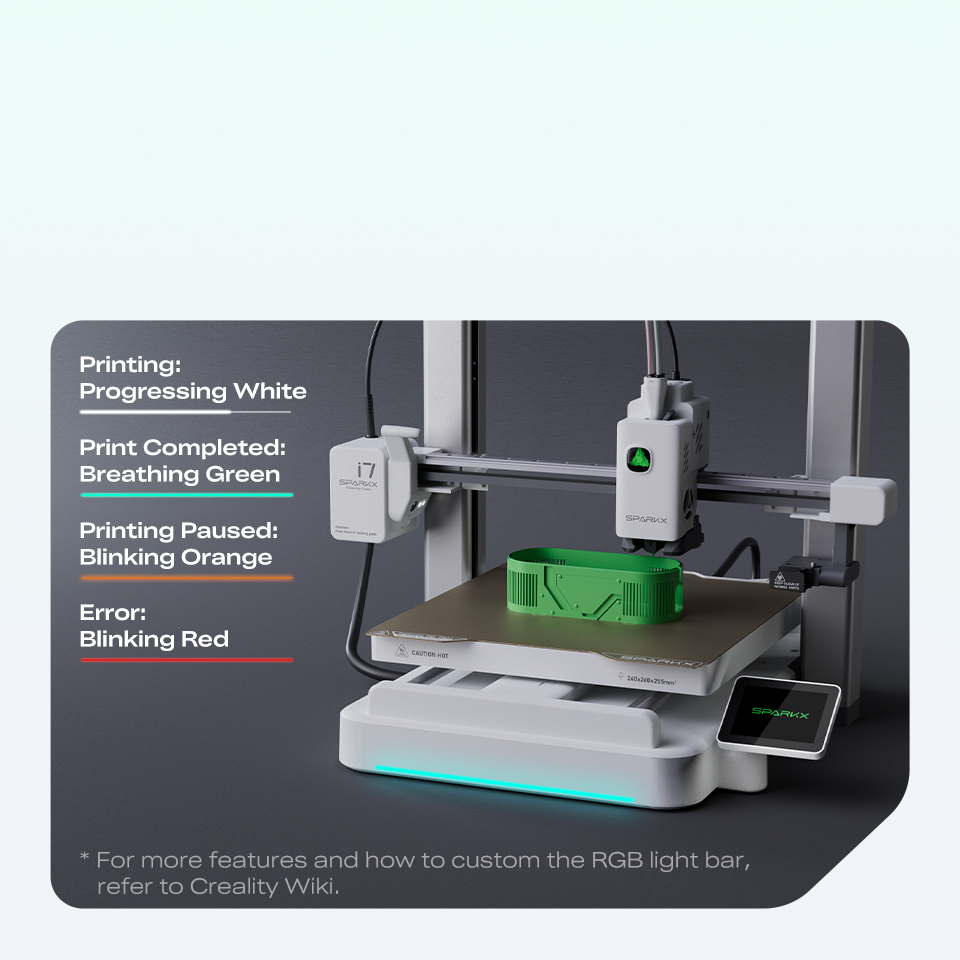
Light On. Progress In.
The built-in RGB light bar shows printing status in real-time. Being programmable, you can customize the lighting effect to match your own style.

What i7 AutoFill Combo Adds

What Can You Print?


What i7 Color Combo Unlocks

Multicolor Printing — 50% Less Waste
Supercharge your i7 with faster, seamless multicolor printing for effortless desktop upgrades and gaming accessories.

Everything Deploys Under 5 Minutes
From unboxing to printing in just five minutes. No assembling. No fumbling with the settings and just start creating — So, what will you create first?


What Can You Print?

If you value efficiency, consistent quality, and reduced downtime, SPARKX i7 delivers strong long-term value. It's well-suited for makers, engineers, educational use, and small-scale production, as well as personal and hobby users—and families looking to explore creative projects and hands-on learning with kids.
SPARKX i7 is ideal for users who want high performance without complex tuning. Setup is straightforward, and optimized profiles allow beginners to achieve reliable results quickly.
To ensure easy access for routine maintenance and changing filaments, we recommend leaving extra space around your 3D printer. Below are the dimensions of SPARKX i7 in different configurations:
- i7 (Printer Only): 470 × 423 × 456 mm³ (18.50 × 16.65 × 17.95 in³)
- i7 (with Single Spool Holder): 470 × 423 × 680 mm³ (18.50 × 16.65 × 26.77 in³)
- i7 Color Combo (with CFS Lite): 876 × 423 × 550 mm³ (34.49 × 16.65 × 21.65 in³)
The i7 is optimized to print filaments like PLA, PLA-Silk, PETG, and PLA-CF.
Printing with TPU: For optimal filament feeding, please follow the official print guide in Creality Wiki. Note that with CFS Lite or CFS Mini, you can only print TPU 64D and harder.
Shorter Hotend Path: The hotend filament path is redesigned to be shorter, reducing the amount of material inside the hotend that must be purged.
Pull-Then-Cut Switch: During a filament change, the i7 first pulls back the filament (approximately 28 mm) and then cuts it, leaving less filament in the hotend to be purged.
With these improvements, SPARKX i7 significantly cuts filament purge waste — roughly 50% less compared to other designs.