



Ender-3 V3 Plus 3D Printer: $479.00
【Plus Print Size: 300*300*330mm Build Volume】
【Heavy Duty: Y-axis Dual Motors & Support Rods】
【Spectacular Speed: CoreXZ for up to 600mm/s】
【Easy Maintenance: Quick-swap Tri-metal Nozzle】
【Instant Part Cooling: Two Powerful Part Cooling Fans】
15 Free 3D Printed Keyboard STL Files for 3D Printing
all
2024-12-23 04:57:00
3D printing is a splendid way to personalise and create your keyboards. Whether you are a gamer, a coder, or just a person who loves tinkering with electronics, there are various free STL files online to get you started. Here are 15 first-class 3D printed keyboard designs you may strive for.
Creality Ender-3 V3 Plus 3D Printer
15 Free 3D Printed Keyboard STL Files for 3D Printing
1. Single-Handed Gaming Keyboard
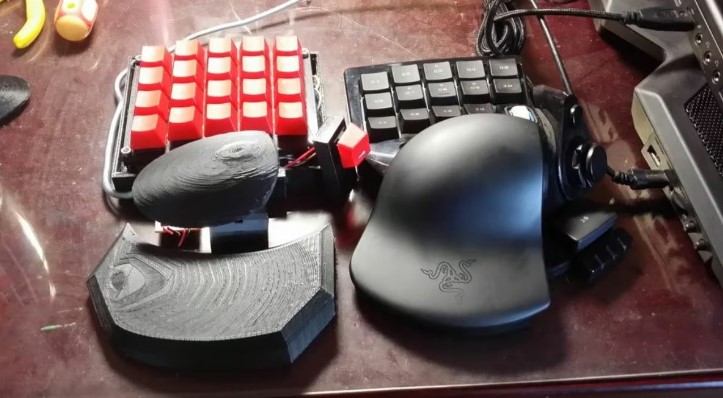
Left-exceeded game enthusiasts have fun! This one-surpassed keyboard is specially designed for gaming. It lacks most of the same old keys, offering the handiest those normally wished for in the course of gameplay. Additionally, it includes a side switch to your left hand’s thumb, allowing for faster clicking because of the proximity of the important thing. This assignment has medium complexity and is reasonably easy to print. It contains five exclusive elements that make up the keyboard and the wrist rest. The clothier used a vintage keyboard manipulation board, so when you have the essential elements and some understanding of keyboard wiring, it should be a fun project to tackle.
Who designed it? ivanricci
Where to find it? Thingiverse
2. Pocket Chip Keyboard
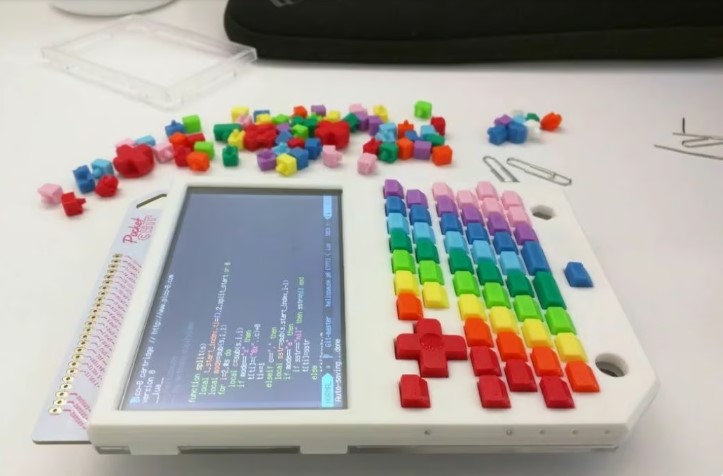
Doesn't it appear adorable? The Pocket Chip keyboard undertaking changed into designed to work with the Pocket Chip, an unmarried-board computer that comes with an onboard keyboard, an LCD show, and numerous ports. With fifty-two keys, it has barely fewer keys than a fashionable keyboard and includes a D-pad, which is beneficial for gambling video games or navigating. The venture consists of a faceplate for the Pocket Chip and all of the keys, which are held in the area using straightened paper clips. Overall, this keyboard works nicely and is a cute addition to your tech series.
Who designed it? anthonysavatar
Where to find it? Thingiverse
3. Mechagodzilla Keyboard
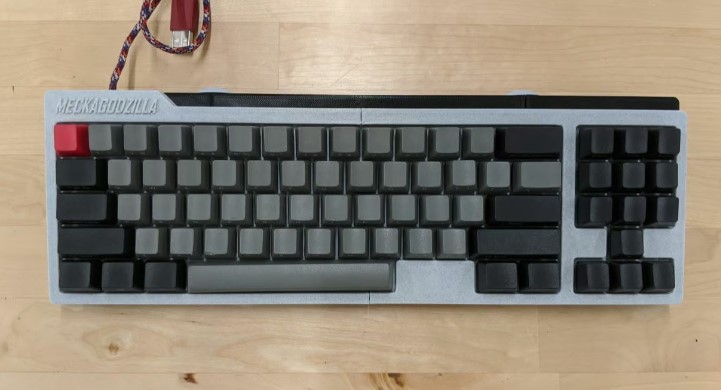
This design is broken up into five distinctive elements and becomes created as a mechanical keyboard. It has a standard wide variety of keys but a smaller shape component due to the absence of a function key row, lowering the width of the keyboard. The mission is pretty simple, and its Cults web page includes a list of required elements and an academic link on the way to wire it. Some soldering capabilities are important, making it an appropriate task for people who are a little rediscovered in electronics.
Who designed it? RobotDoctor
Where to find it? Cults
4. SICK Keypad
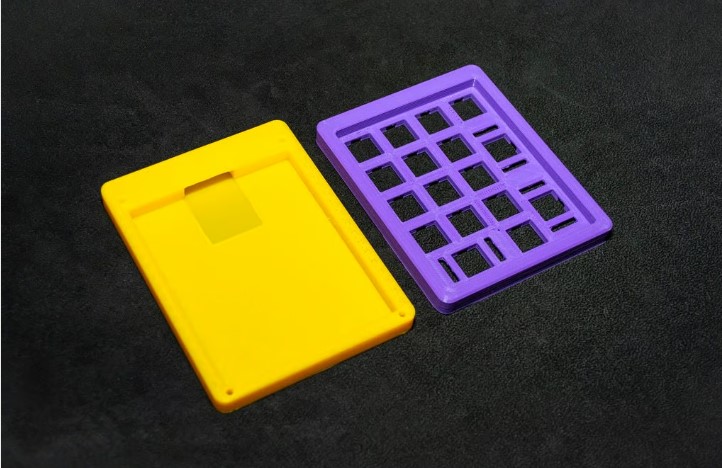
This SICK (wonderful, inexpensive, reasonably-priced keyboard) keypad was designed to supplement another 3-D printable keyboard known as the SICK-60. The writer uses this acronym, followed by quite a number, to symbolise the model of the keyboard. This precise venture is a small mechanical keypad with 17 keys, sufficient to be characteristic of a primary calculator. It is designed to be extremely small and transportable, making it an excellent novice task. The design includes the handiest documents: one for the top half and one for the bottom, making it straightforward to set up and upload keys.
Who designed it? FedorSosnin
Where to get it? Thingiverse .
5. Split Keyboard
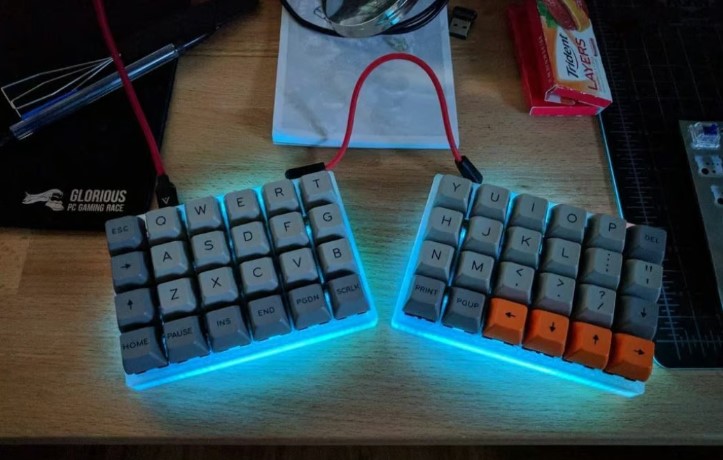
The glow underneath seems very cool. This keyboard differs from the others as it consists of separate modules wired together to feature as an unmarried unit. Its precise layout allows for a smaller length and adjustable angling to meet the person's needs. There are three published documents: one for the left bottom, one for the proper bottom, and one for the top case, which is identical for each half.
Who designed it? mesohuannny
Where to get it? Thingiverse
6. Dactyl Keyboard
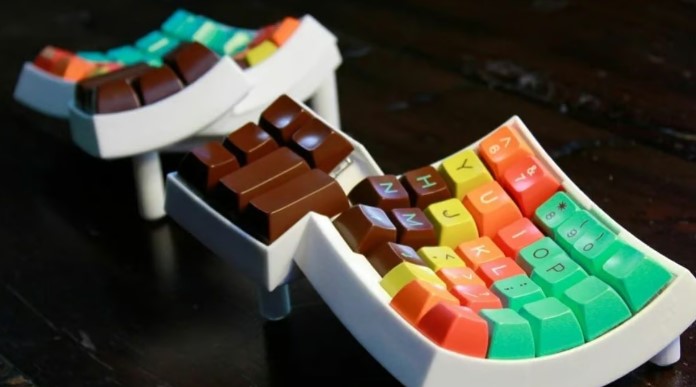
This keyboard has an interesting, non-planar form, presenting a curvy, ergonomic design. It has a breakup layout divided into a couple of modules, with a concave floor for introduced consolation. There are four specific documents: For each module, simplify the wiring system because you need to put off one component to get the right of entry to the keys. Another maker encouraged the usage of a 0.4-mm layer peak with supports activated for the quality consequences.
Who designed it? FrigginSharks
Where to find it? GitHub ,Thingiverse
7. SICK-68 Keyboard
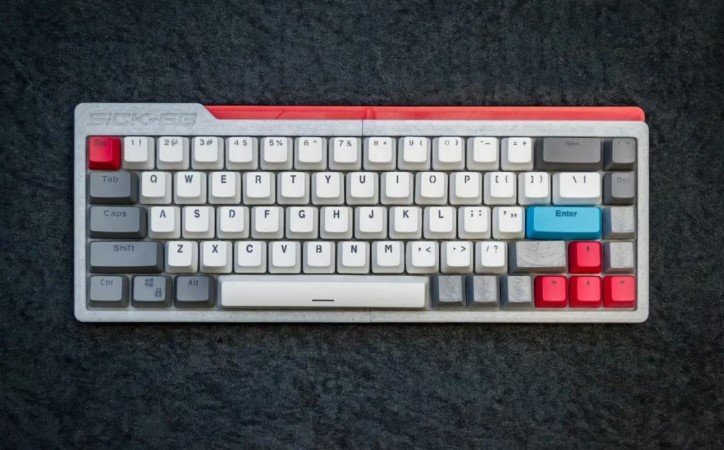
This keyboard costs around $50 to construct and is a complete-sized keyboard suitable for both painting and gaming. It has all essential keys except for the function key row, making it pretty portable. The project documents consist of a 4-component keyboard frame and keycaps, together with a wiring diagram for those unexpected with the process. The whole undertaking is anticipated to cost around $50, making it a price range-friendly option for a custom keyboard.
Who designed it? FedorSosnin
Where to find it? Thingiverse
8. Arduino Keyboard with RGB Lighting
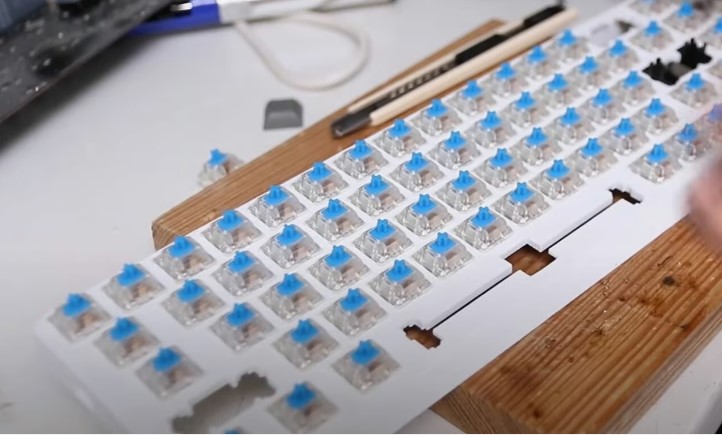
The RGB lighting in this keyboard is first-rate! Designed as a mid-sized keyboard, this venture is tough but also quite amazing because of its controllable RGB lighting fixtures. Additional parts, which include an Arduino and LEDs, are required, and some simple electrical understanding and soldering capabilities are essential. There’s an in-depth YouTube video with greater in-intensity instructions and hyperlinks to the files, in conjunction with a video of the primary prototype.
Who designed it? Datulab Tech
Where to find it? YouTube
9. 60% Mechanical Keyboard
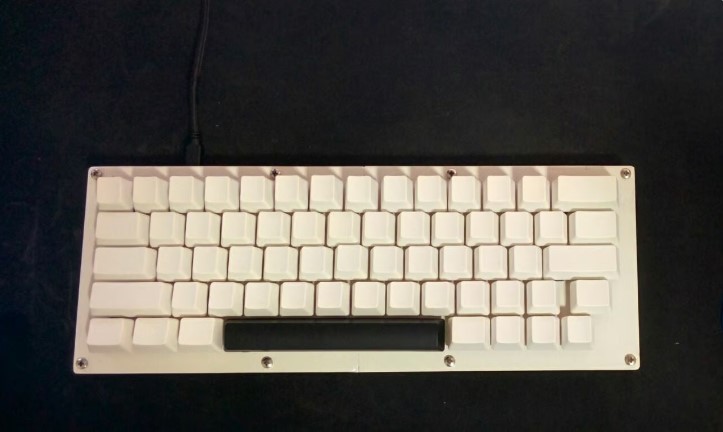
This compact layout is purposeful, and notwithstanding its small length, the project is well-documented with lots of useful information. It entails nine 3D printable components, and extra components like keyboard diodes, a microcontroller, and PCBs are wanted. All print files are to be had on a Dropbox related in a Reddit web page remark segment. Another Reddit page guides wiring the undertaking, and the full cost for the 3-D printable parts is predicted to be between $30 and $45.
Who designed it? Kursain
Where to find it? Reddit .
10. Custom Keycaps Library
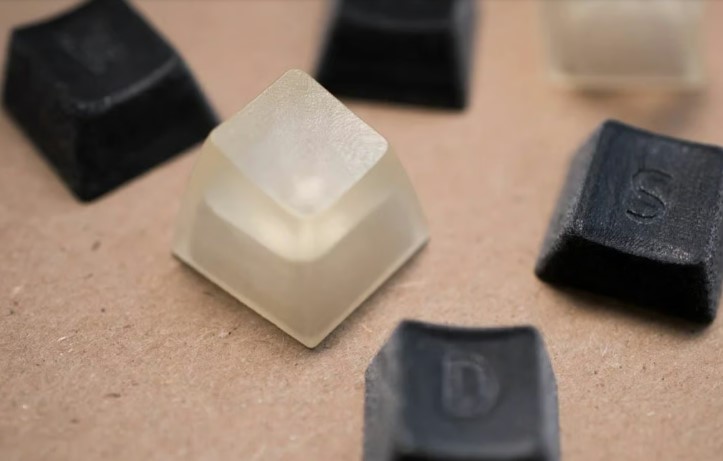
An entire gallery of keys to personalise your keyboard! This final design isn’t a keyboard; however, as a substitute, it is a set of keycaps that may be revealed for any custom keyboard. The library features a big choice of shapes and styles, which include slanted and curved keycap alternatives, all of which may be edited for further customisation. Print settings vary depending on the important thing kind, with infill starting from 10% to 80% and resolutions from 0.2 mm to 0.5 mm.
Who designed it? Rsheldiii
Where to find it? Thingiverse
11. Amstrad CPC464 Replacement Key
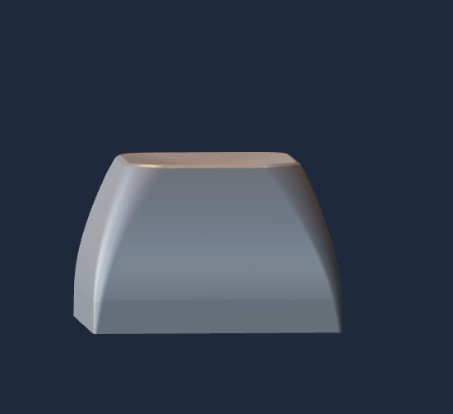
Introducing a custom-modelled blank alternative key for the Amstrad CPC 464, also called the Schneider CPC 464. This secret is designed to seamlessly combine with your traditional PC. Key functions encompass precision modelling to fit the original key dimensions and easy integration for a straightforward alternative procedure. This designed key can beautify the functionality and aesthetics of your Amstrad CPC 464.
Who designed it? NEXUS3007
Where to get it? Cults
12. Little Chicken Keycap
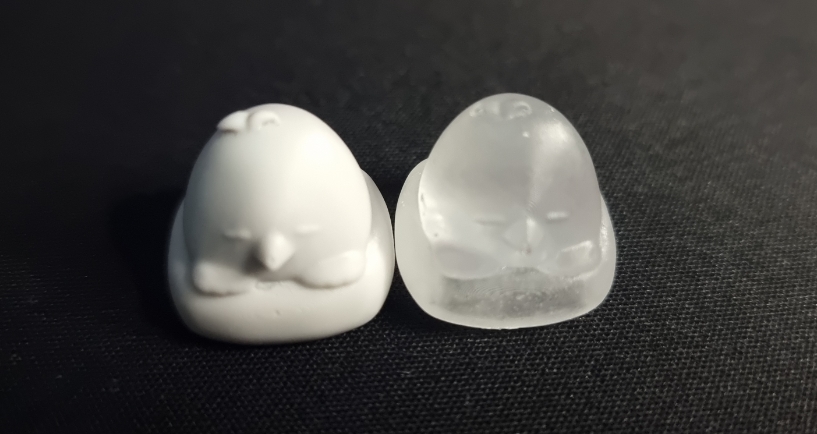
For this keycap, use a resin printer with a layer height of 0.050 mm, 3 bottom layers, and an exposure time of 1.9 seconds. This lovable keycap design can add a touch of amusement to your keyboard, making it unique and personalised.
Who designed it? SHAAILALMADHI
Where to get it? Cults
13. Commodore C128 Keycap Replacement
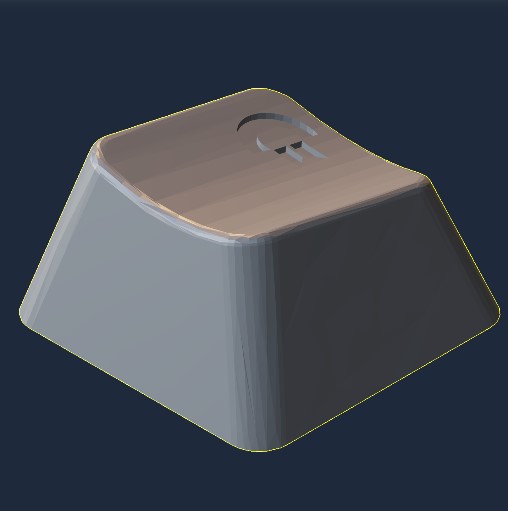
Elevate your Commodore C128 with this alternative keycap, engineered for 3D printing. Capture every element with the recommended SLA printing method for a superior finish. Key functions include high decision for an expert-grade appearance and an ideal fit designed to suit the original keycap dimensions. This alternative keycap is ideal for restoring the tactile experience of your loved one Commodore C128.
Who designed it? NEXUS3007
Where to get it? Cults
14. ZV-PDS MK.1 Storage Expansion Module
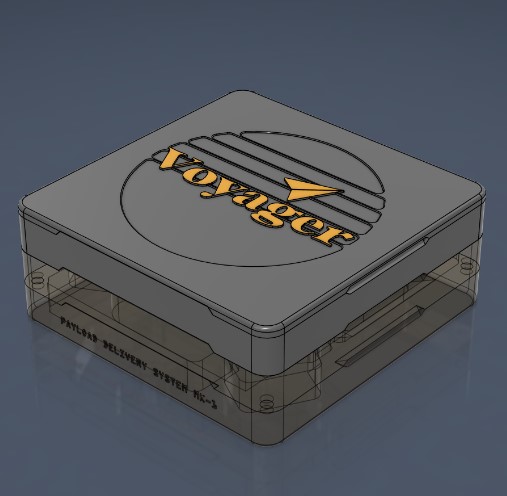
This layout has been very well examined using fashionable FDM 0.2mm settings with a 0.4mm nozzle on a Bambu P1s printer. It's optimised for clean printing, continuously generating entire prints without trouble, no matter the settings used. The modules join the usage of 6x3mm press-match magnets. Make certain the magnets are uniformly aligned before finalising their placement! Use a present module to align the magnets and press the garage expansion module onto the magnets with even strain for correct orientation.
Who designed it? VISUALARTIST808
Where to get it? Cults
15. Voyager Payload Delivery System MK.1
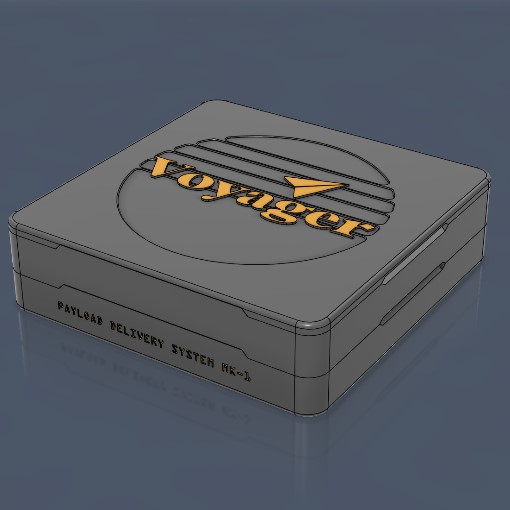
Similar to the ZV-PDS, this layout has been very well examined in the use of preferred FDM 0.2mm settings with a zero.4mm nozzle on a Bambu P1s printer. It's optimised for smooth printing, continually generating whole prints without problems. The modules connect using 6x3mm press-in shape magnets, and it is critical to align the magnets uniformly before finalising their placement. To assemble, insert the magnets into one module, align the magnets of the subsequent module, and press them together to ensure the right orientation.
Who designed it? VISUALARTIST808
Where to get it? Cults

Conclusion
These 15 unfastened 3D printed keyboard designs offer a variety of alternatives for exclusive needs and choices. Whether you are seeking out a one-handed gaming keyboard, a retro alternative key, or a complete RGB mechanical keyboard, there is something here for each person.
Bear in mind, that the use of a reliable 3-D printer could make all of the distinctions in your printing revel in. Creality's printers are regarded for his or her precision and reliability, making them an incredible preference for any 3-D printing project.
Read more if you are interested in:
Recent News

all
2026-10-13
8 Halloween 3D Print Ideas to Make Before October 31
Halloween is coming, and the candy stash has already suffered a few unexplained disappearances. W...

all
2026-09-18
Ender Series 3D Printers Parameter Comparison
The Creality Ender Series has evolved significantly since the original Ender-3. What began as an ...

all
2026-08-02
Creality Back-to-School Sale 2026: Save Up to 50% on 3D Printers and More
A new school year is a chance to start fresh projects, develop practical skills and turn digital ...

all
2026-05-26
Is PLA Recyclable?
PLA is a biodegradable plastic derived from renewable resources such as corn starch or sugarcane....