


15 Best 3D Printing Software for Beginners in 2024
Are you new to 3D printing and looking for the perfect software to get started?
With the advancement of technology, there are lots of options available, for different skill levels and needs.And I understand it can be really tough deciding which one you should go with.But, don't worry, we’ve made it easier for you.
In this guide, we'll explore the top 15 3D printing software options designed specifically for beginners in 2024.From simple block-building interfaces to more advanced sculpting tools, there's something for everyone on this list.

15 Best 3D Printing Software for Beginners
1. Tinkercad
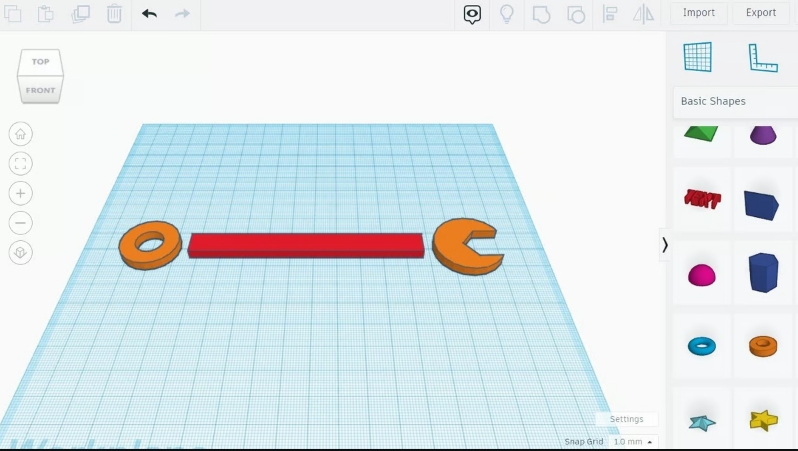
Tinkercad tops our list as one of the most beginner-friendly 3D printing software available. It's created by Autodesk, Tinkercad offers a simple interface that allows users to manipulate basic shapes and create intricate models effortlessly. With features like scaling, rotation, and hollowing, Tinkercad is perfect for entry-level students and individuals with no prior experience in handling 3D printing software.
Pros:
- User-Friendly Interface: Tinkercad offers a simple, intuitive interface that makes it easy for beginners to grasp basic 3D modeling concepts.
- Library of Shapes: With Tinkercad's extensive library of pre-made shapes, beginners can quickly assemble and customize objects without the need for advanced modeling skills.
- Free Access: As a completely free software, Tinkercad is accessible to anyone interested in diving into the world of 3D printing without breaking the bank.
2. Blender
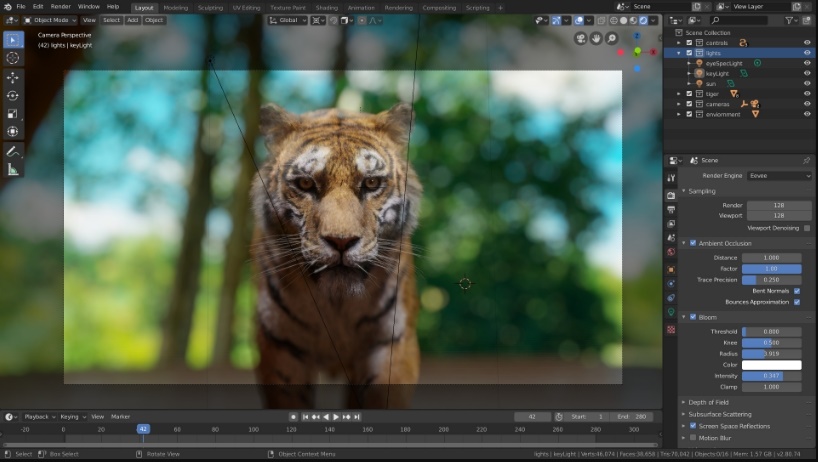
Blender stands out as a versatile 3D design software suitable for beginners and professionals alike. While renowned for its applications in video game design and visual effects, Blender also offers robust 3D printing capabilities. With its interface and extensive features, including a 3D printing toolbox for analyzing meshes, Blender is an excellent choice for beginners looking to explore advanced modeling techniques.
Pros:
- Versatility: Blender's broad range of applications extends beyond 3D modeling, making it suitable for beginners who want to explore various creative pursuits, including video game development and visual effects.
- Error Detection: The built-in 3D printing toolbox in Blender helps beginners identify and rectify potential printing issues, ensuring smoother printing processes.
- Cross-Platform Compatibility: Whether you're using Windows, macOS, or Linux, Blender offers seamless performance across different operating systems, providing flexibility for users.
3. SketchUp Free
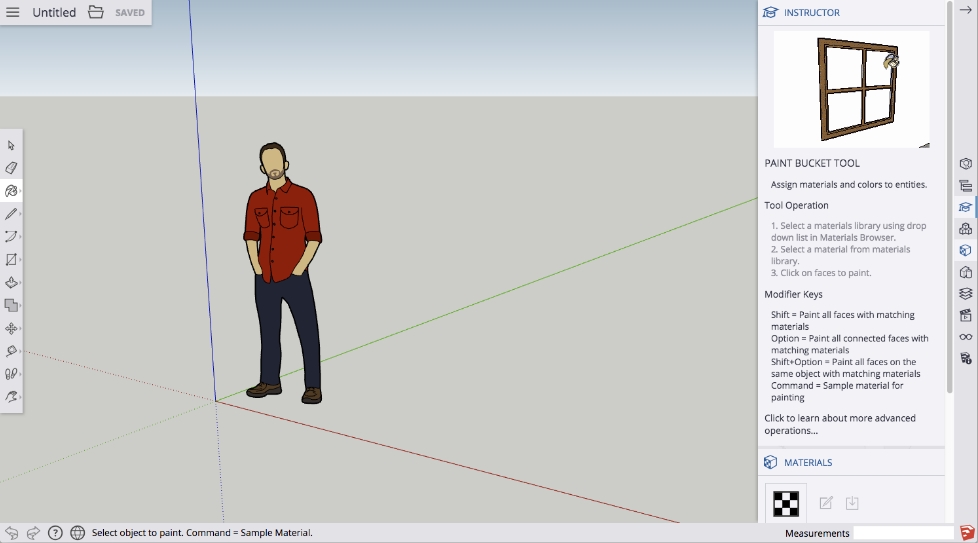
SketchUp Free is another fantastic option for beginners interested in architectural design and visualization. With its direct modeling approach and user-friendly interface, SketchUp allows users to create intricate designs with ease. While the free version comes with limited features, it serves as an excellent starting point for beginners looking to hone their design skills before transitioning to more advanced software.
Pros:
- Architectural Design Focus: SketchUp's specialization in architectural design makes it an ideal choice for beginners interested in creating structures and visualizing interior spaces.
- Direct Modeling: With its emphasis on direct modeling, SketchUp allows beginners to create geometry quickly and intuitively, bypassing the complexities of feature-based modeling.
- Cost Options: While the free version of SketchUp offers limited features, paid subscription tiers cater to users with more advanced needs, providing scalability as skills develop.
4. Meshmixer
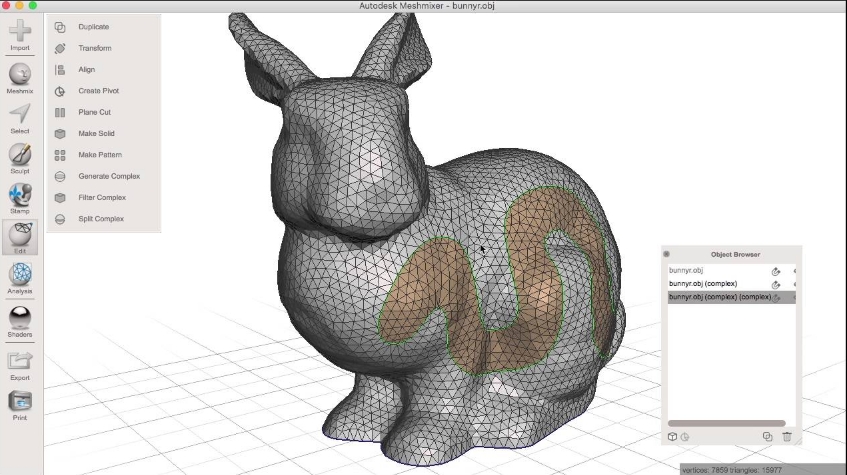
Meshmixer, developed by Autodesk, offers a unique approach to 3D modeling, focusing on mesh manipulation and optimization. While not suitable for building models from scratch, Meshmixer excels in tasks like repairing, hollowing, and filling pre-existing models. Its user-friendly interface makes it ideal for beginners looking to refine and customize their designs before printing.
Pros:
- Model Optimization: Meshmixer excels in tasks such as model repair, hollowing, and optimization, making it invaluable for beginners seeking to refine their 3D designs before printing.
- Sculpting Capabilities: With its sculpting tools, Meshmixer offers beginners a hands-on approach to manipulating and refining models, fostering creativity and experimentation.
- Free Availability: As a free software program, Meshmixer provides accessible tools for both beginners and professionals without imposing financial barriers.
5. SculptGL
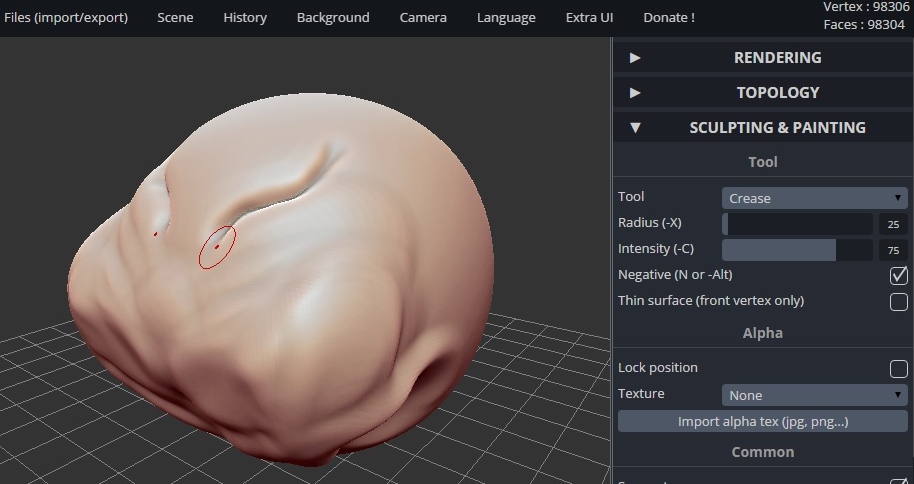
SculptGL is a browser-based sculpting software that allows users to mold digital clay into complex shapes and forms. With its interface and extensive sculpting tools, SculptGL is perfect for beginners looking to explore organic modeling techniques. If you're sculpting characters, creatures, or abstract shapes, SculptGL offers a seamless experience for aspiring 3D artists.
Pros:
- Browser-Based Access: SculptGL's online platform eliminates the need for downloads or installations, allowing beginners to start sculpting immediately with minimal setup requirements.
- User-Friendly Interface: Designed with simplicity in mind, SculptGL offers an intuitive interface that guides beginners through the sculpting process, making it suitable for users of all skill levels.
- Open-Source: Being open-source means SculptGL encourages community collaboration and customization, providing a supportive environment for beginners to learn and grow.
6. Vectary
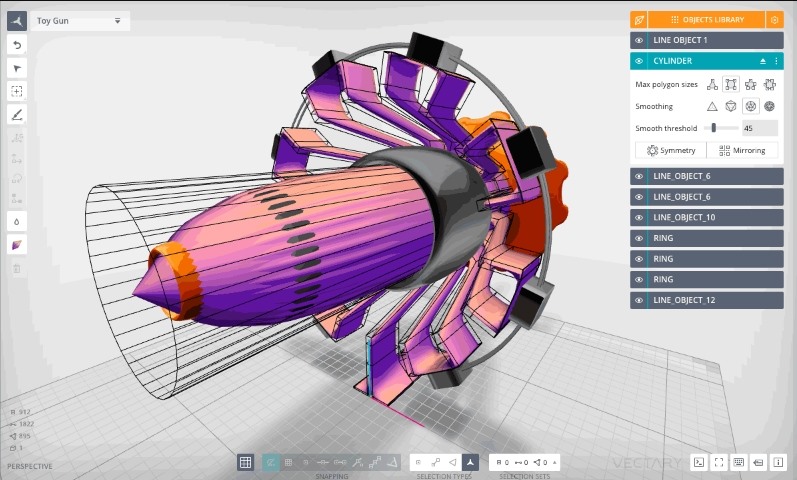
Vectary is an online 3D modeling software that supports both 2D and 3D modeling techniques. With its extensive library of models and textures, Vectary is perfect for beginners looking to explore parametric and mesh modeling. If you need help with designing products, games, or graphic designs, Vectary offers a user-friendly platform for unleashing your creativity.
Pros:
- Modular Approach: Vectary's modular design accommodates both 2D and 3D modeling tasks, offering beginners a versatile platform for exploring different design techniques and workflows.
- Parametric Plugin: The inclusion of a parametric plugin in Vectary enhances its functionality, allowing beginners to create complex, customizable models with ease.
- Accessible Pricing: While Vectary offers a subscription-based model, its monthly pricing plans provide affordable access to a comprehensive set of modeling tools, making it suitable for beginners on a budget.
7. Wings 3D
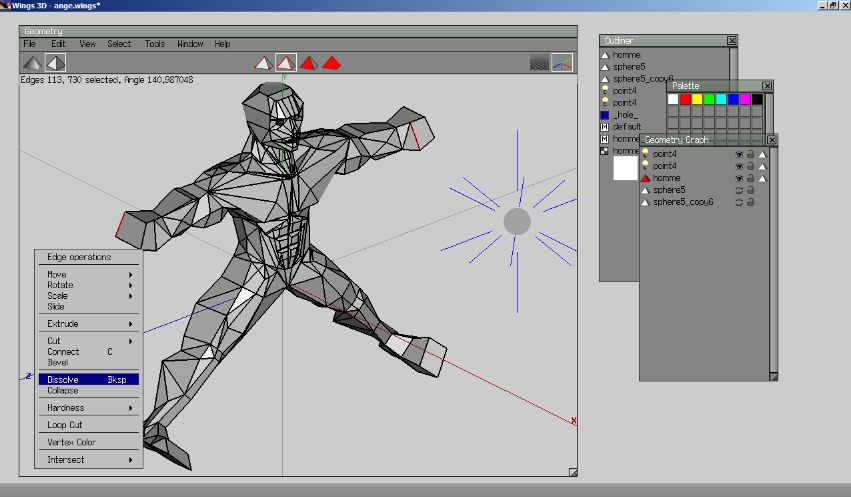
Wings 3D is a user-friendly 3D modeling software that specializes in subdivision modeling, allowing users to create smooth and organic shapes with ease. Its comprehensive set of tools make it an ideal choice for beginners and experienced users alike, particularly those interested in character modeling and sculpting. One notable feature of Wings 3D is its AutoUV capability, which simplifies the process of texture mapping by automatically generating UV coordinates for models. As an open-source software program, Wings 3D encourages community collaboration and development, providing users with a supportive environment for learning and experimentation.
Pros:
- Subdivision Modeling: Wings 3D's subdivision modeling capabilities enable beginners to create smooth, organic shapes with ease, making it an ideal choice for character modeling and sculpting.
- ● AutoUV Feature: The AutoUV feature simplifies texture mapping for beginners, streamlining the process of applying textures and materials to 3D models without requiring advanced UV unwrapping skills.
- Open-Source: As an open-source software program, Wings 3D encourages community collaboration and development, providing beginners with a supportive environment for learning and experimentation.
8. BlocksCAD
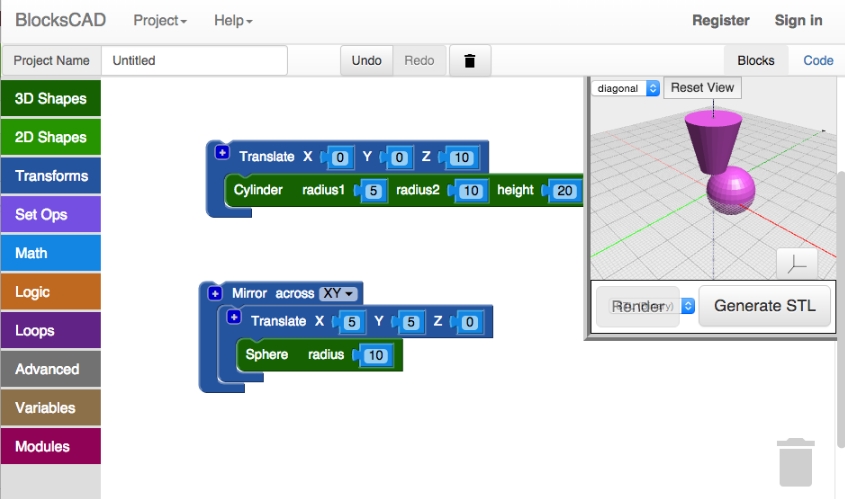
BlocksCAD offers a unique approach to 3D modeling, employing a LEGO-like scripting system that simplifies the design process for beginners. With its colorful interface and tools, BlocksCAD is ideal for kids and beginners looking to learn the basics of 3D modeling through interactive building blocks. Whether you want to create simple shapes or complex structures, BlocksCAD offers a fun and educational experience for budding designers.
Pros:
- LEGO-Like Interface: BlocksCAD's LEGO-like interface offers a playful approach to 3D modeling, making it ideal for beginners, particularly younger users, who are familiar with building block toys.
- Educational Resources: With learning videos, online courses, and introductory tutorials, BlocksCAD provides ample educational resources to support beginners in mastering fundamental 3D modeling concepts and techniques.
- Web-Based Access: BlocksCAD's web-based platform eliminates the need for software downloads, allowing beginners to access and use the program from any device with an internet connection.
9. Leopoly
Leopoly is a cloud-based 3D modeling software that offers intuitive sculpting and customization tools for beginners. With its focus on accessibility and ease of use, Leopoly is perfect for students and beginners looking to sculpt and customize 3D models for printing. Whether you're designing characters, prototypes, or decorative objects, Leopoly provides a seamless experience for novice users.
Pros:
- Cloud-Based: Leopoly's cloud-based architecture provides beginners with a flexible and accessible platform for creating, customizing, and sculpting 3D models from anywhere, using any device.
- Error Detection: Leopoly's built-in error detection feature helps beginners identify and address potential printing issues before sending their models to a 3D printer, reducing the likelihood of printing failures.
- Integration with Printing Services: Leopoly's seamless integration with 3D printing service bureaus enables beginners to easily send their models for printing, even if they don't own a 3D printer, expanding accessibility and convenience.
10. ZBrushCoreMini
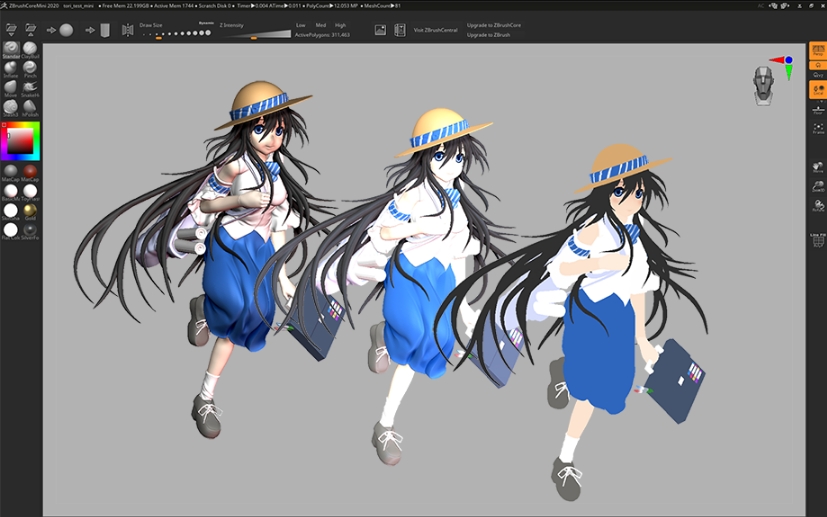
ZBrushCoreMini offers a simplified version of Pixologic's ZBrush, a renowned sculpting software used by professionals. With its selection of basic brushes, ZBrushCoreMini is perfect for beginners looking to learn digital sculpting techniques.
Pros:
- Simplified Interface: ZBrushCoreMini's streamlined interface caters specifically to beginners, that offers a curated selection of essential sculpting brushes and tools without overwhelming complexity.
- Learning Resource: As a simplified version of the professional-grade ZBrush software, ZBrushCoreMini serves as an excellent learning tool for beginners interested in mastering digital sculpting techniques before advancing to more advanced software.
- Cost-Free: ZBrushCoreMini is available free of charge, making it an accessible entry point for beginners looking to explore the world of digital sculpting without financial barriers.
11. Spline
Spline, a web-based, real-time, collaborative 3D modeling program, is designed to offer a more intuitive workspace compared to some of its more comprehensive counterparts. With its user-friendly tutorials, you can easily dive into creating 3D models, incorporating parametric objects, polygonal editing, and more. Additionally, you can animate and refine the appearance of your 3D models by adjusting their material layers. Spline boasts a robust import toolset, allowing you to seamlessly incorporate your vector artwork, 3D designs, and other necessary elements to bring your envisioned composition to life.
Pros:
- User-Friendly Interface: Spline offers an intuitive and easy-to-navigate interface, making it accessible for beginners.
- Real-Time Collaboration: As a web-based platform, Spline allows for real-time collaborative work, enabling multiple users to work on the same project simultaneously.
- Robust Import Tools: Spline provides extensive import capabilities, making it easy to incorporate vector artwork, 3D designs, and other elements into your projects.
12. FreeCAD
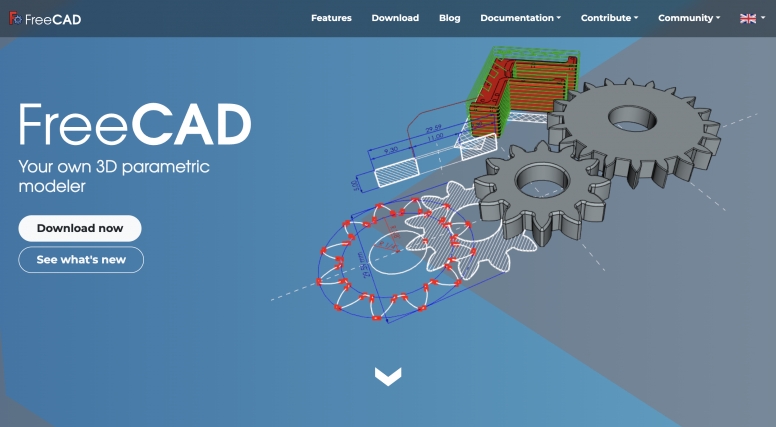
FreeCAD is a 3D modeling program designed primarily for real-world object design, utilizing real-world units such as microns, kilometers, inches, or feet, and even combinations of units. It offers tools for creating, exporting, and editing solid, full-precision models, suitable for tasks like 3D printing or CNC machining. Additionally, it facilitates the creation of 2D drawings and views of models, as well as performing analyses like Finite Element Analyses or exporting model data such as quantities or bills of materials.
Pros:
- Parametric Modeling: Every object in FreeCAD is defined by parameters, allowing for detailed and precise control, easy modifications, and the creation of custom parametric chains.
- Versatile Unit Support: FreeCAD supports a variety of real-world units, making it suitable for diverse projects that require precision and varying scales.
- Free and Open-Source: Being open-source, FreeCAD is entirely free, making it accessible to anyone and continually improved by a dedicated community.
13. Blender
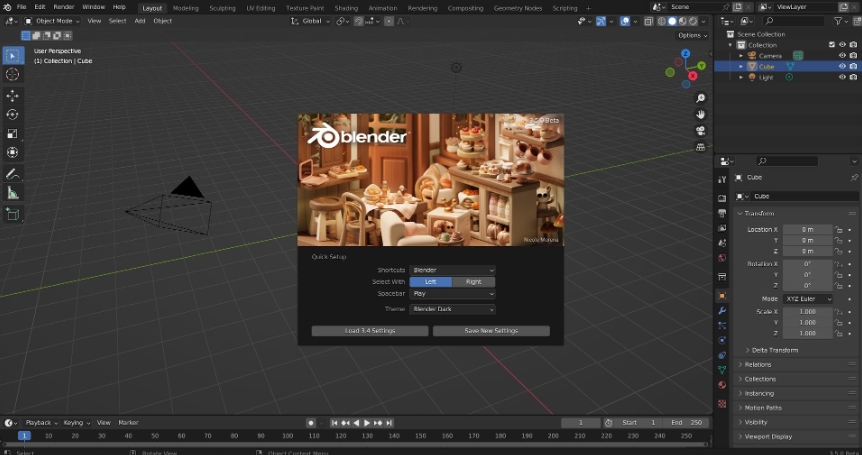
Blender is a highly versatile and powerful open-source 3D modeling software that caters to a broad range of applications including animation, visual effects, and even video editing. Blender offers extensive features such as sculpting, texturing, and rendering, and it supports both polygonal and NURBS modeling. One of Blender's standout features is its comprehensive animation toolkit, which includes rigging, motion tracking, and an integrated game engine. With a strong focus on community development, Blender offers extensive documentation, tutorials, and plugins to enhance its functionalities. It is supported on Windows, macOS, and Linux, offering a cost-effective yet professional solution for 3D artists.
Pros:
- Versatile and Powerful: Blender is a highly versatile open-source software that covers a broad range of applications, from animation to video editing.
- Comprehensive Animation Toolkit: Blender includes features like rigging, motion tracking, and an integrated game engine, making it a comprehensive solution for animators.
- Strong Community and Documentation: With extensive documentation, tutorials, and plugins, Blender’s strong community support enhances its functionality.
14. Autodesk Maya
Autodesk Maya stands out as the premier choice for animation enthusiasts, boasting a rich array of pro-level features for modeling, texturing, rendering, and beyond. It pioneered the integration of hair and fur in commercial 3D rendering systems, making it a pioneer in the field. With tools dedicated to character creation, movement, and the simulation of natural phenomena like water, fire, sandstorms, and explosions, Maya is the go-to software for VFX artists and animators alike. The recent addition of procedural effects enhances Maya's capabilities, allowing for the creation of complex elements through dynamic solvers.
Pros:
- Comprehensive Animation Tools: Maya excels in animation and rigging, offering an extensive suite of tools for creating intricate, dynamic scenes and character movements.
- Advanced Simulation Capabilities: The software provides robust tools for simulating natural phenomena such as water, fire, sandstorms, and explosions, making it ideal for VFX productions.
- Customizable Workspaces: Maya allows users to customize their workspaces to fit specific workflow preferences, enhancing productivity and user experience.
15. Cinema 4D
Maxon's Cinema 4D is renowned for its advanced simulation capabilities, making it a staple in creating captivating visual effects seen in VFX-heavy Hollywood productions. Despite its sophistication, Cinema 4D maintains a reputation for user-friendliness. Its well-organized interface and advanced features streamline modeling and animation workflows, catering to both beginners and seasoned 3D artists. The software boasts a supportive community offering abundant tutorials, aiding newcomers in mastering its features.
Pros:
- User-Friendly Interface: Despite its advanced capabilities, Cinema 4D is known for its user-friendly interface, making it accessible to beginners.
- Advanced Simulation Capabilities: The software excels in simulation and visual effects, providing robust tools for realistic physics simulations and particle effects.
- Supportive Community: Cinema 4D has a large, supportive community and abundant tutorials, aiding newcomers in mastering its features.
Some of the content in this article is sourced from All3DP. For more in-depth information, please visit their website.
Recommended reads:
A Comprehensive Guide on Drying Filament
Choosing the Right Filament: Ender 3 (V2/Pro/S1) Edition
Faqs about 3D Printing Software for Beginners
1. What is the best 3D printing software for beginners?
Tinkercad tops our list as one of the most beginner-friendly 3D printing software available. Created by Autodesk, Tinkercad offers a simple interface that allows users to manipulate basic shapes and create intricate models effortlessly.
2. Can beginners use Blender for 3D printing?
Yes, Blender is a versatile 3D design software suitable for both beginners and professionals. It offers robust 3D printing capabilities along with a 3D printing toolbox for analyzing meshes, making it an excellent choice for beginners looking to explore advanced modeling techniques.
3. Is there any free 3D printing software available?
Several free options are available, including Tinkercad, Meshmixer, and Blender. Tinkercad provides a user-friendly interface ideal for beginners, while Meshmixer excels in model optimization tasks like repairing, hollowing, and refining pre-existing models.
4. What is the easiest 3D modeling software to learn?
For those new to 3D modeling, SketchUp Free and Tinkercad are highly recommended due to their user-friendly interfaces and extensive online tutorials. These platforms make 3D modeling approachable and enjoyable for beginners.
5. Can 3D modeling be self-taught?
Yes, 3D modeling can definitely be self-taught. With a variety of online resources such as YouTube, Udemy, and Coursera offering courses from basic to advanced levels, many people successfully learn on their own. Supportive online communities around popular software further aid in the learning process, making it entirely possible to master 3D modeling with dedication and practice.
Conclusion
In conclusion, 3D printing offers so many software options for beginners, each with its own unique features and advantages. No matter if you're looking for simplicity, versatility, or affordability, there's a software solution on this list to suit your needs and preferences.
If you want to have a 3D printer that uses advanced 3D printing software to create designs that are innovative and easy to make, you can check out the Creality Store. Whether you're using it personally or professionally, you can find what you need at https://store.creality.com.
Read more if you are interested in:
Recent News

8 Halloween 3D Print Ideas to Make Before October 31

Ender Series 3D Printers Parameter Comparison

Creality Back-to-School Sale 2026: Save Up to 50% on 3D Printers and More
