


Creality K1 Series Routine Maintenance Tips
How often do you maintain your printer when using it? Proper maintenance of the machine can extend the service life of the printer and improve the print quality. So this article shares the maintenance and precautions for K1 series machines.
1. Keep Printer Clean
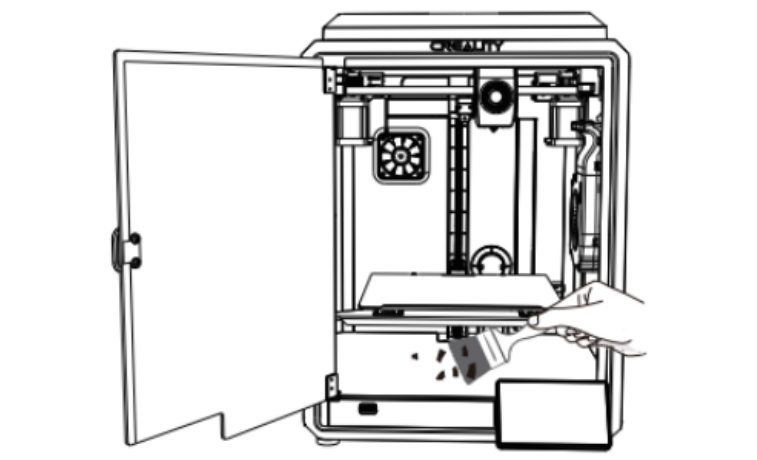
Whether it is before you start printing or after you have finished printing, always keep the inside of the printer and the printing platform clean and tidy.
For example:
- Regularly clean the print bed (such as glass, PEI, or other surfaces) to remove dust, remaining filaments, and debris. Use isopropyl alcohol or a mild detergent solution for cleaning;
- Clean the printer regularly, especially the fan and cooling system, to prevent dust buildup from restricting airflow or causing overheating.
2. Lubricate the Moving Parts

Every 500 cumulative hours of printing, lubricating grease must be applied to the threaded rod, the smooth rod and linear bearings. It's important to remember that this is a special grease because the optical axis above the X axis is driven through a graphite copper tube. Only a thin layer is required on the XY axis surfaces. Never use liquid lubricants.
3. Nozzle Inspection & Replacement
Check the nozzle for any clogs or filament residue. Use a cleaning needle or cold pull method to remove blockages.
The nozzles will wear out over time. To ensure printing accuracy and quality, it is recommended that the nozzle be replaced every 500 hours of accumulated printing time.
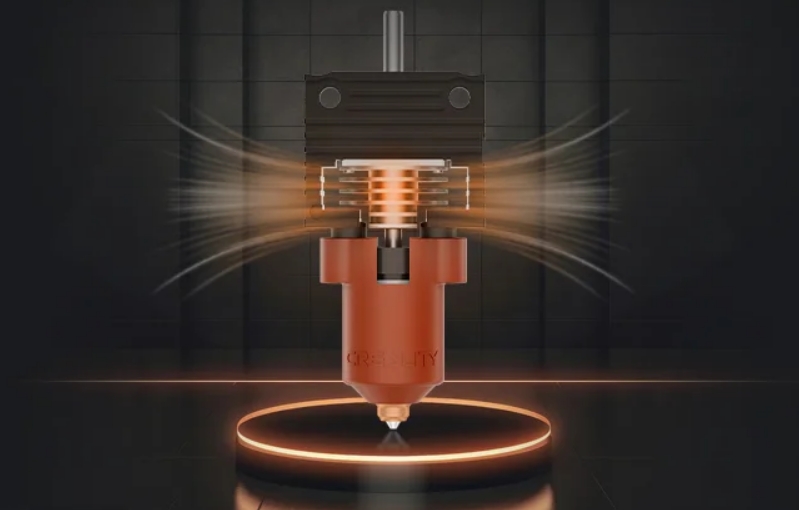
Kind warning tips when you replace nozzle of K1 Series printers:
- To replace the nozzle, you must first preheat the nozzle;
- Avoid scalding when replacing hot nozzles;
- Use a tool to hold the heater block in place when removing the tip to prevent damage to components.
4. Check Belt Tension
Ensure that the belts driving the X, Y, and Z axes are tight but not over-tensioned. Loose belts can cause inaccurate prints, while overly tight belts can cause wear on the motors.
5. Check and Tighten Screws
Over time, vibrations may loosen screws and bolts on the frame and other components. Periodically check and tighten them to maintain stability.
6. Equipment Self-test
After the printer has been in use for a long time, whether it is the tape optical axis or the nozzle, there will be a certain amount of wear and tear that will cause the printer's status to differ from the status of the last device self-test.
It is recommended to perform a device self-test every 300 hours of accumulated printing time to make the detection compensation of the printer more consistent with the current status.
7. Firmware & Software Updates
Make sure your printer’s firmware and slicer software are up-to-date to benefit from improvements and bug fixes. All the latest firmware and software you can find in the Official website.
Regular maintenance is the key to keeping FDM 3D printers running smoothly and ensuring consistent print quality. Properly care for your K1 series printer to ensure optimal performance.
Read more:
Creality K1C Maintenance Tips for Peak Performance
Top 10 3D Printing Slicers in 2024
Recent News

8 Halloween 3D Print Ideas to Make Before October 31

Ender Series 3D Printers Parameter Comparison

Creality Back-to-School Sale 2026: Save Up to 50% on 3D Printers and More
