


10 Essential Ender 3 Pro Upgrades to Up Your 3D Printing Game
Are you finding it challenging to obtain your preferred precision and quality with your Ender 3 Pro? Even the most sturdy and well-built machines have limitations. You may often find yourself dealing with constant bed leveling, disruptive noises, and below-average print quality. These issues can be a waste of both your time and materials, limiting your creative scope.
However, there's a silver lining: Ender 3 Pro upgrades can make a world of difference. This guide will highlight the best Ender 3 Pro upgrades that can transform your printer into a more precise, quieter, and efficient machine. With these upgrades, you can achieve smoother and higher-quality prints with minimal effort. Ready to revolutionize your 3D printing experience?
Let's dive in.
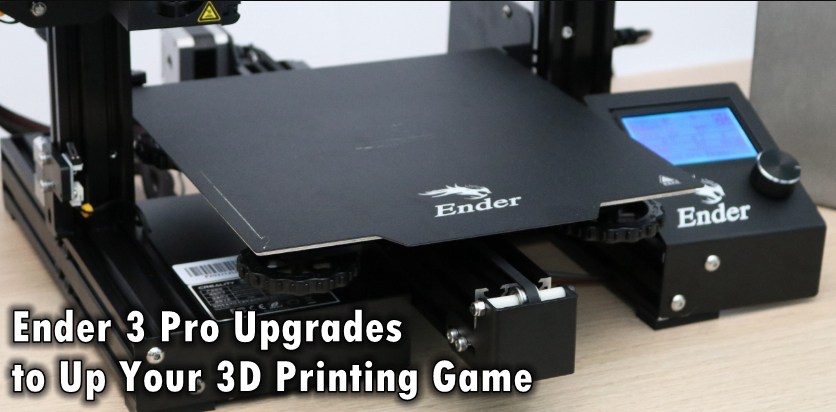
Top 10 Must-Have Ender 3 Pro Upgrades
Enhance your 3D printing game with these top 10 Ender 3 Pro upgrades. Each upgrade is a step towards perfection, from enhancing print quality to boosting efficiency. Whether you're a hobbyist or a professional, these upgrades will streamline your printing process, reduce noise, and ensure consistent results.
Ready to transform your Ender 3 Pro into a printing powerhouse? Let’s explore these game-changing modifications.
1. Board Fan Guard
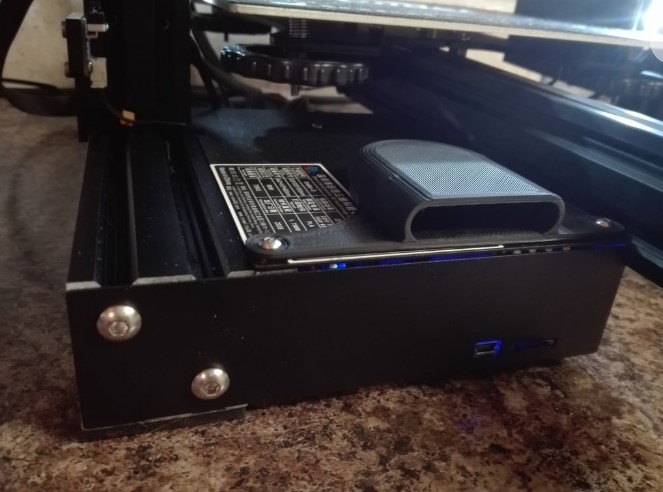
Think about the heart of your Ender 3 Pro. It's like having a tiny intruder that can wreak havoc, leading to unexpected stops and potentially damaging the fan or the mainboard. That's where the board fan guard steps in.
This nifty little guard acts like a shield, a simple yet effective barrier that keeps those filament pieces at bay. It's a DIY solution that speaks volumes about foresight and prevention. By installing a board fan guard, you're not just avoiding a problem but actively safeguarding your investment.
This modest upgrade, often overlooked, is a first line of defense against what could be a costly and frustrating repair job. It's an example of how a small change can have a significant impact, ensuring that your printer runs smoothly, uninterrupted by the small, often unnoticed challenges of 3D printing.
2. BLTouch Auto Bed Leveling

Gone are the days of the tedious manual bed leveling, akin to tuning an old, finicky radio. The BLTouch Auto Bed Leveling system is like a breath of fresh air in the 3D printing world, transforming your Ender 3 Pro into a more user-friendly and efficient machine.
This ingenious device takes over the leveling process, ensuring a perfectly even bed every time you print. Its installation is straightforwardly designed with user convenience in mind, making it a perfect fit for both novices and seasoned pros. What's remarkable about BLTouch is its adaptability.
It works flawlessly with any bed type, be it glass, metal, or others, guaranteeing that your prints are consistently flawless. With BLTouch, each layer of your print reflects precision, contributing to the overall excellence of your 3D printing projects.
3. Silent Mainboard v1.1.5
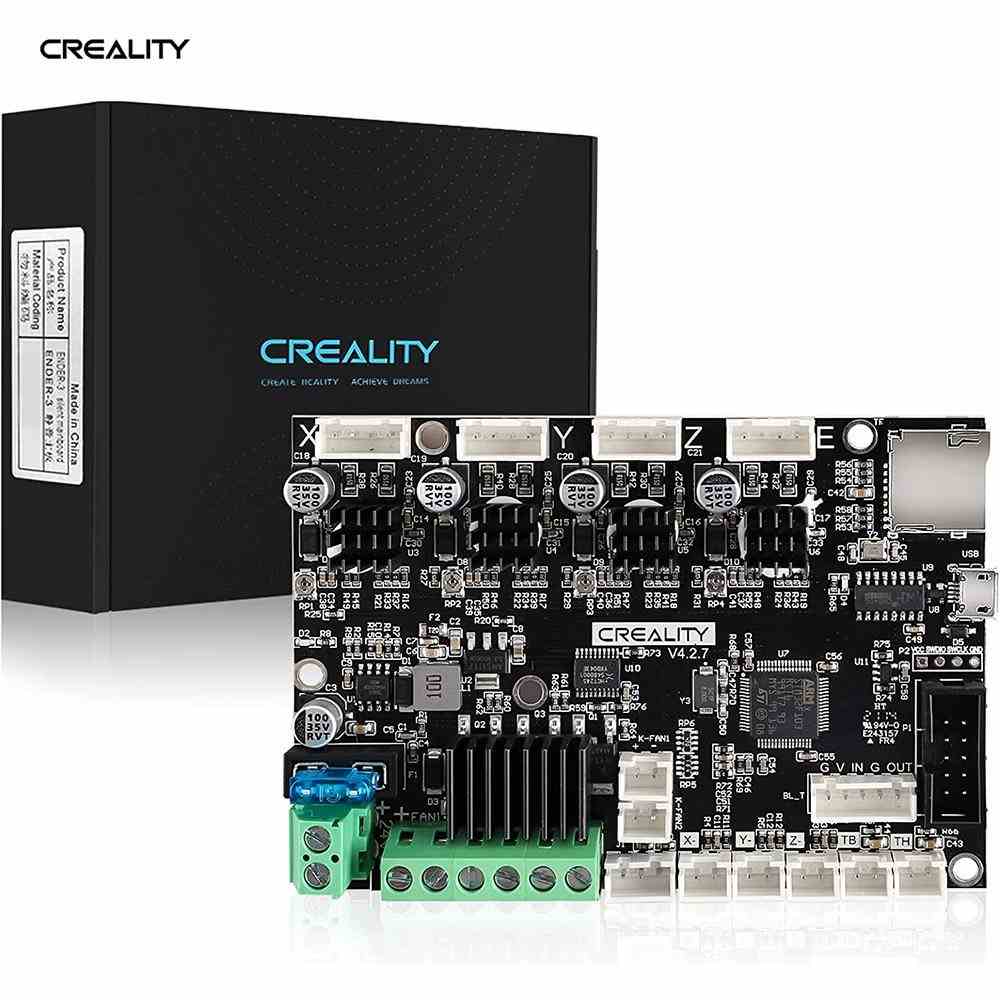
The Ender 3 Pro is known for its reliability but not necessarily for quiet operation. The Creality Silent Mainboard v1.1.5 changes this narrative, transforming your printer into a whisper-quiet workhorse.
This isn’t just about reducing noise. It’s about enhancing the entire printing experience.
This mainboard dramatically lowers the decibel levels by integrating the TMC2208 stepper motor drivers, turning the loud, distracting buzz into a subtle hum.
But the benefits extend beyond just a quieter environment. This noise reduction corresponds with decreased vibrations, leading to more stable and precise movements of the printer head.
The result? Sharper, more detailed prints. Your layers are smoother, the details are finer, and the print quality has noticeably improved.
This upgrade isn’t just a step towards a more peaceful printing environment. It’s a leap towards achieving professional-grade print quality, even in a home setting. It’s an investment in peace of mind and the pursuit of perfection in your 3D printing endeavors.
4. OctoPrint Upgrade

Upgrading your Ender 3 Pro with OctoPrint is like turning your 3D printer into a high-tech, smart device. This upgrade liberates you from the need to be physically present to manage your prints.
With OctoPrint, you can start, pause, or stop your prints using your smartphone or computer.
This flexibility is a game-changer, especially for those with busy schedules or for professionals who need to manage multiple tasks. You can monitor your print's progress through a live feed, ensuring everything runs smoothly. If an issue arises, you're immediately alerted and can take action, no matter where you are.
OctoPrint also offers features that enhance your printing experience. You can experiment with different settings, adjust print parameters on the fly, and even try new filament types with greater confidence. Tracking the history of your prints adds a layer of analysis, helping you refine your techniques over time.
In essence, OctoPrint isn't just an upgrade. It's a leap towards more brilliant, more efficient 3D printing. It empowers you with greater control, enhances the quality of your prints, and introduces a level of convenience that was once unimaginable in 3D printing.
5. Touchscreen Upgrade

Adding a touchscreen to your Ender 3, especially when you're already using OctoPrint, is like upgrading from a regular remote to a high-end intelligent remote for your TV. It brings convenience and efficiency to a whole new level.
With a touchscreen, every command is just a tap away. You can navigate through menus, adjust settings, and control your prints with ease and precision.
The touchscreen interface is intuitive, making it more straightforward for all skill levels. It's particularly beneficial for those already harnessing the power of OctoPrint. The combination of OctoPrint's remote monitoring and control capabilities with the tactile responsiveness of a touchscreen creates a seamless, interactive experience.
You're not just passively monitoring your prints anymore. You're engaging with them more directly and satisfyingly.
Moreover, the touchscreen adds a modern touch to your printer. It streamlines the printing process, reducing the time and effort needed to make adjustments. This upgrade is an intelligent move toward making your 3D printing process more efficient and enjoyable.
6. MeanWell Power Supply (PSU) for your Ender 3 Pro

Upgrading to a MeanWell Power Supply (PSU) for your Ender 3 Pro is like giving your printer a solid foundation. This PSU is renowned for its reliability and performance improvements. First off, it significantly reduces noise.
Unlike the stock PSU, which runs its fan continuously, the MeanWell PSU operates more quietly, activating its fan less frequently. This results in a more peaceful printing environment.
The MeanWell PSU is built with higher-quality components, offering cleaner power and reducing the risk of electrical issues. It also enhances the performance of auto-bed leveling sensors like the BLTouch by providing stable power and mitigating bed-leveling problems.
Overall, this upgrade makes your printer quieter and safer and improves its overall performance.
7. Glass Print Bed
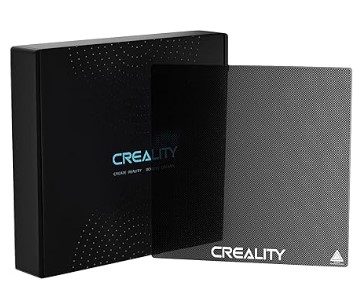
Switching to a glass print bed for your Ender 3 Pro is akin to giving your printer a premium workspace. The essential advantage of a glass bed lies in its unparalleled flatness. Unlike other materials that might warp or bend over time, a flat glass bed remains, providing a solid foundation for your prints. This flatness directly translates to higher print quality, with smoother first layers and reduced warping of prints.
Maintenance-wise, glass beds are a breeze to clean and prepare for the next print. They also offer a semi-glossy finish to the bottom of your prints, adding a touch of professionalism to your creations. The ease of removing completed prints from a glass surface is another significant plus, reducing the likelihood of damaging your prints or the bed in the process.
8. LED Strip for Improved Visibility
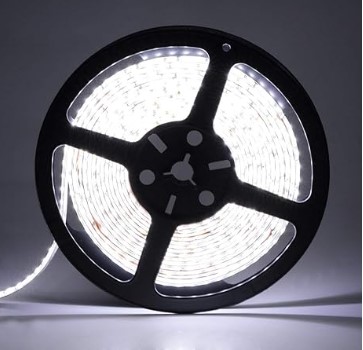
Illuminating your Ender 3 Pro with an LED strip is like shining a spotlight on your printing process. Proper lighting is crucial, not just for the aesthetics but for functionality.
With an LED strip, you can see your print's progress, allowing for early detection of any issues. This visibility is invaluable, especially when printing complex or detailed models.
Installing an LED strip is a straightforward upgrade that pays off in dividends. It allows you to monitor print quality in real-time, catch errors early, and make necessary adjustments without halting the entire process. Moreover, the enhanced lighting can be particularly helpful when adjusting settings or performing maintenance on your printer.
An LED-lit workspace is efficient and adds a professional touch to your 3D printing setup.
9. Bed Springs Upgrade
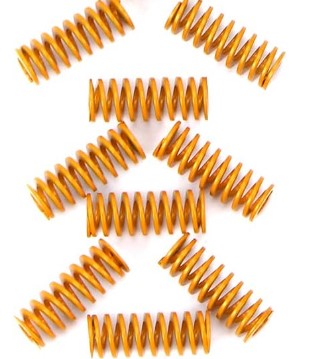
Upgrading the bed springs on your Ender 3 Pro is like reinforcing the foundation of a building. It’s a small change with a big impact. The stock springs are often a weak link, leading to frequent bed leveling and print inconsistencies.
By switching to upgraded springs, you significantly enhance the stability of your print bed. These stronger, more durable springs maintain their tension longer, meaning less tweaking and readjusting between prints. This translates to more time printing and less time calibrating. It’s a straightforward upgrade that brings peace of mind, knowing your bed will stay level through countless prints.
10. Metal Feeder Assembly

Replacing your Ender 3 Pro’s plastic feeder with a metal assembly is like trading a plastic fork for a steak knife. It’s a tool more suited for the job. The original plastic feeder can wear over time, affecting its grip on the filament. This leads to under-extrusion or irregular feed rates, impacting your print quality.
A metal feeder, on the other hand, is robust and reliable. It provides consistent pressure on the filament, ensuring steady feeding and reducing the chances of print failures. This upgrade not only extends your printer's lifespan but also elevates the quality of every print.
Hot FAQs about Ender 3 Pro Upgrades
1. What are some useful upgrades for the Ender 3 Pro?
Some popular upgrades for the Ender 3 Pro include a BLTouch Auto Bed Leveling Sensor, a Metal Extruder Frame, a Capricorn Bowden PTFE Tubing, a Silent Mainboard, and an upgraded Power Supply Unit (PSU). These upgrades help improve the overall functionality, precision, and output of the 3D printer.
2. Is it necessary to upgrade my Ender 3 Pro?
While the Ender 3 Pro is a solid 3D printer out of the box, making certain upgrades can enhance its performance, ease of use, and quality of prints. However, it's not strictly necessary especially if you're satisfied with its current performance.
3. How do I install the BLTouch Auto Bed Leveling Sensor upgrade on my Ender 3 Pro?
The BLTouch Auto Bed Leveling Sensor can be installed by mounting it on the printer's gantry, connecting its wiring to the mainboard, and updating the printer's firmware to recognize the sensor. Detailed installation instructions should come with the sensor or can be found online.
4. Will the silent motherboard upgrade make my Ender 3 Pro completely noise-free?
The silent motherboard upgrade will significantly reduce the noise produced by the stepper motors, making your Ender 3 Pro much quieter during operation. However, it won't eliminate all noise, as fans and other mechanical parts may still produce some sound.
Related Article:
The Ideal Print Speed Settings for Ender 3 (V2/Pro/S1) Users >>
Conclusion
In conclusion, each of these Ender 3 Pro upgrades is akin to a puzzle piece, uniting to augment your 3D printing journey. From the fundamental stability offered by improved bed springs to the cutting-edge convenience of OctoPrint, these Ender 3 Pro upgrades enhance performance and enrich the user experience.
Whether achieving whisper-quiet operations, flawless print quality, or streamlined processes, these upgrades cater to a range of needs and preferences. Consider your printing goals and challenges, and choose the best upgrades with your aspirations.
By doing so, you transform your Ender 3 Pro into a tailored powerhouse, ready to bring your creative visions to life with greater ease and precision.
Read more if you are interested in:
Recent News

8 Halloween 3D Print Ideas to Make Before October 31

Ender Series 3D Printers Parameter Comparison

Creality Back-to-School Sale 2026: Save Up to 50% on 3D Printers and More
