


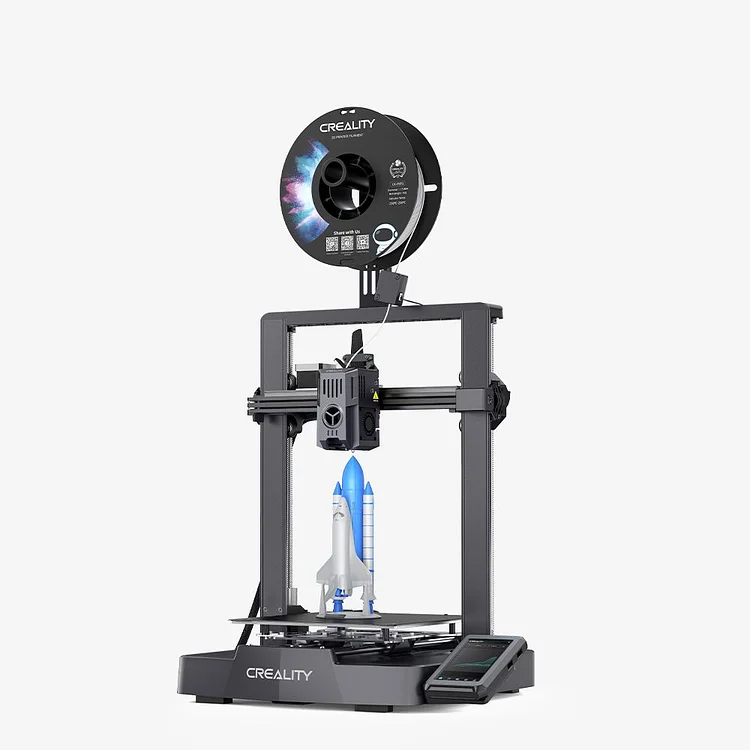
3D Printing Smarter and Faster Best Printer under $300
【X-axis Linear Rail: Ultra-Smooth Motion and Stable Structure】
【Max Printing Speed 500mm/s*; Max Acceleration 8000mm/s²*】
【LAN & Could Printing: Control and Monitor Smartly from Anywhere】
【Smart UI: "Creality OS" Smart Beyond Limits】
【60W Ceramic Heater 300°C* Copper Nozzle More Filament to Print】
【Double Fans for Rapid Model Cooling in Good Shape】
Creality Ender-3 V3 Ke Firmware Upgrade
all
2024-12-23 04:51:53
You may have already read articles on how to update the V3 SE firmware on the Creality website or store, or watched the V3 SE firmware upgrade tutorial video on Creality's official After-sale YouTube channel. Perhaps you’ve even participated in discussions on platforms like Reddit or GitHub regarding the V3 SE firmware upgrade.
If you're familiar with firmware updates for Ender-3 series printers, upgrading the Ender-3 V3 KE firmware will be a breeze for you. However, even if you're completely new to this, there's no need to worry. This guide will provide you with a detailed step-by-step guide to easily update your V3 KE firmware.

Ender 3 V3 KE Firmware Update
Here are three methods to flash your firmware that require the following steps:
1. OTA Update:
-
Make sure the printer is connected to the internet, access the OTA update on the touch screen, and wait for the update to complete. Go to the Settings - Enter the Firmware Version Detection menu to see if there are new versions available. If there is, we can even see the release notes of this new version here. Simple check on download before upgrade.
-
When the firmware upgrade is complete, enter “Settings - Self-check”, tick "Automatic Z Offset" and "Auto Bed Leveling", and start self-check.
Note: Please wait for the self-check to complete before using the printer.
2. Update via USB Drive
- Download the latest version of the V3 KE Firmware at Crealitycould.com and store it in a USB Drive. Visiting Crealitycould's website navigation, Download - Firmware - Ender Series, click Ender-3 V3 KE to find the product firmware Ender-3_V3_KE_F005_ota_img_V1.1.0.15.img. It was updated on Sep 29th, 2024.
-
Then, plug the USB drive into the printer for the update.
Note: If the Fluidd/Mainsail has been installed, the update will not delete it but will overwrite its configurations. Please save the configuration file before updating in case you need it.
3. Root Guide
Rooting steps please refer to https://github.com/CrealityOfficial/Ender-3_V3_KE_Annex
-
Enter “Settings - Root Account Infomation”, and accept the “Warning”, then you can get the root account and password of your printer.
- If the “Warning” is not accepted, you are not allowed to use the SSH to log into the root account.
Note: here are some Rooting Risks you should need to know
- Please read the “Root Disclaimer and Risk Warning” carefully before you try to get the root account and password.
- Enabling services like Moonraker may occasionally lead to excessive memory usage and system crashes.
- For a rooted device, its hardware still enjoys after-sales services within the warranty period, but no technical support will be provided to the root-related software.
Known Issues
Sometimes firmware updates don't go as planned. Here are a few scenarios and their solutions:
1. Updating the firmware will disconnect the printer from Creality Cloud. To reconnect, please bind them again.
2. The system may freeze if you try to upload a file when the 8G storage space is already filled up. In this case, you need to flash the firmware via a USB cable. To avoid this risk, please delete useless G-code files regularly.
Ender-3 V3 KE 3D Printer
Learn more about:
How to Update Ender 3 Pro Firmware Easily?
A Step-by-Step Guide to Updating Ender 3 S1 Pro Firmware
Conclusion
Keeping your Creality Ender 3 V3 KE 3D printer up to date with the latest firmware updates is critical for optimal functionality and performance. Remember, these updates are the lifeblood of your 3D printer's performance. Stay updated and keep creating your 3D printing masterpieces.
 People also read:
Recent News

all
2026-10-13
8 Halloween 3D Print Ideas to Make Before October 31
Halloween is coming, and the candy stash has already suffered a few unexplained disappearances. W...

all
2026-09-18
Ender Series 3D Printers Parameter Comparison
The Creality Ender Series has evolved significantly since the original Ender-3. What began as an ...

all
2026-08-02
Creality Back-to-School Sale 2026: Save Up to 50% on 3D Printers and More
A new school year is a chance to start fresh projects, develop practical skills and turn digital ...

all
2026-05-26
Is PLA Recyclable?
PLA is a biodegradable plastic derived from renewable resources such as corn starch or sugarcane....