



Ender-3 V3: New CoreXZ Motion System, Born for Speed $329.00
【CoreXZ for 600mm/s Printing Speed 20000mm/s²* Acceleration】
【Stable Metal Build with Die-cast Parts】
【Direct Extrusion on Full Power】
【Integrated Tri-metal Nozzle, Quick to Swap】
【Two Mighty Fans for Instant Cooling】
【Auto Calibration for Leveling and More】
Ender-3 V3 Plus Review: A Big Boost to Creativity
all
2024-12-23 04:54:43
The Ender-3 V3 Plus, as the latest member of the Ender series, will be released in April 2024. This machine covers all the features of the Ender-3 V3 with significant upgrades in build volume.
In this article, let's take a close look at all aspects of Ender-3 V3 Plus.
Part1: Ender-3 V3 / V3 Plus / V3 KE Tech Specifications
Now, have a look at the technical specifications of the Ender-3 V3, V3 Plus, and V3 KE, emphasizing the key differences in machine details, printing parameters, speed, filament compatibility, features, and other relevant aspects.
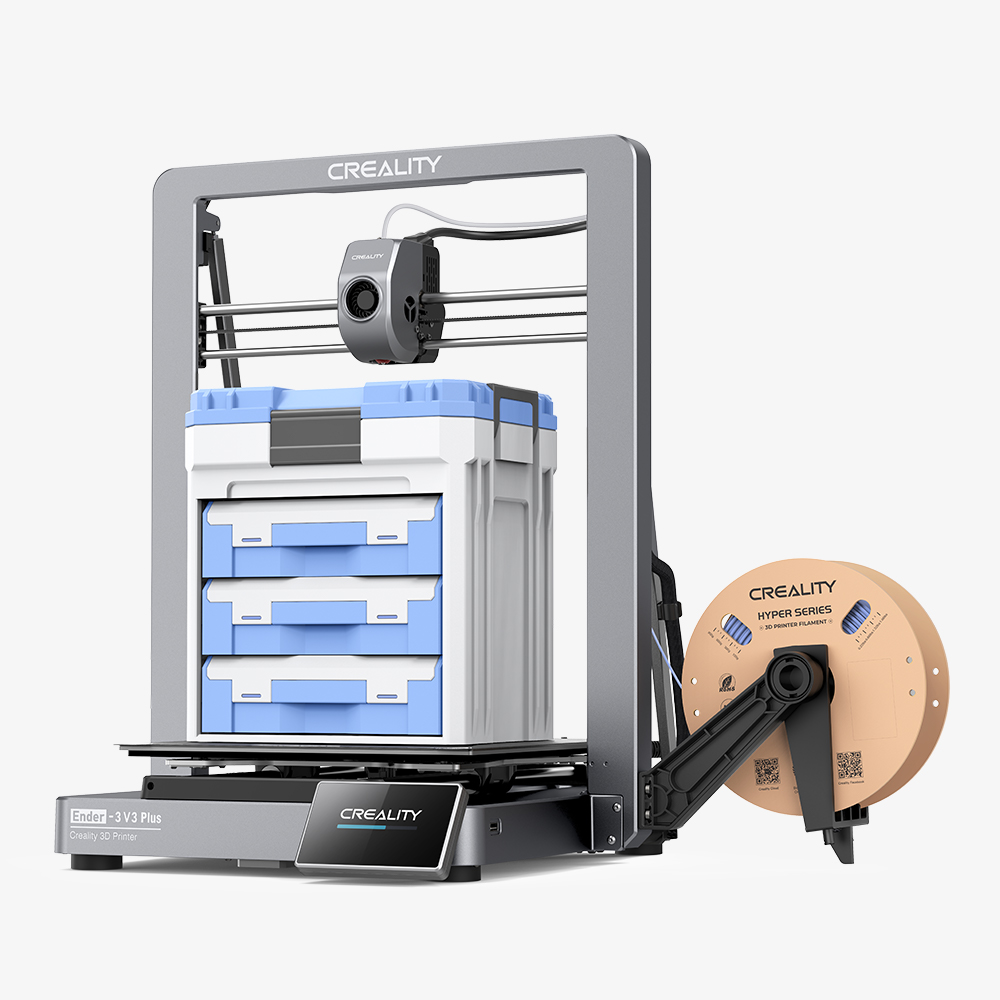
| Type | Model | Ender-3 V3 | Ender-3 V3 Plus | Ender-3 V3 KE (12% Off Extra) |
| Device Information |
Release Date | 2024.2 | 2024.4 | 2023.9 |
| Product Dimensions | 358*374*498mm | 410*445*577mm | 433*366*490mm | |
| Net Weight | 7.83kg | 11.5kg | 7.8kg | |
| Display Screen | 4.3" HD touch screen | 4.3" HD touch screen | 4.3" Color touch screen | |
| Machine Features |
Silent Mainboard | √ | √ | √ |
| Power Loss Recovery | √ | √ | √ | |
| Filament Runout Sensor | √ | √ | √ | |
| Leveling Mode | Hands-free auto leveling | Hands-free auto leveling | Hands-free auto leveling | |
| Motion System | CoreXZ | CoreXZ | Cartesian | |
| Printing Parameters |
Printing Technology | FDM | FDM | FDM |
| Build Volume | 220*220*250mm | 300*300*330mm | 220*220*240mm | |
| Printing Accuracy | ±0.2mm | ±0.1 | ±0.1mm | |
| Layer Height | 0.1-0.35mm | 0.1-0.35mm | 0.1-0.35mm | |
| Sprinting Speed | Typical Printing Speed | 300mm/s | 300mm/s | 300mm/s |
| Max. Printing Speed | ≤600mm/s | ≤600mm/s | ≤500mm/s | |
| Acceleration | ≤20000mm/s² | ≤20000mm/s² | ≤8000mm/s² | |
| Nozzle Components |
Extruder Count | 1 | 1 | 1 |
| Extruder | All-metal direct drive extruder | All-metal direct drive extruder | "Sprite" Direct Extruder | |
| Nozzle Material | Tri-metal Nozzle Integrated | Tri-metal Nozzle Integrated | Copper Alloy | |
| Nozzle Diameter | 0.4mm | 0.4mm | 0.4mm | |
| Nozzle Temperature | 300℃ | 300℃ | 300℃ | |
| Supported Filament |
Filament Diameter | 1.75mm | 1.75mm | 1.75mm |
| Filament Compatibility | PLA, TPU, PETG, ABS, PLA-CF, PETG-CF, CR-carbon |
PLA/TPU/PETG/ABS/ PLA-CF/PETG-CF/CR-carbon |
PLA/PETG/TPU 95A/ABS/ASA | |
| Printing Platform |
Build Surface | PEI Flexible build plate | PEI Flexible build plate | PEI Flexible build plate |
| Heatbed Temperature | 110℃ | 100℃ | 100℃ | |
| Electronic | Rated Input Voltage | 100-120V~, 200-240V~, 50/60Hz | ||
| Output Voltage | 24V DC | 24V DC | 24V DC | |
| Rated Power | 350W | 350W | 350W | |
| Software | File Transfer | USB drive, WLAN | USB drive, WLAN | USB drive, WLAN |
| Printable File Format | G-Code | G-Code | G-Code | |
| File Formats for Slicing | STL, OBJ, AMF | STL, OBJ, AMF | STL, OBJ, 3MF | |
| Slicing Software | Creality Print; Cura, Simplify3D, PrusaSlicer | |||
Part2: Ender-3 V3, V3 Plus, V3 KE Details Comparison

1. Ender 3 V3, V3 Plus & V3 KE Similarities
Ender-3 V3 Series printers share some common features.
- Direct Drive Extruder: Utilizing Creality's direct drive extruder for reliable and flexible filament printing.
- Auto Calibration: Equipped with one-click calibration and automatic leveling function,no more paper test.
- Build Plate: Flexible PEI build plate adapts to a variety of filaments, with a slight bend to release models.
- Super Sofeware: Open-source "Creality OS" Based on Klipper, connect Creality Print and Creality Could to achieve true freedom to create and share
- Display Screen: A 4.3-inch screen delivers seamless touch response.
- File Transfer: USB drive, WLAN, or wireless transfer via Creality Print or the Creality Cloud mobile app
2. Ender 3 V3, V3 Plus & V3 KE Differences
- Build Volume

When it comes to build volume, the Ender-3 V3 Plus, as the name suggests, features a significantly larger build volume of 300 x 300 x 330 mm. This substantial size allows users to print large models without the need for separation and later assembly. What's more, the Ender-3 V3 Plus is also the largest build volume machine of the Ender-3 series printer currently available in the official store.
While the The Ender-3 V3 offers the same build volume as the standard Ender-3, measuring 220 x 220 x 250 mm. The V3 KE has the smallest build volume of the three, at 220 x 220 x 240 mm. However, for larger projects using the V3 or V3 KE, you can always split the model for printing.
- Printing Speed
High-speed printing has become a crucial factor for users when selecting 3D printers and it is also a significant trend in the future development of the industry.
Creality is dedicated to producing top-quality 3D printers for its users and continually making advancements. The KE model utilizes Klipper firmware to achieve a maximum speed of 500 mm/s, with a recommended typical speed of 300 mm/s.
The Ender-3 V3 and V3 Plus models leverage Klipper's open-source firmware and incorporate a next-generation CoreXZ motion system, replacing the traditional Cartesian setup. This upgrade significantly enhances printing speeds, reaching up to 600 mm/s* and a maximum acceleration of 20,000 mm/s²*. These models are currently the fastest in the Ender series.
- Motion System & Printer Structure
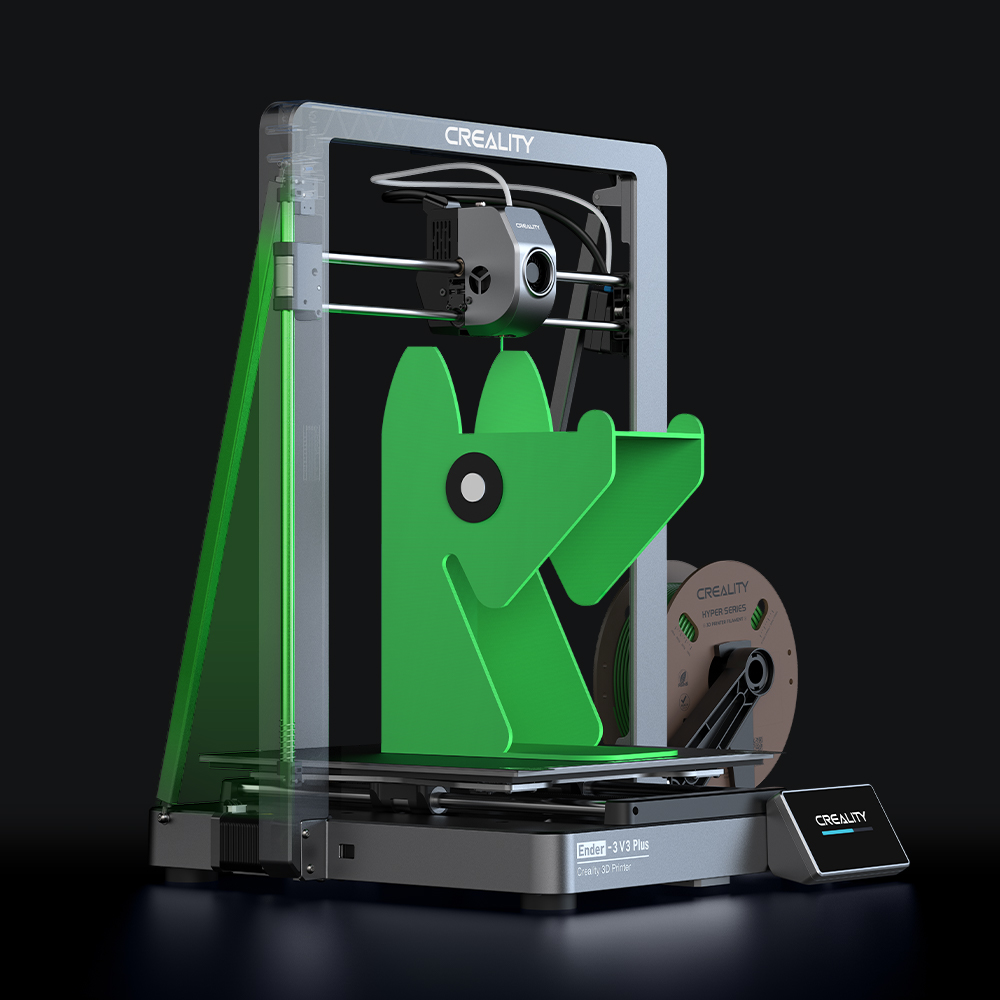
The V3 KE uses the standard Cartesian i3 independent motor control motion system to coordinate the printer's print quality and print speed. In contrast, the Ender-3 V3 and V3 Plus use the CoreXZ motion system, which is different from any previous Ender series printer. Here, all three-axis motors remain fixed, while the XZ timing belts are self-tensioning. This setup reduces printhead weight, increases drive force, and maintains high-speed precision. In addition, the high-precision linear shafts are easy to maintain, requiring only lubrication.
In terms of printer structure, compared to V3, V3 Plus adds two support rods connecting the base and top of the gantry to stabilize the Z-axis, forming a rigid triangle and reducing Z-axis shaking. Ensures print quality throughout the height of the print volume.
- Extrusion & Filament Support
The KE features a 60W ceramic heater, allowing for a maximum extrusion temperature of 300°C. Equipped with an all-metal bi-metallic heatbreak and a copper Volcano-style nozzle, it ensures consistent filament extrusion at various speeds. This setup enables KE users to print high-temperature filaments such as nylon and PC, in addition to more common materials.
In contrast, the Ender-3 V3 and V3 Plus are designed with an all-metal integrated nozzle and throat. Compared to the KE, this design ensures smoother material discharge, a longer service life, and easier maintenance. The enhanced all-metal direct extruder provides stable extrusion force and precise control over material flow, ensuring high-quality prints and better compatibility with filaments such as PLA-CF, PETG-CF, and CR-carbon.
- UI

All three printers come with 4.3-inch color touch screens, enabling users to monitor and control every aspect of printer operation. The Ender-3 V3 and V3 Plus, however, feature the same 4.3-inch high-definition IPS touch screen as the flagship K1 series, offering a resolution of 800×480 pixels and a pixel density of 216.97 PPI.
- Price
The V3 KE is priced at $239, which is the lowest price among the three printers.
The Ender-3 V3, is the more expensive option priced at $329. However, it boasts the most advanced CoreXZ motion system, ensuring swift printing at 600mm/s with an accuracy of ±0.2mm. It offers the fastest speed and top-notch quality in the Ender series. Equipped with the same all-metal integrated quick-swap nozzle ($40.94) as the K1C, it simplifies accessory replacement and repair for users. And the K1 series HD IPS Screen Kit ($34.80) also a cool upgrade.
The Ender-3 V3 plus is priced at $479, which is the most expensive among the three, but it has the advantages of V3 and upgraded its printing size measures at 300*300*330mm. It also has a surprise cashback benefit now: Participate in V3 plus product reviews and get a refund 8% of your order amount in the form of a gift card. Come and join us quickly here.
Part3: Creality Ender-3 V3 Plus Printing Parameter Settings

| Enderr-3 V3 Plus Filament Printing Parameter Recommendations | ||||||
| Filament Type | Printing with Enclosure |
Retraction Distance (mm) |
Nozzle Temperature (℃) |
Hotbed Temperature (℃) |
Model Cooling Fan Speed (%) |
Print Speed (mm/s) (0.2mm layer height) |
| Hyper PLA | NO | 0.5mm | 220℃ | 60℃ | 100 | 300 |
| Generic PLA | NO | 0.8mm | 220℃ | 60℃ | 100 | 300 |
| CR-PETG | YES | 1.2mm | 250℃ | 70℃ | 100 | 200 |
| CR-ABS | YES | 1.2mm | 260℃ | 100℃ | 50 | 200 |
| HP-TPU | YES | 2mm | 220℃ | 40℃ | 100 | 100 |
Note:
1. For unofficial filaments, please select the generic filament parameters in the Creality Print software.
2. The maximum printing speed of filament, as well as the printing temperature, is related to the characteristics of thefilament. Please refer to the recommendations of the filament manufacturer and the official slicing software configuration.
3. It is recommended to evenly apply a solid adhesive to the printing platform before printing to improve first-layer adhesion.
4. Moisture-sensitive materials such as ABS/PETG/TPU should be dried or stored in a dry environment before printing.
5. It is recommended to use creality official high-speed filaments to achieve better printing quality.
Part4: Ender-3 V3, V3 Plus, or V3 KE? Which is Better for You?
Ender-3 V3 CoreXZ 3D Printer
Ender-3 V3 Plus 3D Printer
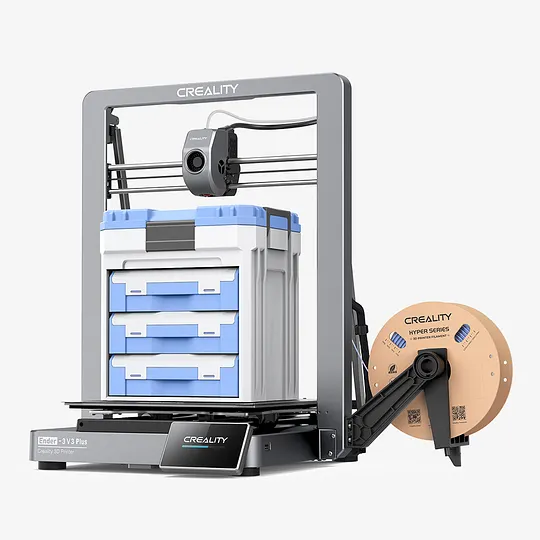
Ender-3 V3 Plus | A Big Boost to Creativity $479.00
【Plus Print Size: 300*300*330mm Build Volume】
【Heavy Duty: Y-axis Dual Motors & Support Rods】
【Spectacular Speed: CoreXZ for up to 600mm/s】
【Top-notch Performance: Reliable Clog-free Extruder kit】
【Easy Maintenance: Quick-swap Tri-metal Nozzle】
【Instant Part Cooling: Two Powerful Part Cooling Fans】
【Plus Print Size: 300*300*330mm Build Volume】
【Heavy Duty: Y-axis Dual Motors & Support Rods】
【Spectacular Speed: CoreXZ for up to 600mm/s】
【Top-notch Performance: Reliable Clog-free Extruder kit】
【Easy Maintenance: Quick-swap Tri-metal Nozzle】
【Instant Part Cooling: Two Powerful Part Cooling Fans】
Ender-3 V3 KE 3D Printer
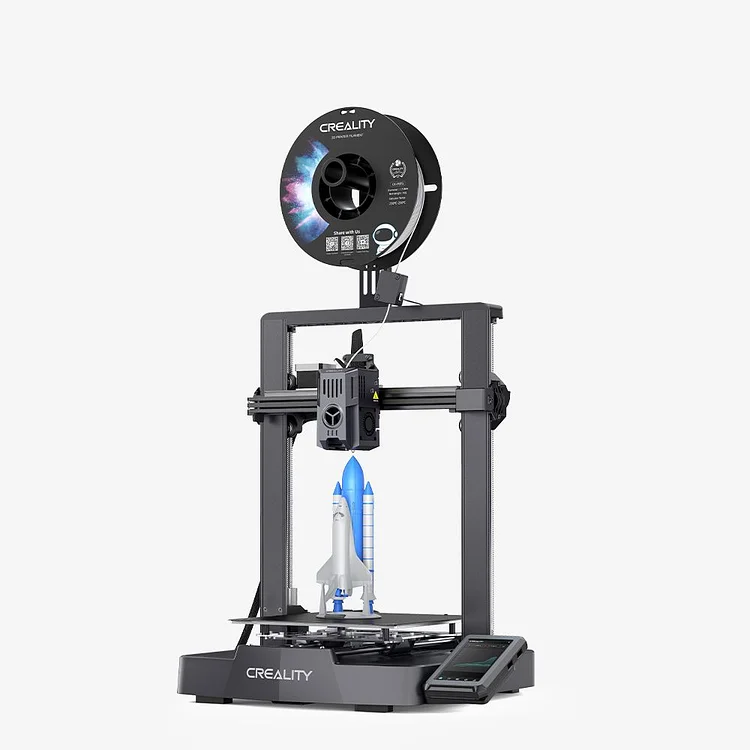
Ender-3 V3 KE 3D Printing, Smarter and Faster $239.00
【X-axis Linear Rail: Ultra-Smooth Motion and Stable Structure】
【Max Printing Speed 500mm/s*; Max Acceleration 8000mm/s²*】
【LAN & Could Printing: Control and Monitor Smartly from Anywhere】
【Smart UI: "Creality OS" Smart Beyond Limits】
【60W Ceramic Heater 300°C* Copper Nozzle More Filament to Print】
【Double Fans for Rapid Model Cooling in Good Shape】
【X-axis Linear Rail: Ultra-Smooth Motion and Stable Structure】
【Max Printing Speed 500mm/s*; Max Acceleration 8000mm/s²*】
【LAN & Could Printing: Control and Monitor Smartly from Anywhere】
【Smart UI: "Creality OS" Smart Beyond Limits】
【60W Ceramic Heater 300°C* Copper Nozzle More Filament to Print】
【Double Fans for Rapid Model Cooling in Good Shape】
The Ender-3 V3, V3 Plus, and V3 KE, Which one is better for you? It depends on your personal preferences and priorities.
If price-friendly is your top priority, the V3 KE is the most affordable choice under $300. You can also get an exclusive discount from our blog. It features a maximum print speed of 500mm/s*; maximum acceleration of 8000mm/s². In addition, it comes with 60W ceramic heater 300°C* copper nozzle, which allows users to print high temperature filaments.
If you want to explore the advanced and reliable CoreXZ motion system in a fresh configuration, the Ender-3 V3 is an excellent pick. It includes many enhanced features, such as the nozzle and extruder from the Creality K1 series, and supports carbon fiber filament printing.
If you prefer big volume printing, V3 Plus achieve your dream with spectacular speed and top-notch performance.
Conclusion
In conclusion, the Ender-3 V3, V3 Plus, and V3 KE are high-end 3D printers offering not only impressive printing speed but also exceptional print quality. Take action now and pick the right 3D printer that aligns with your specific needs and preferences.
Read more:
Recent News

all
2026-10-13
8 Halloween 3D Print Ideas to Make Before October 31
Halloween is coming, and the candy stash has already suffered a few unexplained disappearances. W...

all
2026-09-18
Ender Series 3D Printers Parameter Comparison
The Creality Ender Series has evolved significantly since the original Ender-3. What began as an ...

all
2026-08-02
Creality Back-to-School Sale 2026: Save Up to 50% on 3D Printers and More
A new school year is a chance to start fresh projects, develop practical skills and turn digital ...

all
2026-05-26
Is PLA Recyclable?
PLA is a biodegradable plastic derived from renewable resources such as corn starch or sugarcane....