


How to Replace the Cutter on Creality K2 Plus
Over time, the cutter on the Creality K2 Plus 3D printer may wear out, affecting its ability to slice through filaments.
This guide will walk you through the replacement process to restore your printer’s efficiency.
Tools You’ll Need
- Thin L wrench or nozzle cleaner
- New cutter
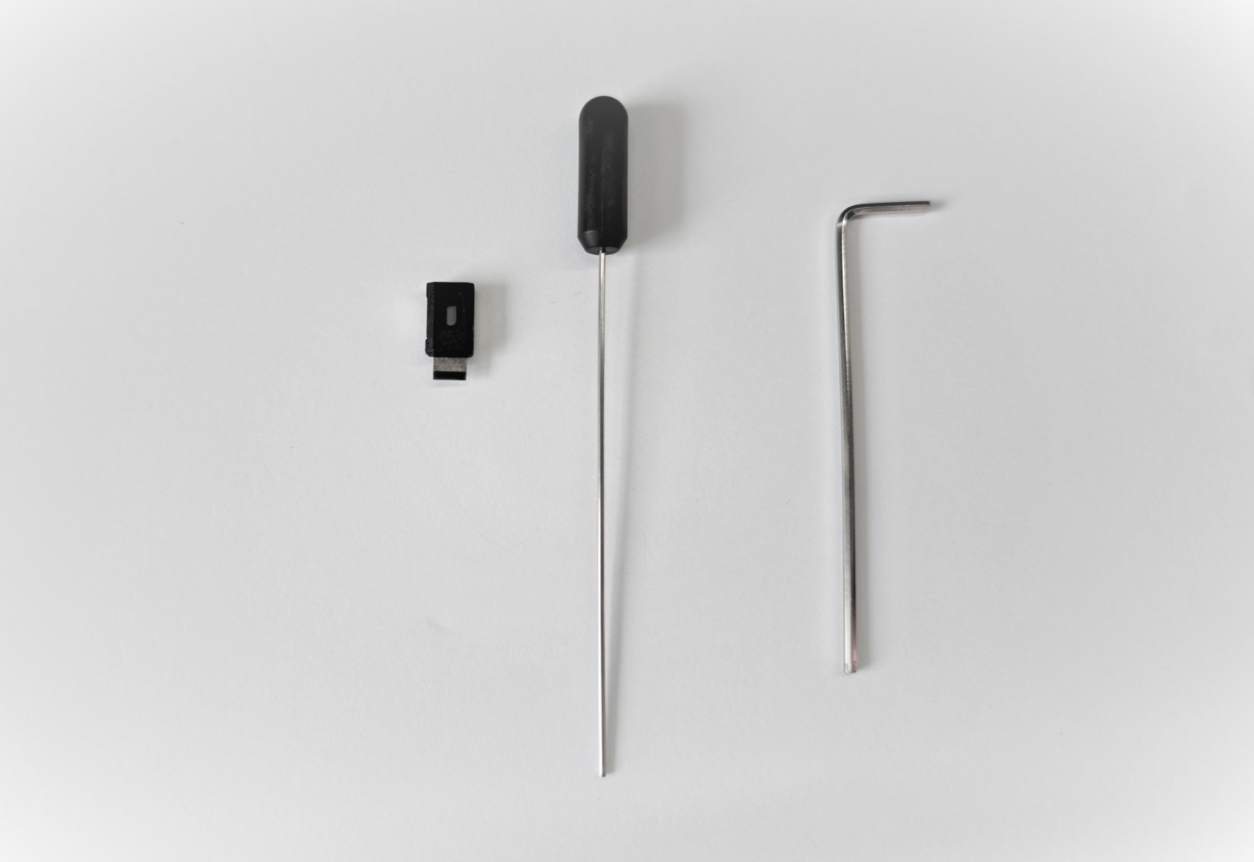
How to Replace the Cutter on the Creality K2 Plus Step-by-Step Guide
1. Move the Hotend
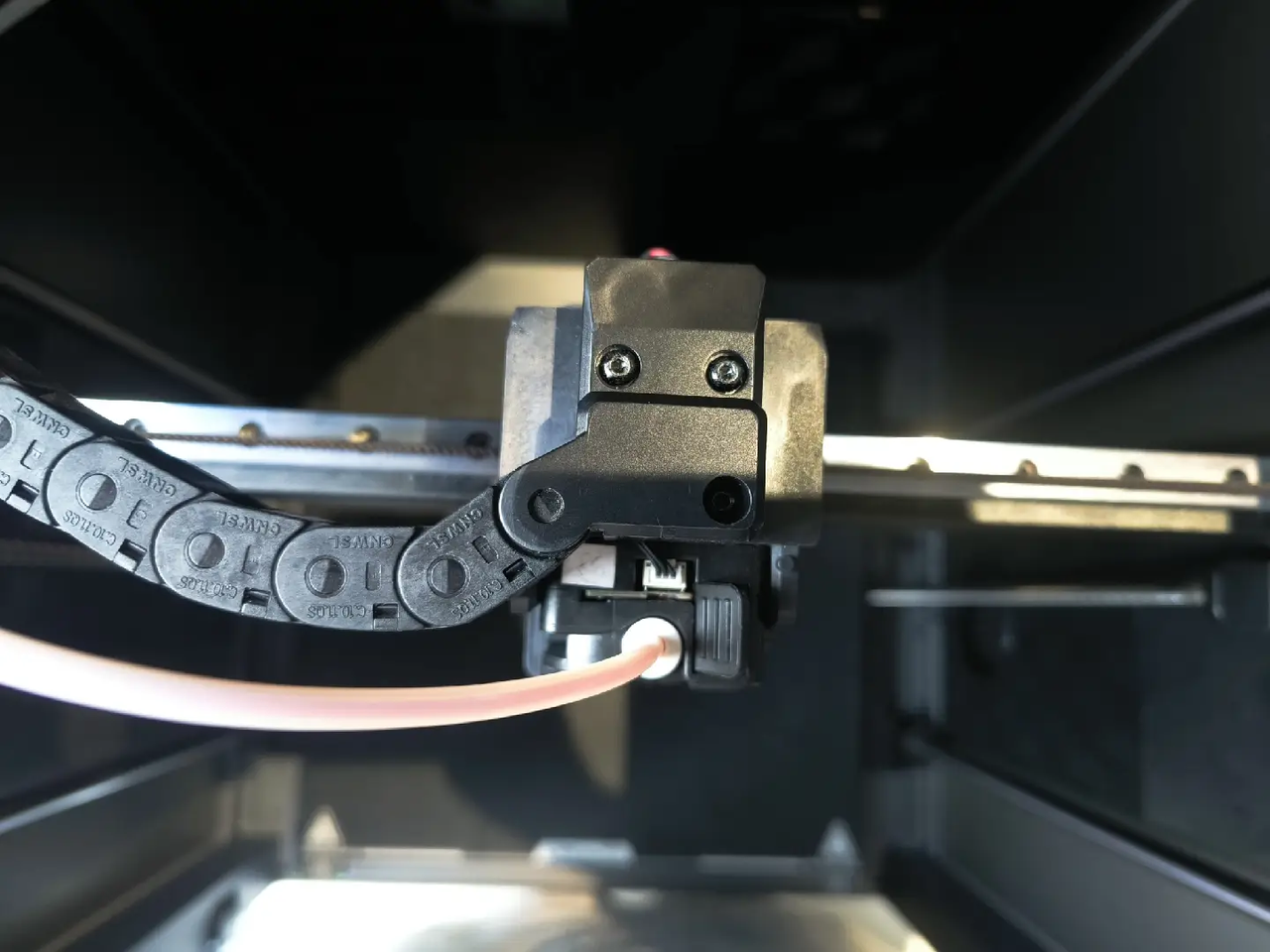
Move the hotend to the center of the printer. Ensure there is enough space on the left side of the hotend for easy access.
2. Remove the Hotend Cover
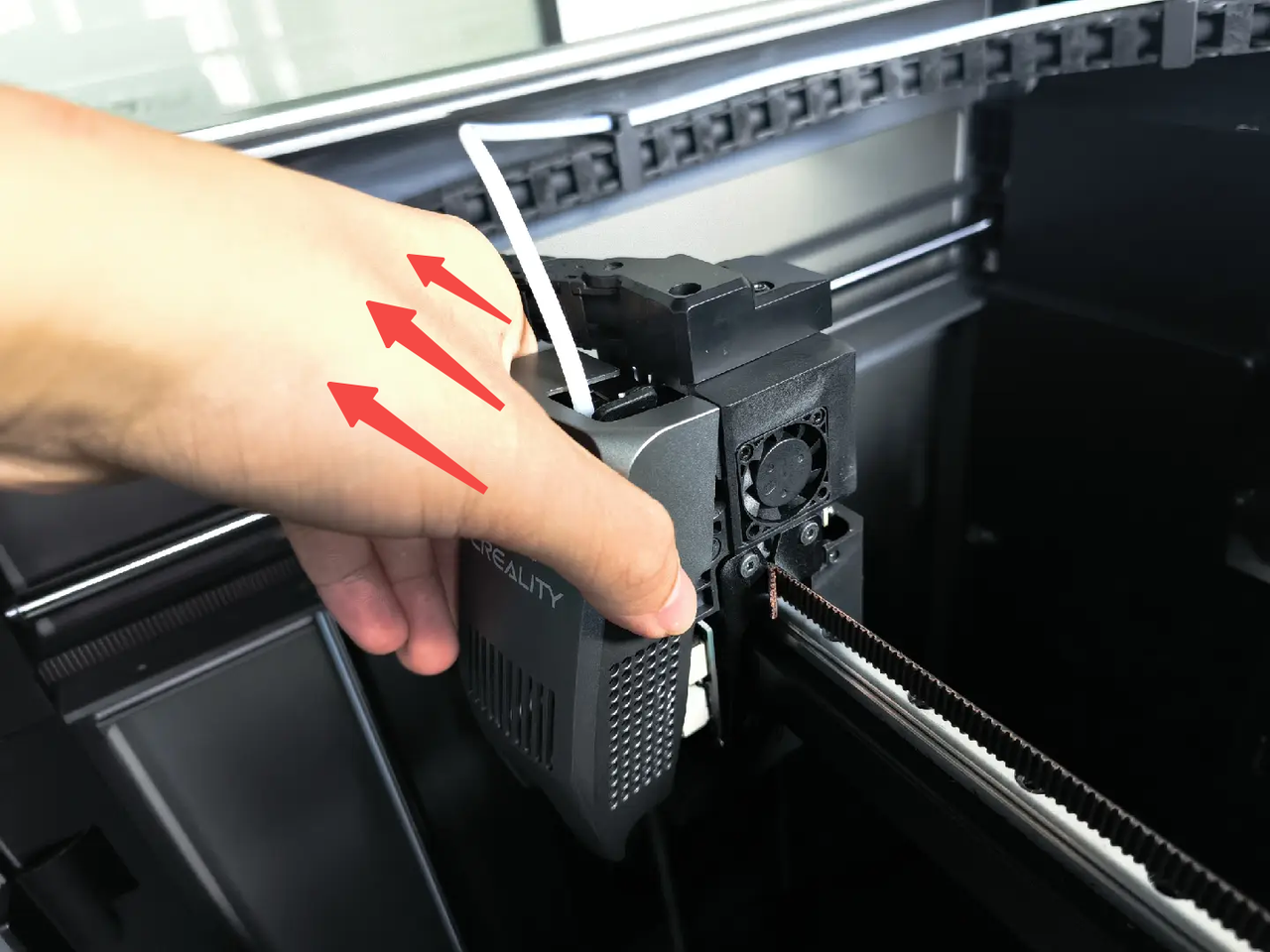
Carefully detach the hotend cover by lifting it diagonally upward. The cover is magnetically attached, so no screws are involved.
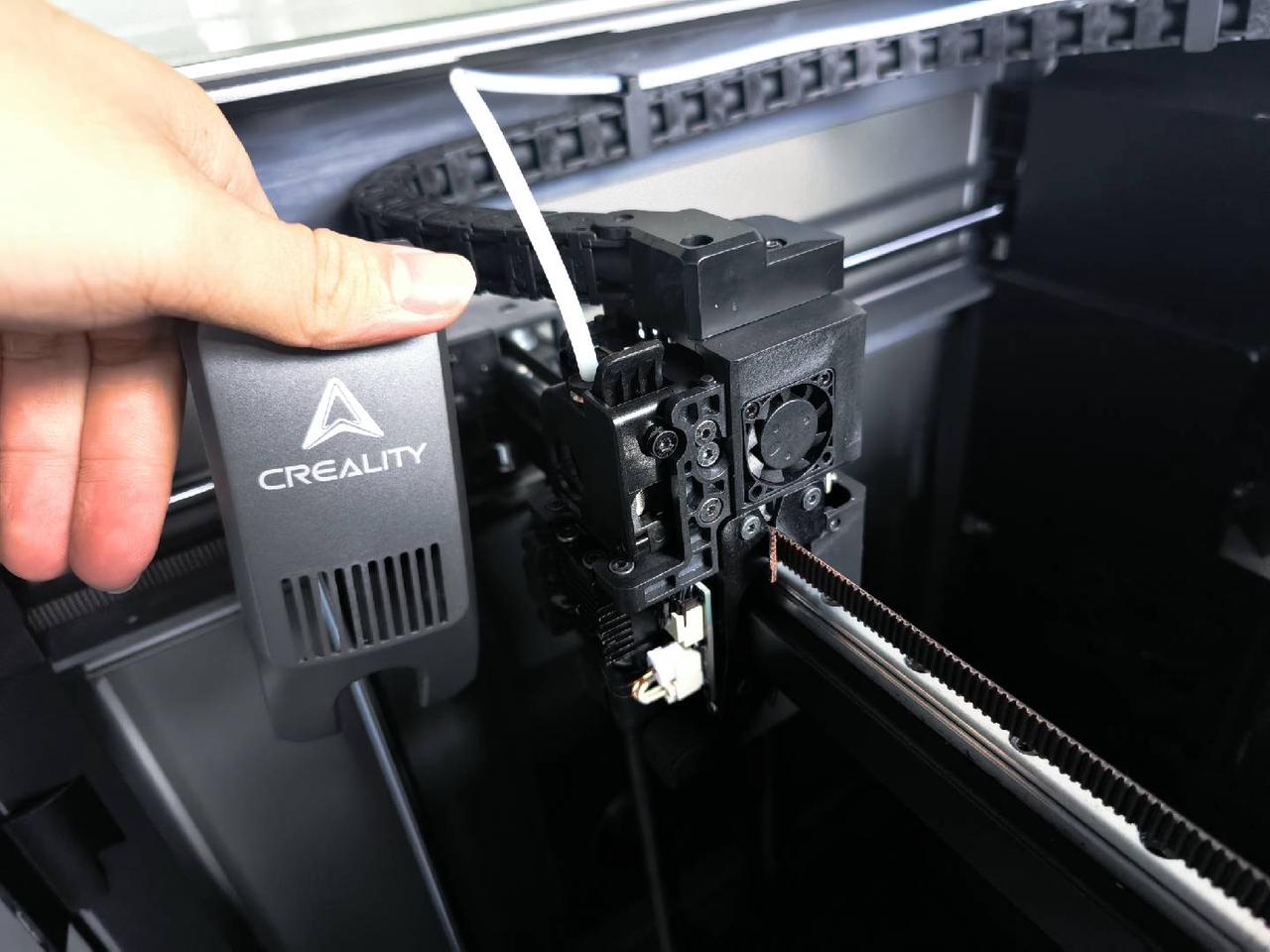
3. Insert the Tool
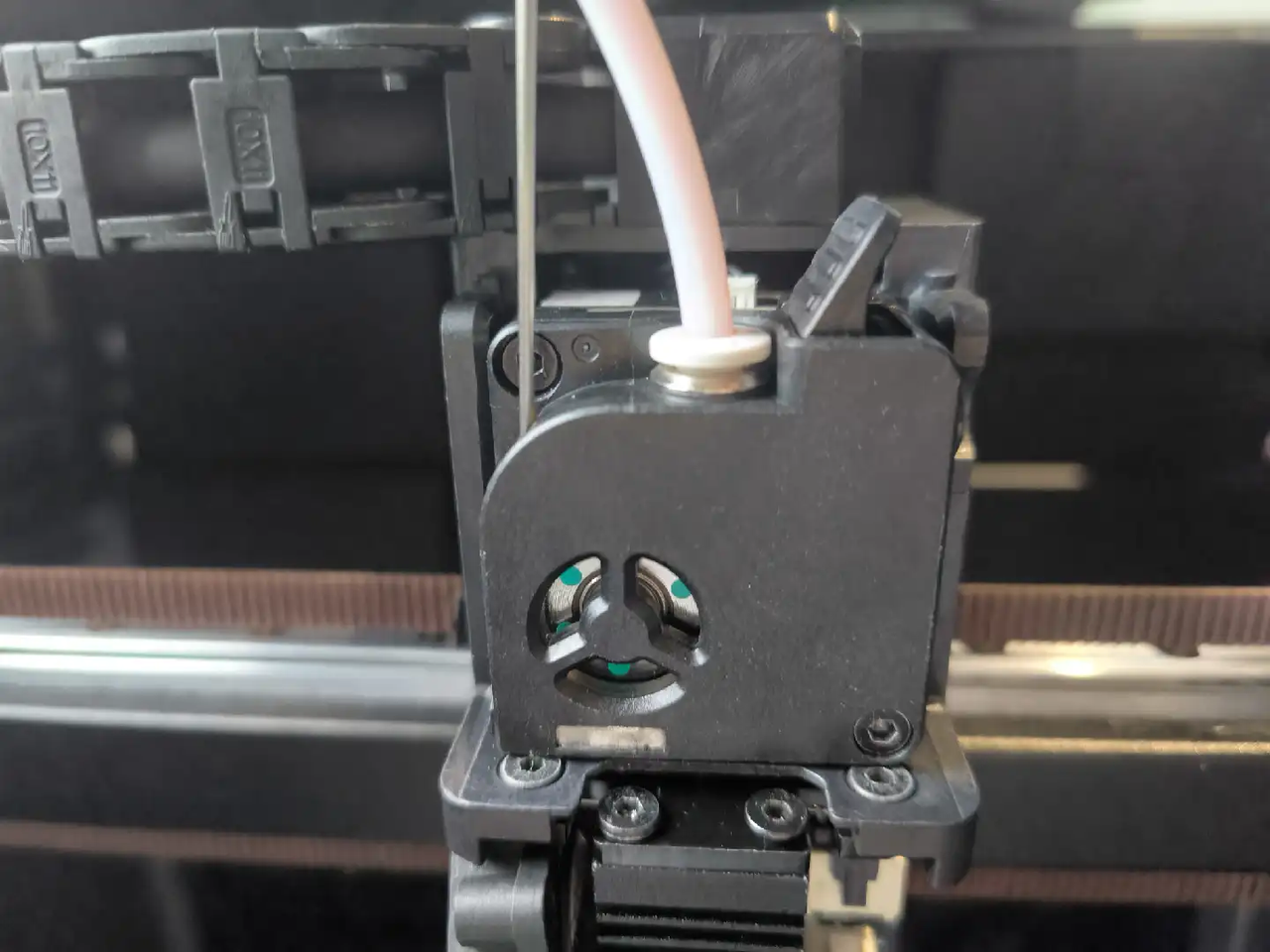
Use a thin L wrench or nozzle cleaner to reach the cutter through the left side of the extruder gear.
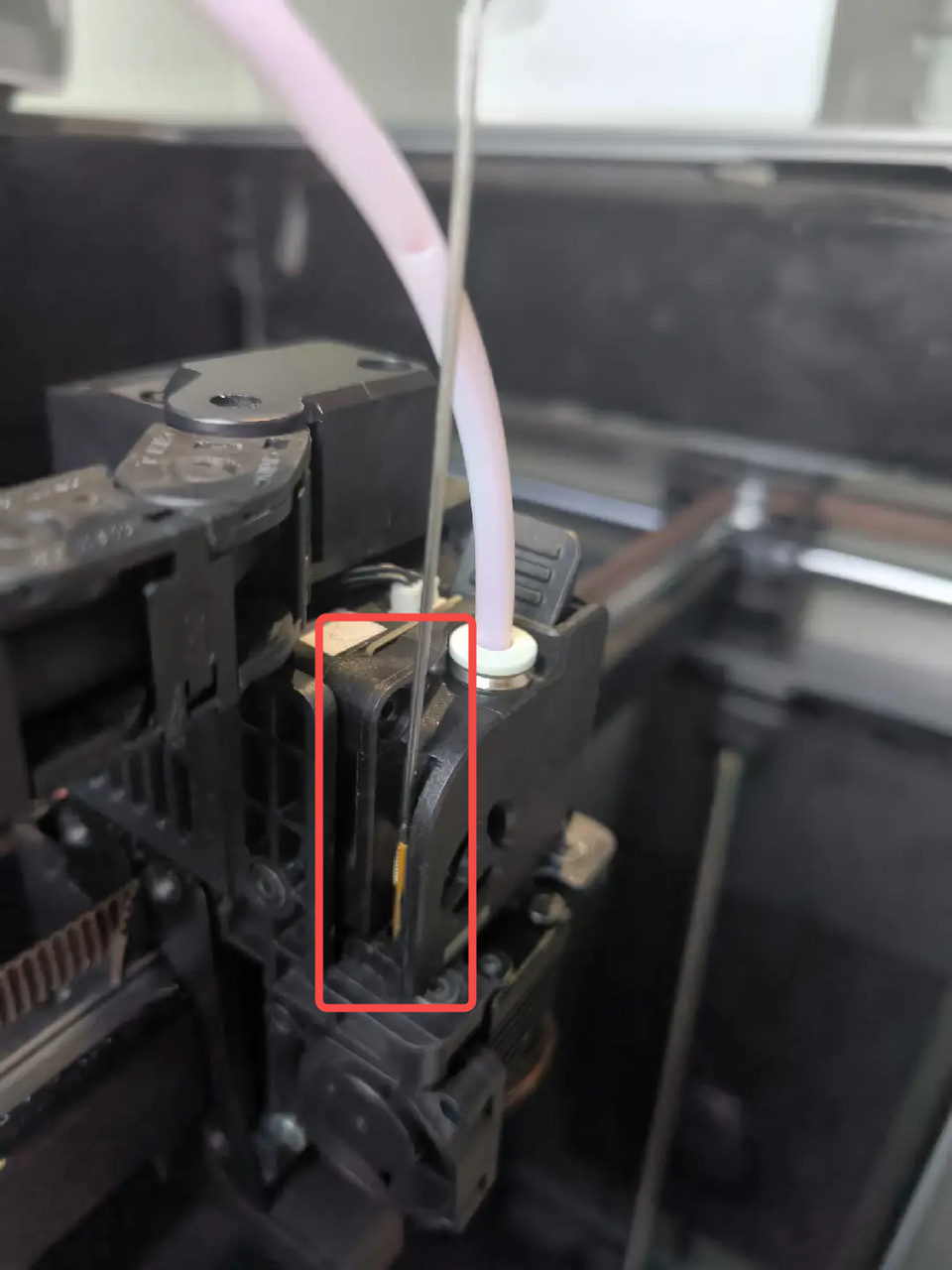
4. Pull Out the Cutter
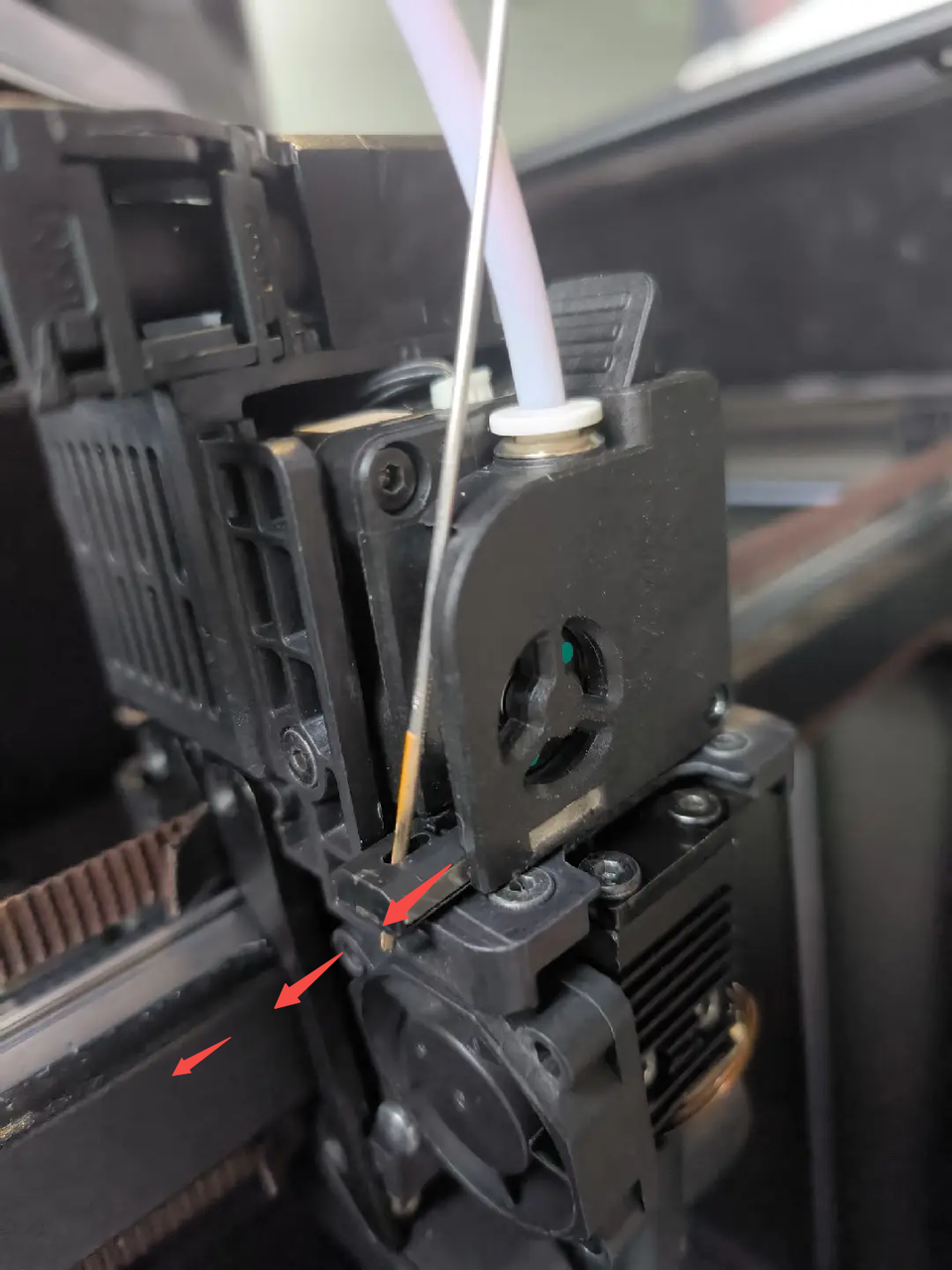
Once the tool hooks onto the cutter, gently pull it out to the left.
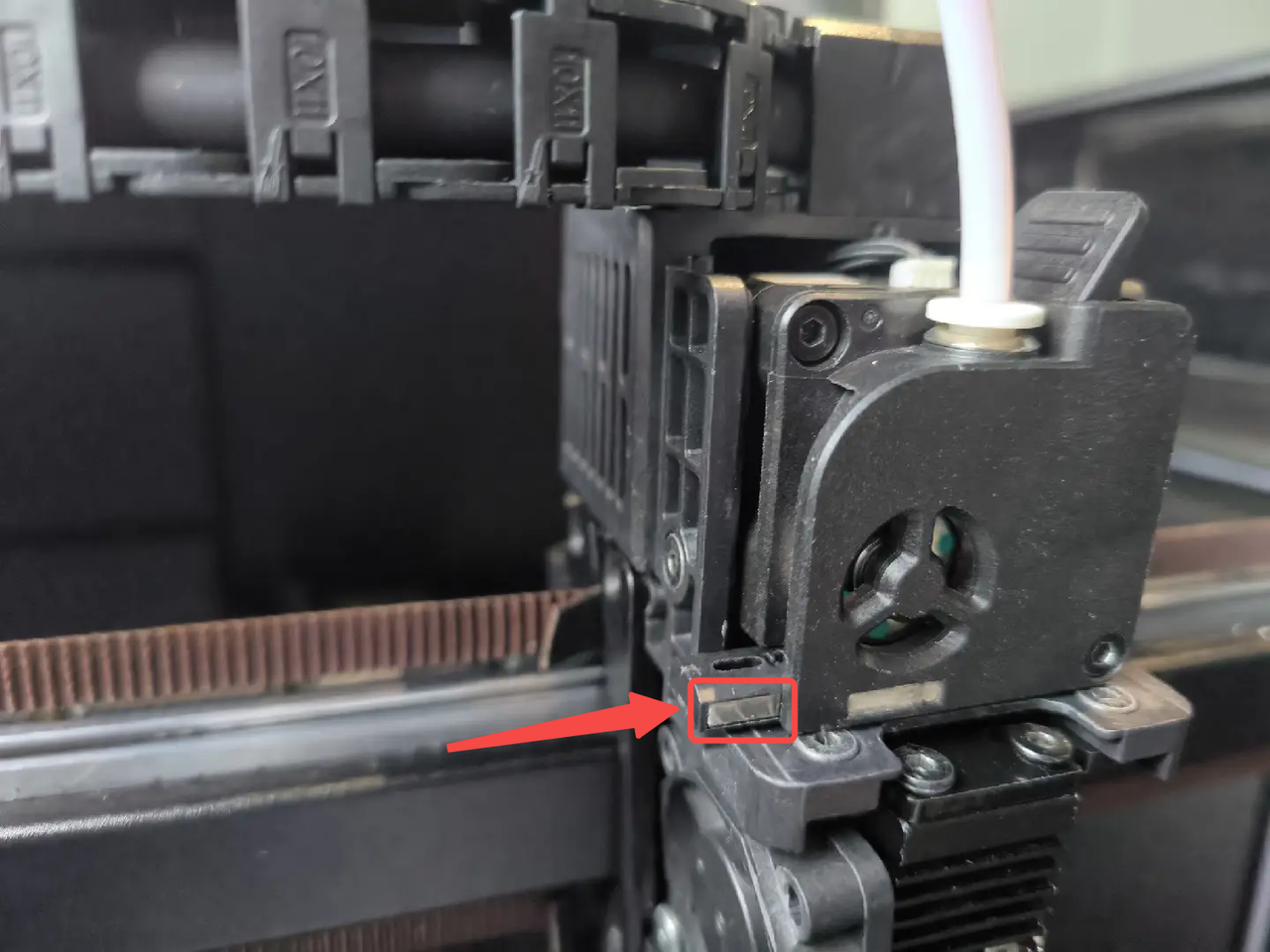
5. Install the New Cutter
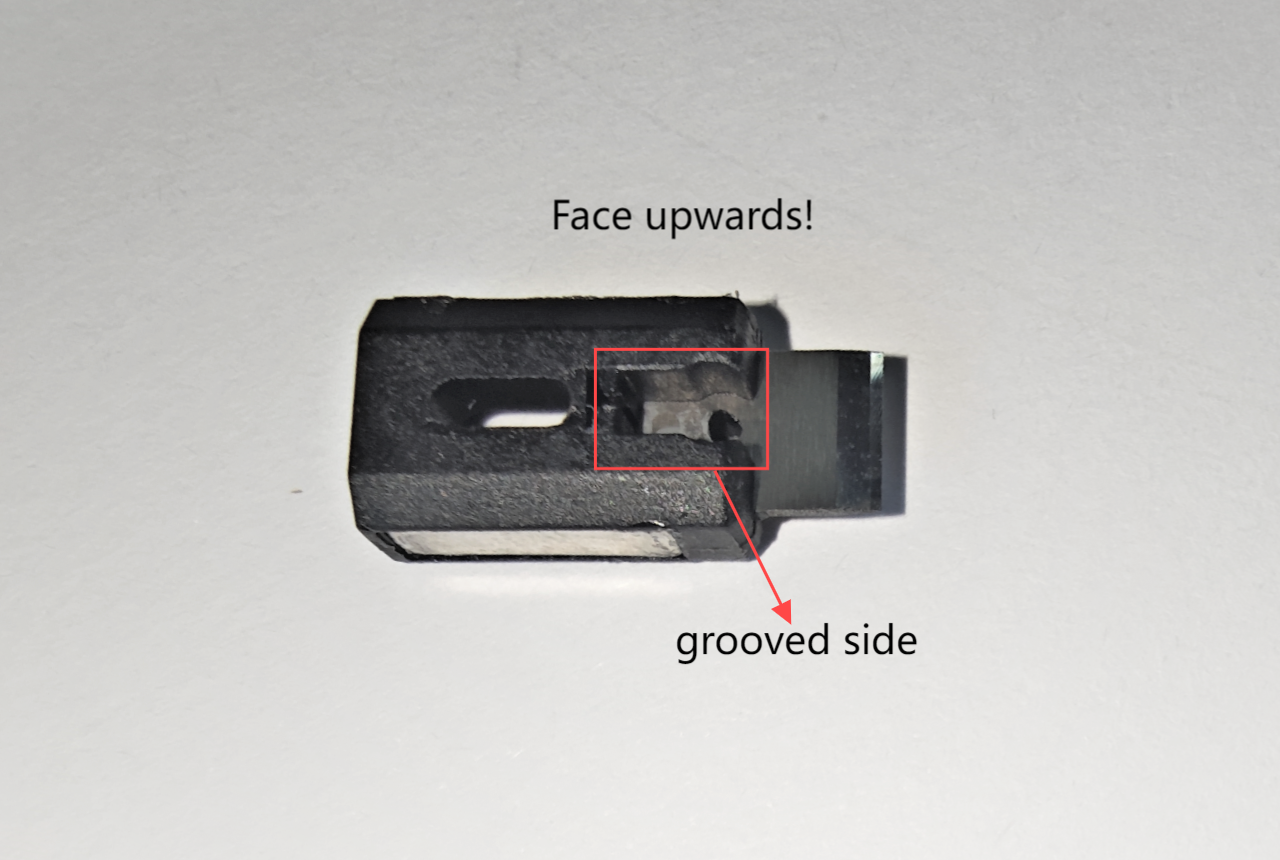
Take the replacement cutter and insert it into the cutter slot. Important: Ensure the grooved side of the cutter holder faces upward, as shown in the diagram below.
6. Reattach the Hotend Cover
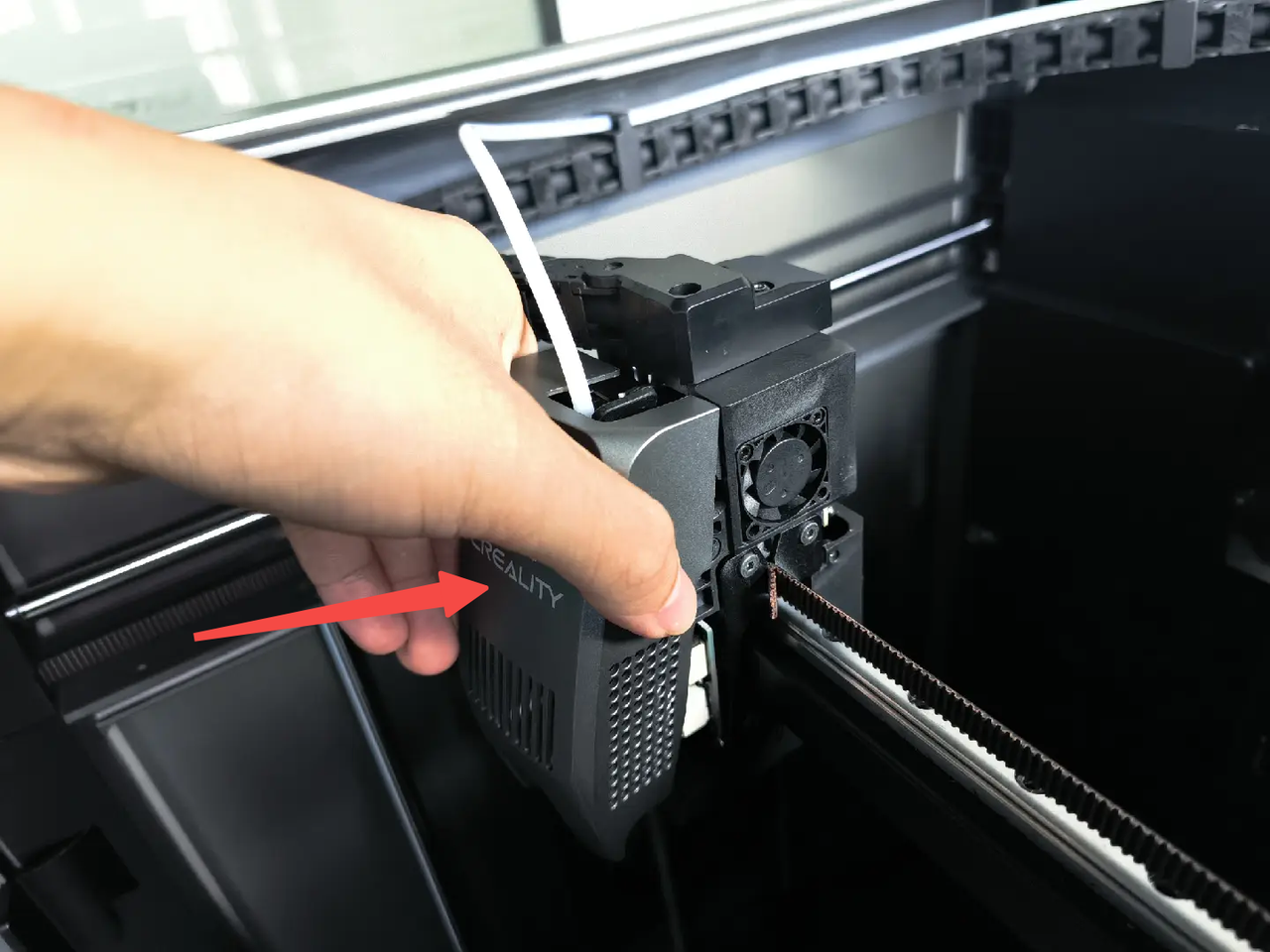
Secure the hotend cover back in its position.
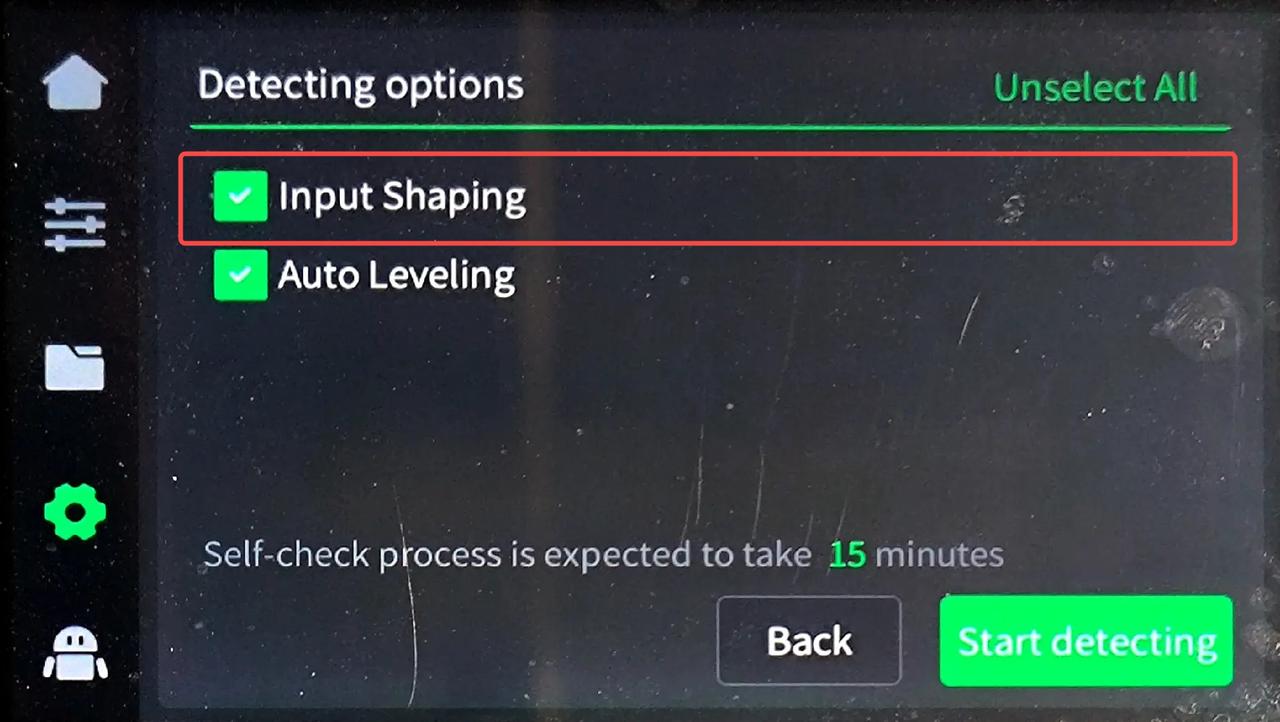
7. Calibrate the Cutter
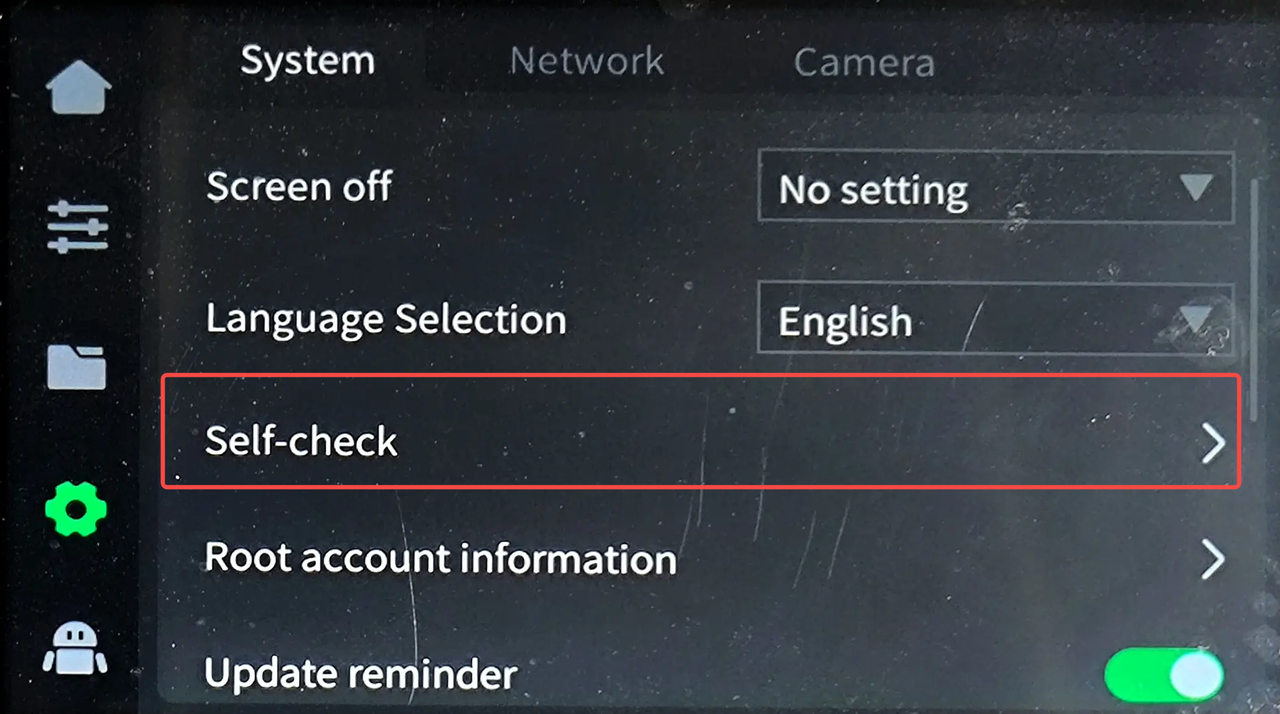
Ensure the extruder is free of filament, then re-run the vibration optimization feature to calibrate the new cutter.
Maintenance Tip
Regularly inspect the cutter’s performance, especially if you frequently work with abrasive or fiber-reinforced filaments. Proper maintenance ensures a smooth filament feeding process.
For more Creality 3D Printer, you can click the related articles as follows:
Recent News

8 Halloween 3D Print Ideas to Make Before October 31

Ender Series 3D Printers Parameter Comparison

Creality Back-to-School Sale 2026: Save Up to 50% on 3D Printers and More
