



K1 Max AI Fast 3D Printer: now $889 at Creality
【Printing speed of 600 mm/s and print volume of 300x300x300mm.】
【Features AI elements like a camera and LiDAR for automated monitoring and print process optimization.】
【Handles temperatures up to 300℃ and includes an air purifier for healthier workspace.】
【Upgraded Z-axis for precise positioning, minimizing Z-banding and enhancing texture subtlety.】
【1μm LiDAR resolution】
Top 10 of the Best 3D Modeling Software of 2024
all
2024-12-23 04:57:28
3D modeling software serves as the gateway to transforming creative visions into tangible realities, where imagination knows no bounds.
Whether you're an aspiring animator, a seasoned architect, a 3D printing expert, or a budding game developer, the right 3D modeling software can be the key to doing the things you want to do.
In this blog, we will explore the top 10 3D modeling software of 2024, along with their features, pros, and cons to help you find the perfect tool for your next project.
K1 Max AI Fast 3D Printer
Top 10 of the Best 3D Modeling Software of 2024
1. Autodesk 3ds Max
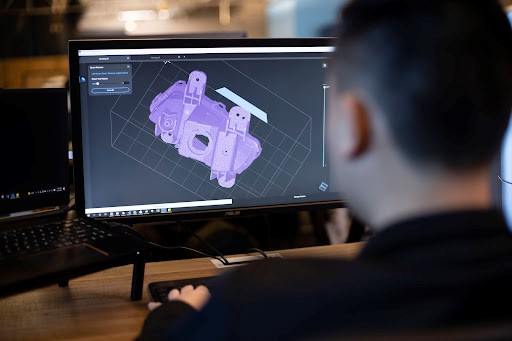
Let's start with Autodesk 3ds Max, the industry-standard 3D modeling software that has been the go-to choice for game developers, 3D printing aspirants, interior designers, and architects alike. With its robust set of tools and plugins, 3ds Max offers unparalleled flexibility in creating complex 3D models for a variety of industries.
Pros:
- Autodesk 3ds Max has multi-faceted modeling capabilities that cater to diverse creative needs.
- It has an extensive plugin ecosystem that enhances functionality and customization.
- It is widely used in professional settings for its reliability and performance.
Cons:
- It can be challenging to learn for beginners due to its complexity.
- It has stability issues that may arise, especially when using multiple plugins simultaneously.
- It has limited compatibility as it's only available for Windows operating systems.
2. Blender
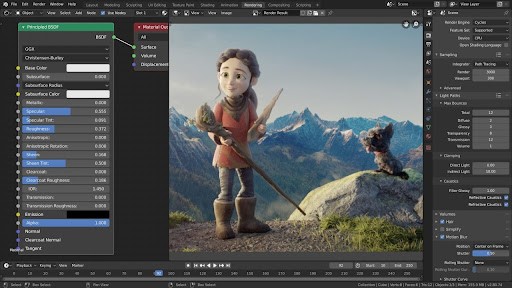
Next up, we have Blender, the free and open-source 3D modeling software that has gained popularity among animators and filmmakers for its comprehensive set of features and active community support. Whether you're sculpting characters or creating complex animations, Blender offers a versatile platform for unleashing your creativity.
Pros:
- It is free to use with no hidden costs or subscriptions.
- It has a full pipeline model covering modeling, rigging, animation, rendering, and more.
- It has real-time rendering with the EEVEE engine for faster visualization.
Cons:
- This software has a steeper learning curve compared to some other software.
- It has updates and bug fixes that may not be as frequent due to reliance on community support.
- This software lacks support for NURBS (Non-Uniform Rational Basis Splines).
3. Autodesk Maya
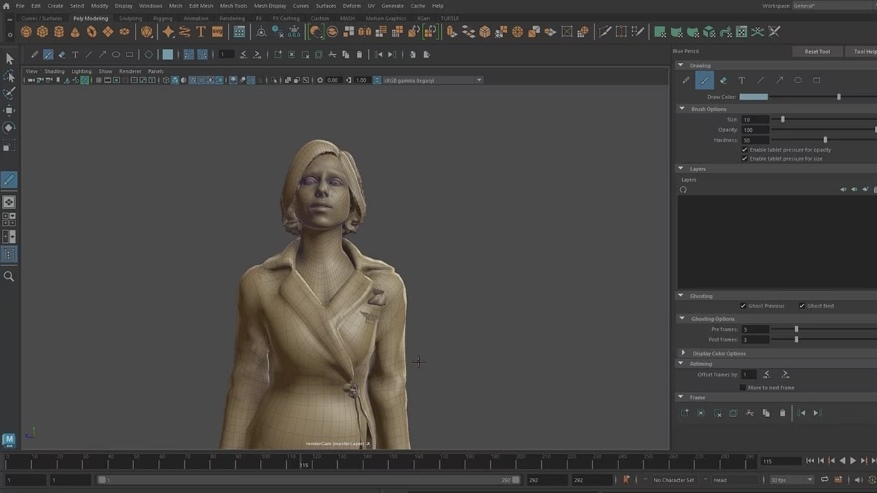
Autodesk Maya takes center stage as the top choice for animators and VFX artists, offering a plethora of professional-grade features for character work, simulations, and rendering. Used in blockbuster productions like "Stranger Things," Maya sets the standard for advanced 3D modeling software.
Pros:
- It has industry-standard software which is trusted by professionals in the entertainment industry.
- It has procedural effects and Arnold rendering for photorealistic results.
- It has an extensive toolset for character creation and movement.
Cons:
- This software demands powerful hardware and may require a significant investment.
- Its interface can be daunting for beginners.
- Its higher subscription costs compared to some other software options.
4. ZBrush
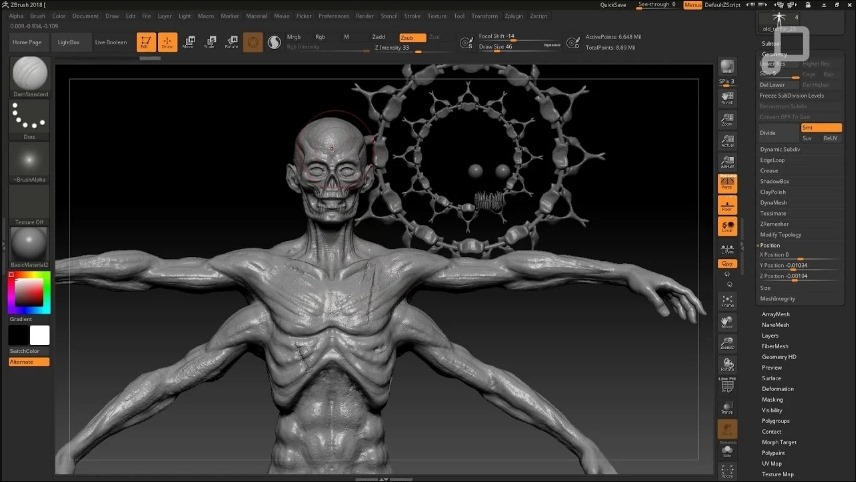
For those who prefer a more hands-on approach to 3D modeling, ZBrush offers a unique sculpting experience akin to working with digital clay in real time. With its focus on intricate detailing and organic shapes, ZBrush is a favorite among artists, filmmakers, and game developers alike.
Pros:
- It has an intuitive brush system for sculpting intricate designs.
- It is ideal for creating detailed models for 3D printing.
- It has a non-linear design workflow which allows for easy experimentation and iteration.
Cons:
- Its initial interface may overwhelm beginners.
- It has got a higher price point compared to some other software.
- It has limited compatibility with operating systems (Windows and macOS only).
5. SketchUp
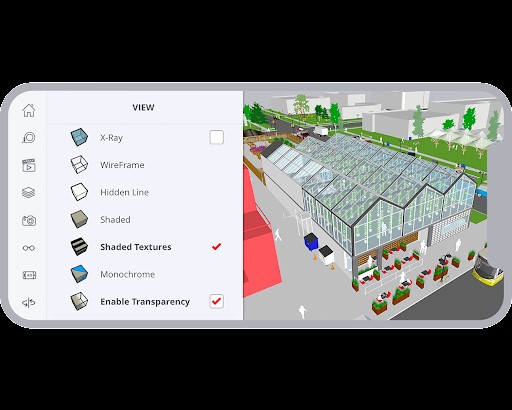
SketchUp stands out as one of the easiest 3D modeling software options, offering a simple yet powerful platform for architects, designers, and hobbyists. With its intuitive interface and precision modeling capabilities, SketchUp is perfect for bringing architectural concepts to lif
Pros:
- It has an easy-to-use interface suitable for beginners and professionals alike.
- It provides you with precision modeling for real-world creations and 3D printing.
- It has different versions which cater to a range of users, from hobbyists to professionals.
Cons:
- This software lacks built-in rendering capabilities.
- It has limited photorealistic objects compared to some competitors.
- This may not be as feature-rich for complex animations or simulations.
6. Rhino
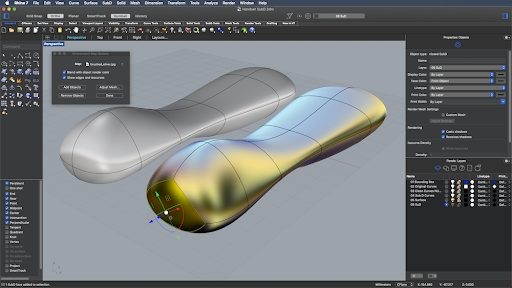
Rhino specializes in surface modeling and NURBS, making it the top choice for designers and engineers working with complex geometries. With its versatile toolset and scripting capabilities, Rhino empowers users to create stunning 3D models for a variety of applications.
Pros:
- It has a versatile toolset for sculpting, adapting scans, and rendering scenes.
- Its grasshopper plugin enables form generation algorithms without coding.
- It is very ideal for prototyping mechanical parts and concept designs.
Cons:
- It has a steep learning curve, particularly for those accustomed to conventional modeling environments.
- Its interface may feel clunky compared to other software.
- This software has limited compatibility with operating systems (Windows and macOS only).
7. Creo Parametric
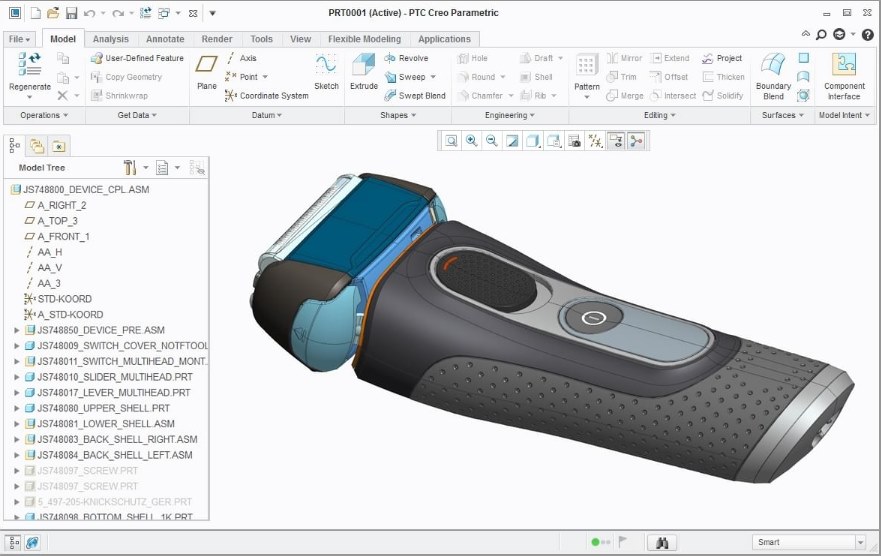
Meeting the needs of product designers and engineers specifically, Creo Parametric offers a comprehensive suite of tools for parametric modeling and simulation. With its emphasis on precision and accuracy, Creo Parametric is the go-to choice for creating complex mechanical designs.
Pros:
- Parametric modeling allows for easy modifications and updates.
- Its integration with other PTC products for a seamless workflow.
- It has a comprehensive toolset for product design and engineering.
Cons:
- This software has a higher price point compared to some other software.
- It focuses primarily on engineering may not suit all creative needs.
- It has limited compatibility with operating systems (Windows only).
8. Unity
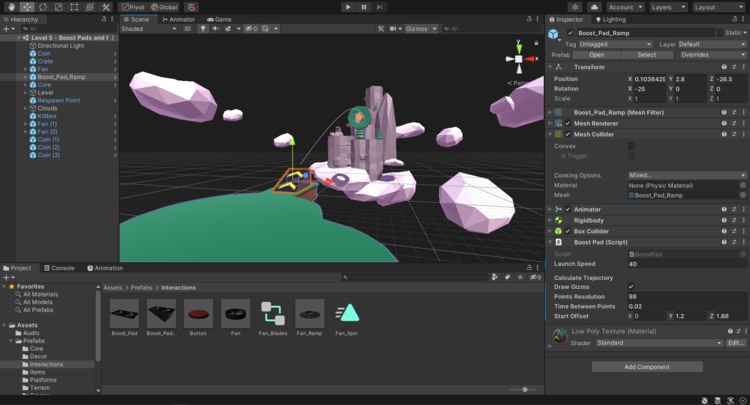
As a leading platform for creating interactive 3D experiences and games, Unity offers a user-friendly interface and extensive asset store for developers and designers. With its cross-platform support and powerful features, Unity is the ultimate choice for 3D printing enthusiasts.
Pros:
- It has a user-friendly interface with an extensive asset store for additional resources.
- This software supports multiple platforms including PC, mobile, VR, and AR.
- It is widely used in the gaming industry for its reliability and performance.
Cons:
- This software primarily focused on game development, may not suit other industries.
- It has advanced features that may require additional plugins or customization.
- It has a learning curve for complex projects that may be steep for beginners.
9. Adobe Dimension
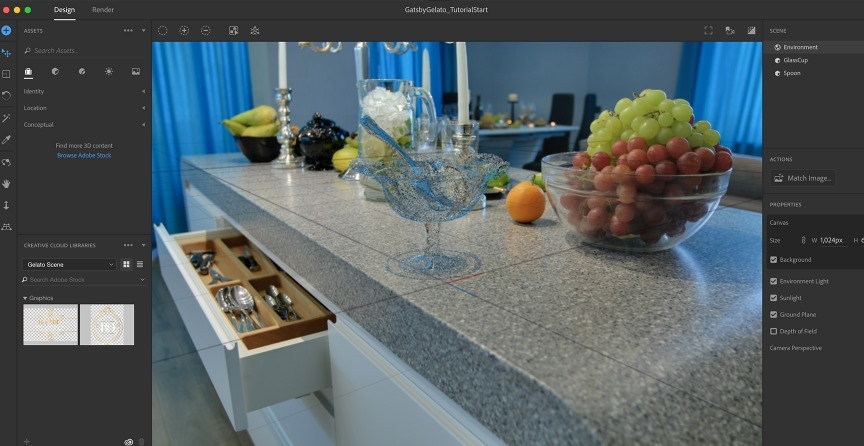
Adobe Dimension streamlines the process of creating photorealistic 3D scenes and assets, making it the perfect tool for graphic designers and marketing professionals. With its seamless integration with other Adobe Creative Cloud applications, Adobe Dimension offers unparalleled flexibility in 3D design.
Pros:
- It has a streamlined workflow for creating photorealistic 3D scenes and assets.
- Its seamless integration with other Adobe Creative Cloud applications.
- It has access to Adobe Stock Library for additional assets and materials.
Cons:
- It has limited flexibility compared to more robust 3D modeling software.
- It is not suitable for complex animations or simulations.
- This software’s subscription-based pricing may be a deterrent for some users.
10. Cinema 4D
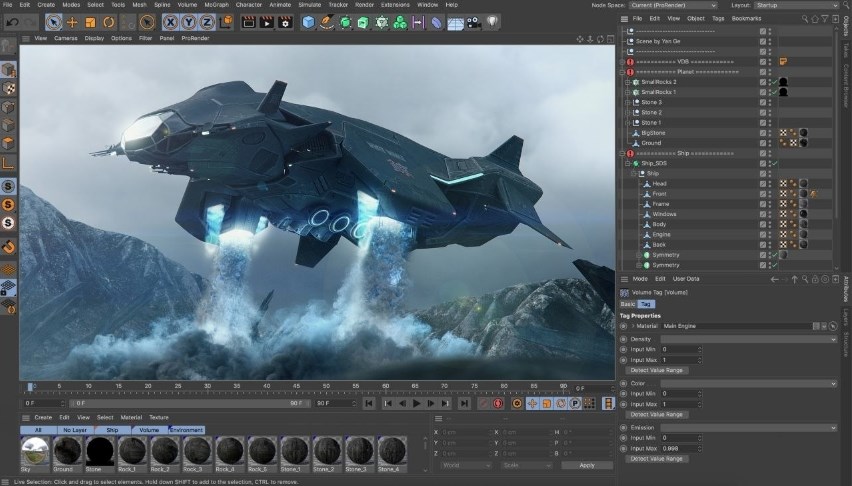
Rounding off our list is Cinema 4D, a versatile 3D modeling and animation software favored by motion graphics artists and designers. With its intuitive interface and powerful tools, Cinema 4D empowers users to create stunning visual effects and animations with ease.
Pros:
- Its intuitive interface is suitable for beginners and professionals alike.
- It has powerful tools for character animation and simulations.
- It is widely used in motion graphics and design industries for its reliability and versatility.
Cons:
- It has a slightly higher price point compared to some other software options.
- It has advanced features that may require additional plugins or customization.
- It has limited compatibility with operating systems (Windows and macOS only).
 People Also Read:
FAQs about 3D Modeling Software
1.What is 3D modeling software and who uses it?
3D modeling software is a type of computer program that allows users to create and manipulate three-dimensional objects and environments. It is widely used by professionals in various fields, including animation, architecture, game development, industrial design, and 3D printing, among others. This software enables creators to turn their conceptual visions into detailed, tangible models.
2.How to Choose the Right 3D Modeling Software?
When selecting a 3D modeling program, consider your skill level, the software’s complexity, compatibility with other tools, specific features you need (like texturing, lighting, or animation capabilities), and your budget. It's also important to look at the community and support available for beginners or for troubleshooting advanced issues.
3.Can I Use 3D Modeling Software for Free?
Yes, there are several free 3D modeling software options available that cater to both novices and professionals. These free tools often come with a rich set of features enabling users to accomplish a wide range of tasks, from basic models to complex scenes. While some free options may have limitations compared to paid versions, many are robust enough to be used for professional projects. Always research and compare to find the best fit for your requirements.
End Note
As we conclude our top 10 3D modeling software of 2024, it's evident that each tool offers a unique set of features and capabilities tailored to specific creative needs. Whether you're sculpting characters, making some 3D prints, designing architectural masterpieces, or developing immersive gaming experiences, there's a 3D modeling software that's perfect for you.
Remember, each software has its pros and cons, so take the time to explore and experiment with different tools to find the one that best suits your workflow and creative vision. With the right software by your side, there's no limit to what you can create in the exciting world of 3D modeling.
If you want to have a 3D printer that uses advanced 3D modeling software to create designs that are innovative and easy to make, you can check out the Creality Store. Creality Store has been providing amazing printing precision and affordable options for 3D printers that cater to the needs of 3D printing aspirants as well as experts.
Recent News

all
2026-10-13
8 Halloween 3D Print Ideas to Make Before October 31
Halloween is coming, and the candy stash has already suffered a few unexplained disappearances. W...

all
2026-09-18
Ender Series 3D Printers Parameter Comparison
The Creality Ender Series has evolved significantly since the original Ender-3. What began as an ...

all
2026-08-02
Creality Back-to-School Sale 2026: Save Up to 50% on 3D Printers and More
A new school year is a chance to start fresh projects, develop practical skills and turn digital ...

all
2026-05-26
Is PLA Recyclable?
PLA is a biodegradable plastic derived from renewable resources such as corn starch or sugarcane....