


Top 10 3D Printer Tools: Must-have Accesories for 3D Printing
So you've finally got your 3D printing machine and your PCs all fired up and ready to print, and you're just checking the 3D model you've just saved for this special occasion. Then it hits you; I think I forgot something. Like any other three-dimensional creation, 3D printing tools are needed to complete your product, especially for safety and finishing touches.
In this article, we'll look at the importance of 3D printing tools and the basic 3D printer tools you'll need. But once you've covered the basics and know what to do if you're missing something, check out our follow-up recommendations.
Importance of 3D Printing Tools
Safety
Just like handling any other piece of equipment, some machines require you to have personal protective equipment or tools. A 3D printer is no exception. You are dealing with heat in excess of 200 degrees Celsius or more, and then there are gases released into the air during printing that need to be dealt with.
Improve Your Printing Process
For instance, glues and adhesives prevent warping as they improve bed adhesion or sanding materials to smoothen surfaces, and many more types of 3D printing accessories.
Maintenance
An important 3D print tool is maintenance tools. For instance, extruder nozzles should be cleaned, especially to prevent clogging. If your extruder nozzles are clogged, you might need to replace them.
Top 10 Must-have 3D Printer Tools
1. Basic 3D Printer Tool Box Kit
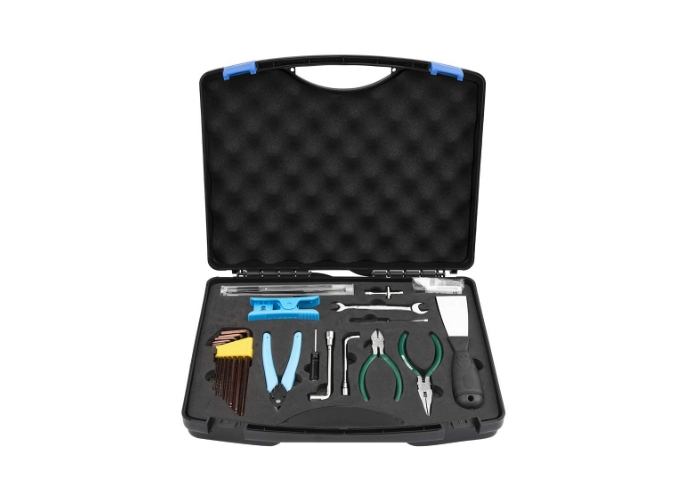
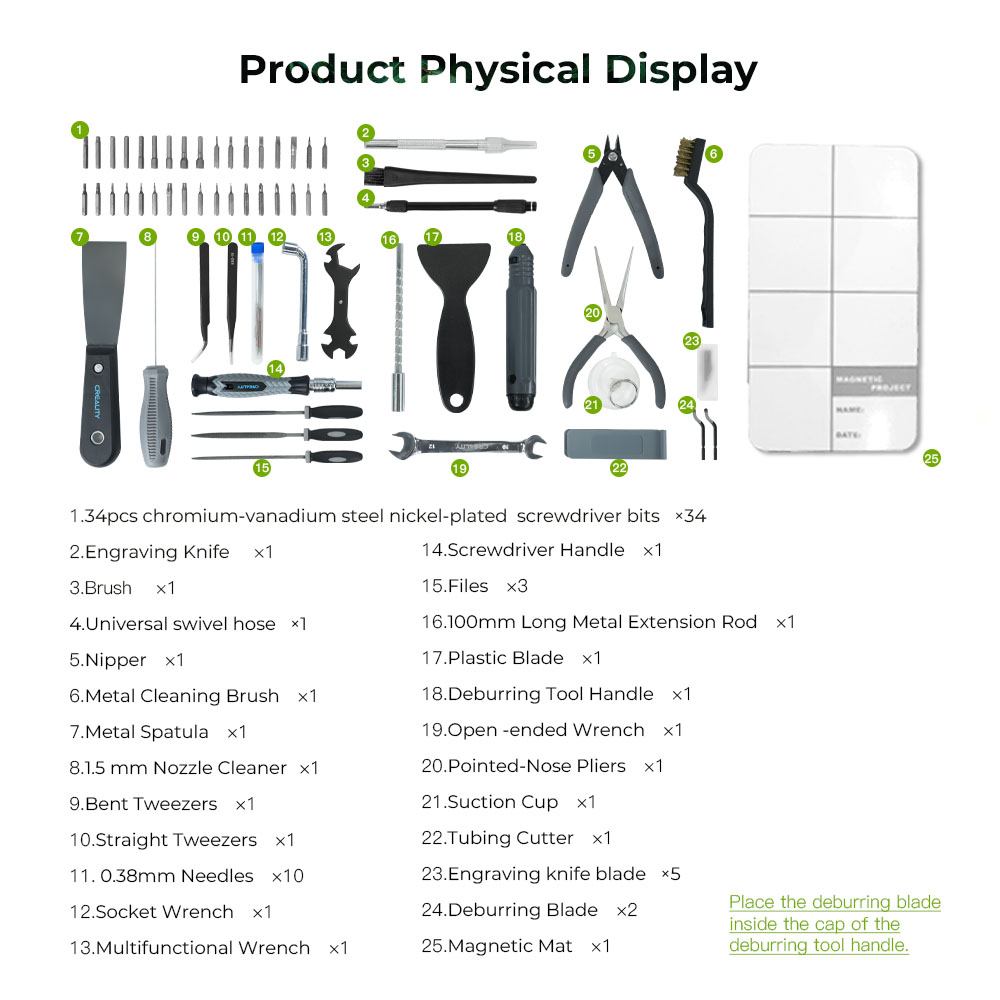
You can always purchase a 3D Printer Tool Box Kit, it is an essential set for beginners in 3D printing. Housed in a durable ABS box, this kit offers heat and impact resistance for long-lasting use. With 18 pieces including wrenches, scissors, casings, and more, it provides strong practicality for all your printing needs.
2. Digital Caliper
Taking measurements helps immensely when accuracy matters, to be fair it does matter in all prints. From the layer height to the maximum print volume that your printer can handle.
When printing parts to be used for mechanical applications, accurate measurement is imperative, or when trying to attach two or more printed components to complete a single piece, measurements matter.
If you are getting the estimated measurement, a digital caliper is always handy. Why digital? It’s the best way to measure very small units, 3D printers deal mostly with items measured in millimeters. You can’t get accurate measurements with a measuring tape or even an analog caliper.
3. Sandpaper
Printed models don’t always come out smooth. The best way to achieve smooth prints is by printing in very small layers, as small of a layer height as your printer can manage. But doing that lengthens the print time by many hours. Sandpaper is a quick and dirty solution to achieve a smooth surface, but be wary of the microscopic plastic dust produced by sanding. If you have respiratory issues, the last thing you need is plastic dust in your lungs, and even if you are healthy, you could develop health issues down the line.
4. Filament Vacuum Storage Kit or Dry Box
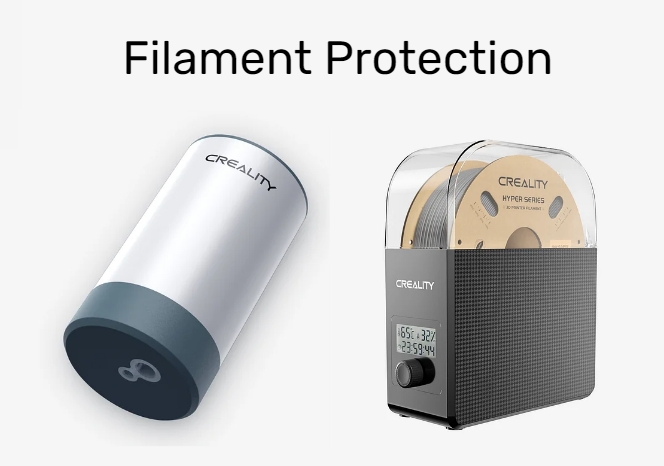
Filament Vacuum Storage Kit is a budget-friendly solution for preserving filament quality. By sealing out moisture, this kit ensures uninterrupted creativity for your 3D printing projects. With strong suction for rapid pumping and food-grade materials enabling safe storage, it offers one-button vacuuming for effortless preservation.
Creality Filament Dry Box is another way to protect your filament and then enhance your 3D printing experience. It offers rapid heating and even distribution of hot air throughout its chamber via a built-in fan. With a temperature range of 45℃-65℃, it accommodates various filaments like PLA, ABS, PETG, and more. Real-time humidity monitoring and a countdown timer enable precise drying, resolving issues like drawing, clogging, and poor adhesion for enhanced print quality.
5. Glue Stick
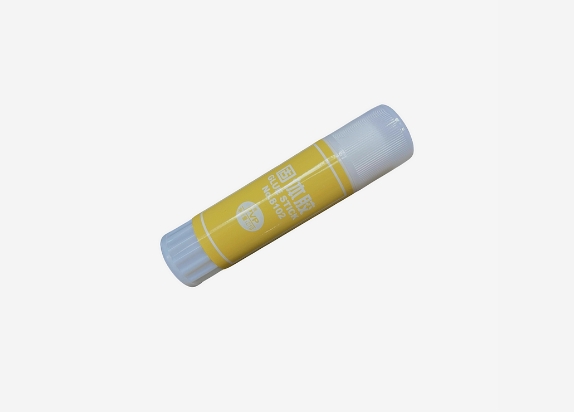
One of the greatest challenges when 3D printing is when the printed model does not stay glued to the surface of the print bed, especially if you don’t have a heated bed. This makes it worse when the print is almost done only for it to suddenly come off and ruin the model, waste time, and filament.
Depending on your printer, whether it is enclosed, exposed, heated, or not, and the type of filament, getting the printed model to stick is very important. A simple glue stick should solve your adhesion problems.
Other people use hairspray, but that is not a recommended method. Heat plus whatever chemicals there are in there, such as a flammable component, could potentially cause a fire. It only takes a small spark to cause a fire.
6. Capricorn Teflon Tube and Pneumatic Connector Package
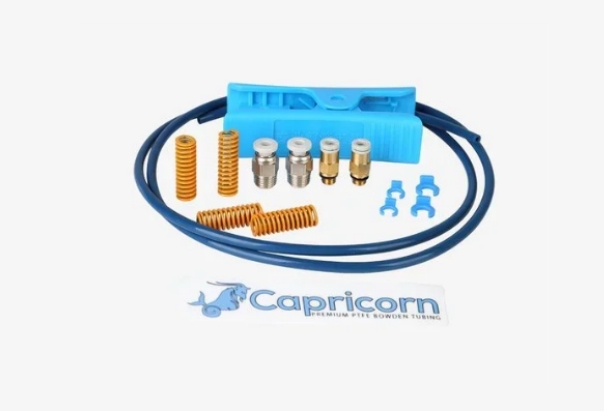
This package is made from durable PTFE resin to resist wear and tear. High-quality pneumatic joints and special pipe cutting machine ensure stable printing performance. It is compatible with most FDM printers, guaranteeing reliable filament feeding and smooth extrusion for optimal results.
7. Spatula
Once the 3D-printed item is done, you need to remove it. Regardless of whether you have a heated bed or not, you can use a spatula to scrape your model off the printing bed so you don’t have to touch hot surfaces inside your machine. It’s also useful for removing small bits of plastic in there.
8. Long Nose Pliers or Tweezers
Removing bits of plastic from a print or simply trying to reach into tight places in your print can be done easily with tweezers or long-nose pliers. This is also great to have when dealing with hot and small items, such as the nozzle. Need to remove burned plastic? This is how you can do it.
9. Screwdrivers and Allen Keys/Hex Keys
3D printers are mechanical devices that will eventually break down in the heat of a printing session. So, you either take it to a service center or repair it yourself. You will need certain tools for that if you are a tinkering type. After all, being able to fix your machine is sort of like a part of owning this machine. You can’t always rely on someone else to fix it for you unless it’s severe damage you’re dealing with.
After all, some Creality 3D printer models require assembly before you can use them, so you might as well have these tools in your house.
10. Flashlights
Maybe not that big of a concern since, if you really need it, most phones have built-in flashlights these days. When your printer is enclosed with no internal lighting, it can be hard to judge how the print is going. With a flashlight, you can quickly check what’s going on in there and decide whether to continue or cancel a print.
Other 3D Printing Tools
Dremel Tool
The Dremel tool is like a small angle grinder you can use for similar functions like sanding or cutting. You can cut off supports or sand rough surfaces. Again, be careful of that plastic dust.
Pencils and paper
When creating serious prints, you need to make sketches first before committing to creating a 3D model. Drawing sketches of your model allows you to visualize the object quickly, and you can also use your drawings to write down estimates of its measurements.
Permanent Markers
For printing prototypes and experimenting with settings, you can label your printouts by simply writing on them, so later on you can easily recall which printed model ran with what settings.
Wire Cutters
Removing support structures after printing can be done by using wire cutters, long-nosed pliers, and deburring tools. Getting rid of the big bits of plastic comes first, though. Removing them with your bare fingers is not a good idea; you might cut yourself. You can also use this to cut filament.
Glass plates are not a requirement but are very useful when doing continuous prints. You can swap the glass plate for a fresh one after a print is done and start the next.
If you are breaking off support structures with a pair of tweezers or pliers, maybe having something between your eyes and a flying piece of plastic is a good idea, especially for filaments that are brittle, like PLA.
Conclusion
3D Print Tools are usually an oversight, especially for first-time users, but having the basic 3D printing tools from the get-go has many benefits and will ensure a smooth flow of printing. All the while, using the proper tools will help you extend the life of service of your printers. Moreover, don’t neglect using safety equipment such as masks, as fumes from heated plastic filaments can cause major health problems.
Recent News

8 Halloween 3D Print Ideas to Make Before October 31

Ender Series 3D Printers Parameter Comparison

Creality Back-to-School Sale 2026: Save Up to 50% on 3D Printers and More
