


The Best Slicers for the Ender 3 in 2024
The Ender 3 has become a standout hobbyist printer known for its affordability, customization options, and quality prints. Its success led Creality to develop various versions, including the Ender 3 S1 Pro, Ender 3 V2, Ender 3 S1 (with Pro and Plus variants), Neo series, and V3 SE and V3 KE models.
With 3D printing, a slicer translates digital designs into printable objects by generating specific G-code commands. Creality's Ender 3 lineup, like many printers, relies on G-code for instructions.
Slicers, such as those used with the Ender 3, allow customization of print settings like layer height and infill geometry.
Ender 3 printers are open-source, meaning they're compatible with various slicers without a preferred choice. The best slicer depends on individual needs and preferences, each offering unique strengths and weaknesses when used with the Ender 3.
How to look for
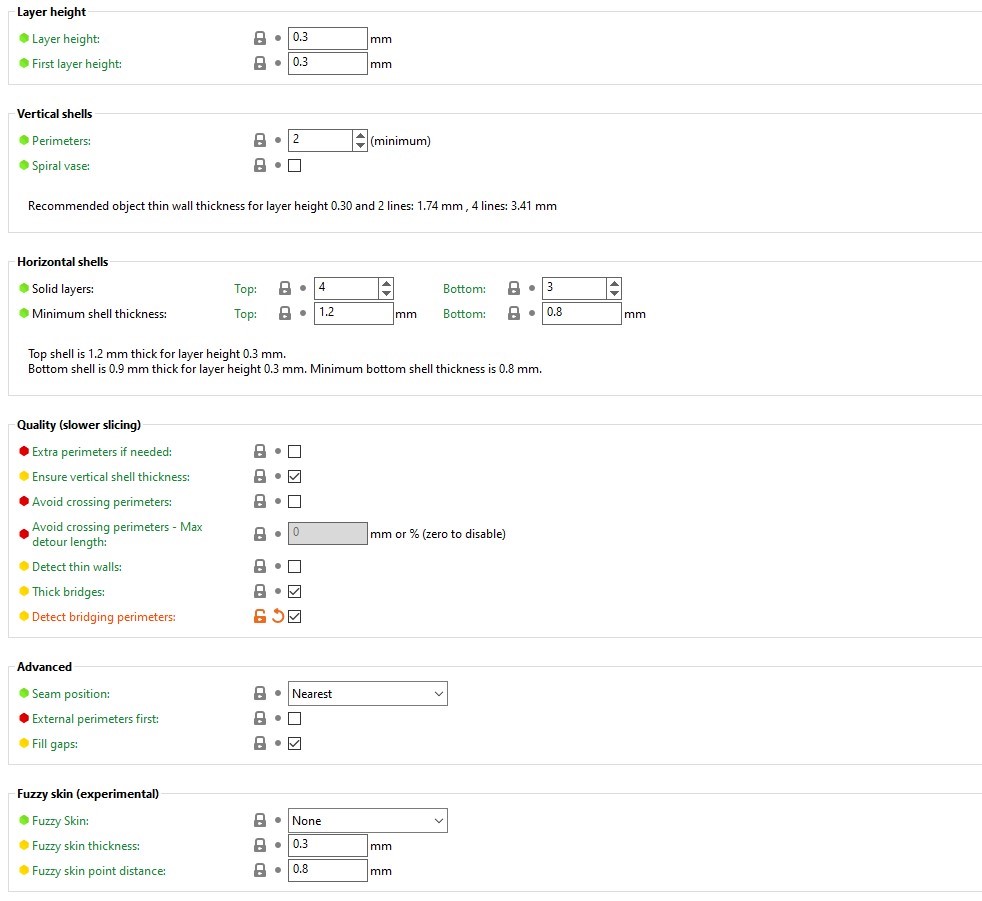
Selecting the right slicer is crucial, especially for frequent use and troubleshooting printer configurations. Consider these key factors when choosing:
Price: Evaluate the cost relative to your budget.
Quality: Ensure the slicer delivers the desired print results.
Pros and Cons: Understand the benefits and drawbacks of each slicer.
User Experience: Choose a slicer with an intuitive interface.
Community: Assess the availability of support from other users.
In this article, we'll explore several top slicers for the Ender 3 series, highlighting each one's characteristics.
Remember, don't be discouraged if the slicer isn't perfect initially. Experimenting with test prints and adjusting settings will improve your familiarity and print quality over time. If issues arise, a quick internet search often provides helpful solutions, given the likelihood that others have encountered similar problems.
Each slicer has its strengths and weaknesses, so finding the right fit depends on your specific needs and preferences. By considering factors like price, quality, user experience, and community support, you can make an informed decision that enhances your 3D printing experience.
Keep in mind that mastering a slicer takes practice, and continuous learning will lead to better results. Embrace the learning curve and leverage online resources for troubleshooting and optimization. The journey to refining your 3D printing skills is both rewarding and educational, offering opportunities for creativity and innovation in your projects.
1. Cura
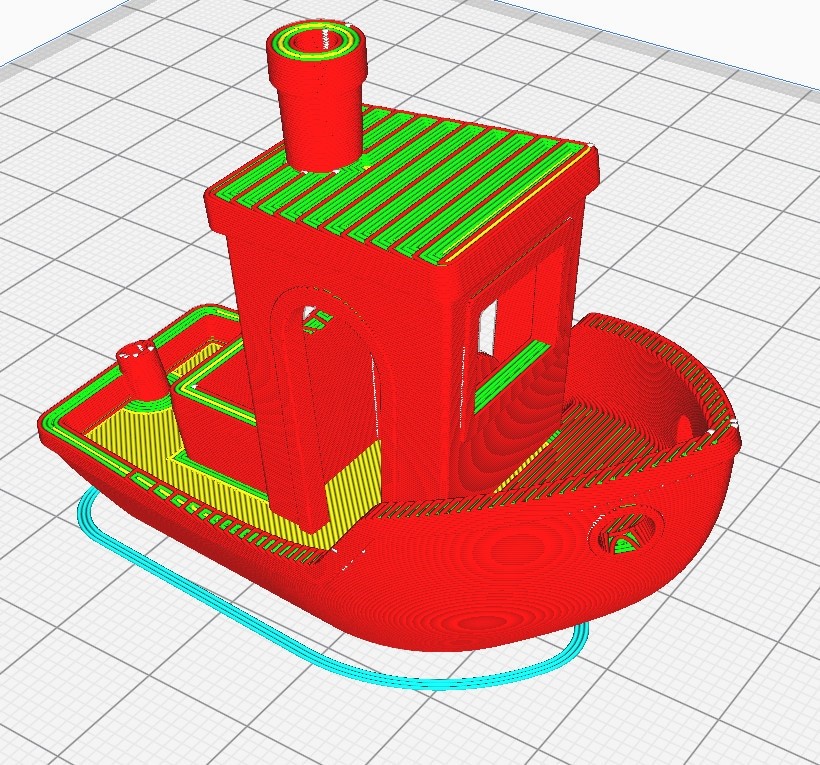
If you're new to 3D printing and not looking for professional-grade software, we highly recommend Cura. Developed by Ultimaker, Cura boasts a user-friendly interface that's easy to pick up and learn.
Cura is an open-source slicer, freely available for Windows, Mac, and Linux. It supports popular file formats like OBJ, 3MF, and STL, making it versatile for various project types. Cura can even repair files if needed, enhancing its utility.
One of Cura's standout features is its customization options, with nearly 500 settings to tailor your printing experience. As you gain experience, you can explore more advanced settings and utilize additional add-ons from the integrated marketplace for personalized enhancements. Cura provides a range of pre-set slicer profiles optimized for different materials, including PLA, ABS, PETG, and TPU.
For Ender 3 users, Cura offers default templates specifically tailored to various Ender 3 models, simplifying the setup process. With preconfigured settings for nozzle size, material, and printer combinations, Cura streamlines adjustments when upgrading your machine.
The community praises Cura for its diverse settings, especially its flexibility in adjusting geometric shapes and infill density. Ultimaker regularly updates Cura with bug fixes and improvements, ensuring a reliable experience.
However, Cura has limited support for OctoPrint and other remote printing programs, which may inconvenience some users. Despite this drawback, Cura's comprehensive feature set and ease of use make it a top choice for 3D printing enthusiasts.
- Best for:Beginner to advanced users
- Price:Free
- Platforms:Mac, Windows, Linux
- Where to download:Ultimaker
2. Creality Slicer
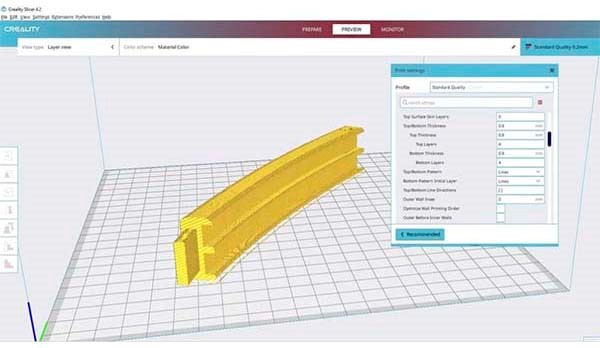
Creality offers Creality Slicer, a basic slicer designed for their FDM 3D printers, including the Ender 3 series. It essentially mirrors Cura's interface with fewer features, making it a suitable choice for beginners due to its simplicity.
The software is a stripped-back version of Cura and lacks unique features. Most settings and functions are identical to Cura, so we won't delve into them extensively.
Despite its lack of uniqueness, Creality Slicer includes pre-made profiles for Ender 3 models like the V2, Pro, and original, as well as for other Creality printers like the S1s and Neos. This simplifies slicing for newer users, although differences between Ender 3 variants are minimal.
Creality Slicer has a smaller user base compared to other slicers and is currently only available for Windows and Mac platforms. Creality recommends Cura for users on other operating systems.
Best suited for beginner and intermediate users, Creality Slicer is free to download and use on Windows and Mac.
To download Creality Slicer, visit the Creality website.
3. Creality Print
Introduced in 2022, Creality Print is a relatively new slicer designed specifically for FDM printers, with continuous updates that include support for new printer models like the 3D PrintMill (CR-30).
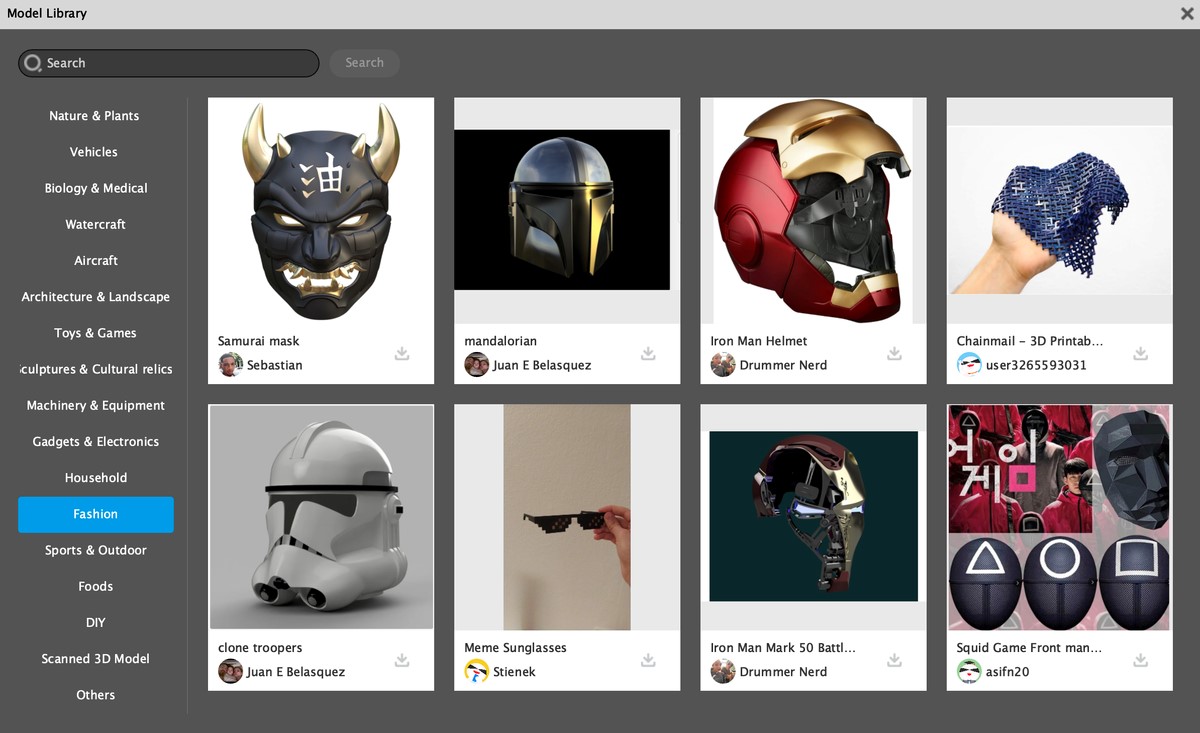
Creality Print boasts a built-in 3D model library containing designs from various sources, allowing users to easily search, import, upload, and edit models directly within the slicer. Users can also remotely control and monitor prints, fine-tune print settings, and more.
Additionally, Creality Print offers multiple options for sending G-code to the printer, including via USB serial port, Wi-Fi, and through the Creality Cloud App, available on both the App Store and Google Play.
Ideal for intermediate users, Creality Print is free to use and compatible with Windows, Mac, and Linux operating systems.
To download Creality Print, visit the official Creality website.
4. PrusaSlicer
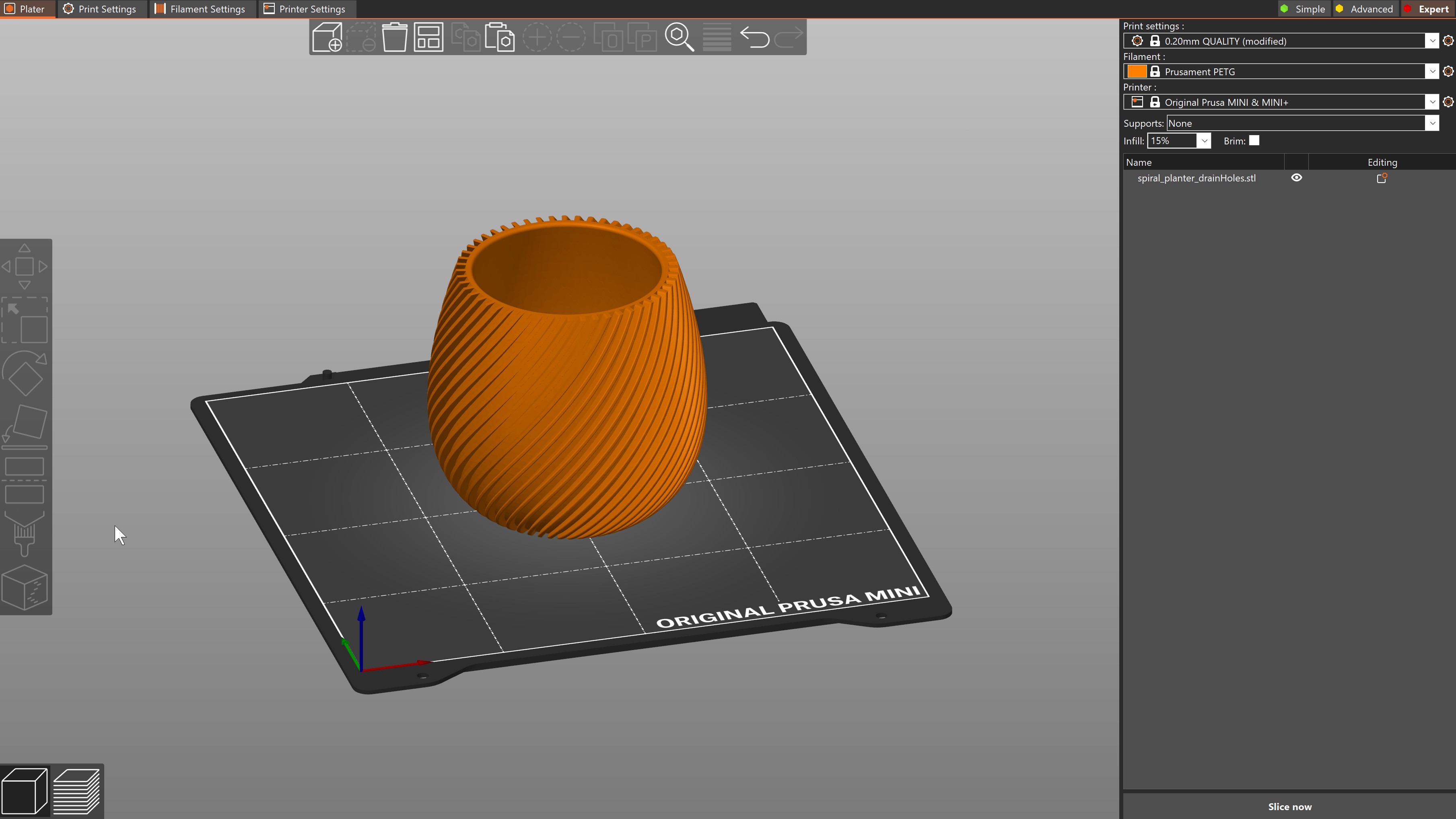
PrusaSlicer, developed by Prusa Research, is an open-source 3D slicer known for its versatility and advanced features. Compatible with Windows, Mac, and Linux, it supports both FDM and resin-based 3D printers, including models like Prusa i3 MK3S+ and MK4. PrusaSlicer imports STL, OBJ, 3MF, and AMF files, offering file repair capabilities.
Notable features include OctoPrint compatibility, custom supports, vase mode, infill patterns, G-code macros, and extensive settings. Pre-set configurations are available for Creality's Ender 3 series, aiding users with different printing materials.
PrusaSlicer is favored by the community, especially among Ender 3 users seeking alternatives to Cura. Regular updates enhance its functionality. For more advanced settings, users can explore SuperSlicer, a fork with additional features suited for experienced users willing to navigate potential bugs.
Best suited for beginners to advanced users, PrusaSlicer is free and accessible on Windows, Mac, and Linux platforms through Prusa Research's website.
5. Orca Slicer
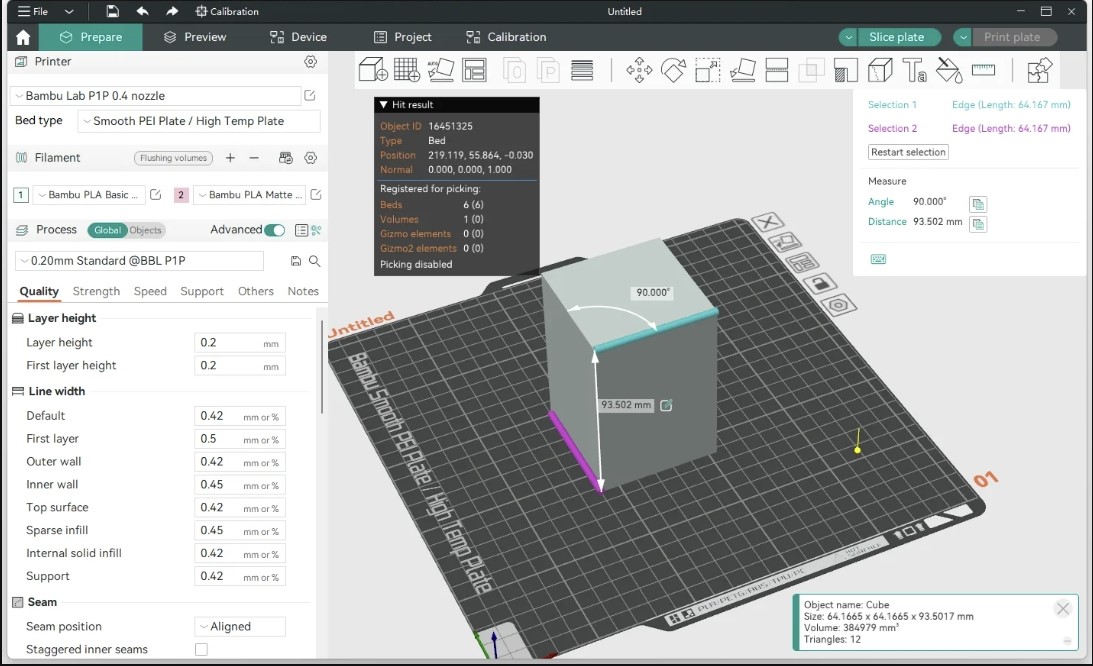
Orca Slicer, a popular third-party software developed by SoftFever and the community, is derived from Bambu Studio, which originated from PrusaSlicer. Unlike other slicers tied to specific printer brands, Orca Slicer remains brand-neutral.
Its clean UI makes Orca Slicer beginner-friendly, with pre-made 3D printer profiles that cover all Ender 3 models, including the latest V3s. Advanced users benefit from features like multi-build plate generation for batch planning and object splitting for large prints. G-code can be sent via Wi-Fi or memory card and monitored through Orca Slicer if the printer has a camera.
Orca Slicer also offers a range of calibration test prints, like pressure advance tuning, suitable for users of all skill levels.
Despite these advantages, some aspects of Orca Slicer may deter users. Unlike most slicers that adjust related settings proportionally when changing print speed, Orca Slicer requires manual adjustment of these values.
However, considering its default profiles, calibration tools, and multi-plate slicing capability, Orca Slicer is worth exploring for both beginners and advanced users.
- Best for:Beginner to advanced users
- Price:Free
- Platforms:Mac, Windows, Linux
- Where to download:GitHub
6. IdeaMaker
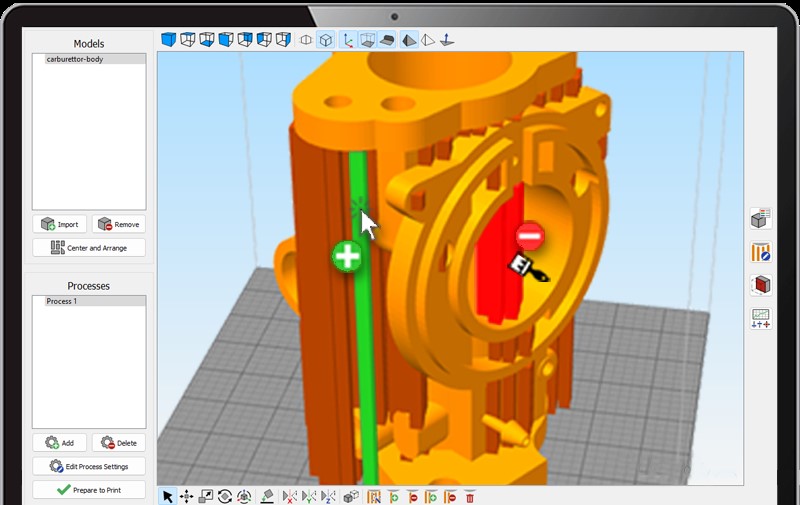
Raise3D is a leader in prosumer-level dual-extrusion printing, producing machines like the Raise3D E2. Their official slicer, IdeaMaker, extends beyond Raise3D printers. While less popular for the Ender 3, IdeaMaker is highly capable.
Available for Windows, Mac, and Linux, IdeaMaker supports dual-extruder printers and file formats like STL, OBJ, 3MF, and OLTP. It integrates with RaiseCloud for online printer control, similar to OctoPrint.
Despite not being open source, IdeaMaker features an open library of community printer and material templates, simplifying setup. It includes profiles for Ender 3 (Pro/V2/S1/S1 Pro/Max) models.
IdeaMaker offers extensive slicer settings, from basic (speed, infill) to advanced (ironing, manual supports). Templates minimize manual adjustments, but these settings can be useful for fine-tuning.
Beyond slicing, IdeaMaker edits 3D models with tools like "Free Cut" and "Max Fit". It can also open pre-sliced G-code files for model inspection.
Ideal for intermediate to advanced users, IdeaMaker is free and compatible with Windows, Mac, and Linux. Download from Raise3D's website.
- Best for:Intermediate-advanced users
- Price:Free
- Platforms:Mac, Windows, Linux
- Where to download:Raise3D
7. Simplify3D
For professional-grade 3D printing, Simplify3D offers a comprehensive slicer package. Geared towards experienced users and professionals, it supports STL, OBJ, and 3MF files and processes them quickly.
Simplify3D boasts extensive settings, including printer controls and multi-extruder support, without overwhelming the user interface. Once familiar with the basics, navigating the software becomes straightforward. Compatibility with specific Ender 3 models can be checked on the website.
The software's higher price tag caters to professionals, allowing deep customization of settings and workflows for optimal results. Simplify3D consistently delivers high-quality prints, ensuring user satisfaction.
However, Linux users may face challenges as Simplify3D has limited support for this platform, often requiring a switch to Windows. Initial issues like blobbing have been reported by some users.
While Simplify3D has a smaller but supportive community, finding solutions to specific issues may be more challenging due to its niche user base. Overall, it's favored by professionals but may pose a learning curve for beginners.
- Best for:Advanced and professional users
- Price:Approximately $200 for the full version
- Platforms:Windows, Mac
- Where to download:Simplify3D
FAQs about Best Slicers for Ender 3
1. What is the biggest factor I should consider when choosing a slicer for my Ender 3?
The most crucial factor to consider is your proficiency with 3D printing and the specific features you wish to utilize. For beginners, an intuitive user interface and accessibility, as seen with Cura and Creality Slicer, may be more important. For more advanced users, extensive customization options and support for various file formats, available in PrusaSlicer and Simplify3D, will be beneficial.
2. How do software updates affect slicing software and should I always update could probably ucould?
Generally, updating your slicer software can bring enhancements, bug fixes, and support for new printer models which can improve your printing results. However, occasionally, an update may introduce new issues, so it can be helpful to check user feedback pertaining to an update before installing. Also, always make sure your chosen slicer continues to support your model of the Ender 3 after updates.
3. Can I use multiple slicers for different projects on my Ender 3?
Absolutely, you can use multiple slicers depending on the specific needs of each project. Different slicers may perform better with certain types of prints, materials, and detailed customizations. Many users alternate between slicers like Cura for general-purpose printing and Simplify3D for complex, multi-material jobs.
Recommended reads:
3D Printer Firmware for Beginner
Ender 3 Thermal Runaway: Causes, Fixes & Preventive Measures
How to Clean & Replace Ender-3 3D Printer Clogged Nozzle
Conclusion
Selecting the perfect slicer for your Ender 3 involves considering your individual needs, expertise level, and the specific features each slicer offers. Whether you're a beginner needing ease of use or a professional requiring detailed control over every aspect of printing, the variability in slicer software provides a perfect fit somewhere.
Always leverage user communities, software updates, and your own experiences through trial and error to optimize your use of these tools. Remember, the goal is not only to print successfully but also to enjoy the process as you bring your digital creations to life.
Read more if you are interested in:
The Ultimate Guide to TPU Bed and Filament Temperature Settings
Recent News

8 Halloween 3D Print Ideas to Make Before October 31

Ender Series 3D Printers Parameter Comparison

Creality Back-to-School Sale 2026: Save Up to 50% on 3D Printers and More
