


Fused Deposition Modeling 3D Printer Troubleshooting Guide
This article delves into common 3D printing challenges encountered by makers, offering comprehensive insights into their causes and optimal solutions. From issues like nozzle clogging, stringing, warping, and poor accuracy to concerns such as weak interlayer adhesion and brittle filament, we aim to empower makers with the knowledge needed to troubleshoot effectively.
1. Nozzle Clogging
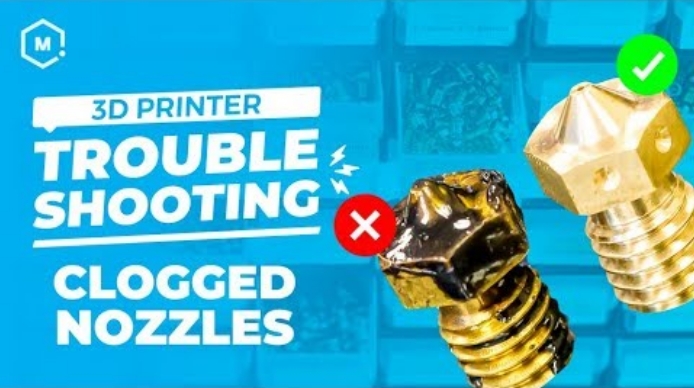
1.1 Problem Description
-
Extruder gear slipping.
-
No Material Extrusion from Nozzle.
-
Model printing layer separation, ghosting, air printing, etc.
-
Model with depressions.
1.2 Cause Analysis
-
The filament diameter is oversized, causing increased resistance as it passes through the extrusion clamp and throat tube, resulting in uneven extrusion and nozzle clogging.
-
The filament contains large-diameter, high-melting-point substances (high-temperature plastics, iron particles, sand, coarse fibers, coarse wood chips, etc.), with diameters exceeding the nozzle diameter, leading to material jams.
-
The filament contains low-melting-point polymers, causing prolonged printing to result in low-melting-point material gelation and carbonization, leading to clogs.
-
Mechanical loosening of the extrusion clamp, motor failure in the extrusion clamp, and insufficient pushing force.
-
Malfunction of the nozzle heating module, leading to a decrease in temperature.
1.3 Solutions
-
Choose high-quality material with guaranteed quality and minimal diameter deviation.
-
Opt for premium materials, for special filaments such as carbon fiber, wood, and fiberglass fillings, consider replacing the nozzle with a larger diameter.
-
Select top-notch materials, if there is accumulation of gelled or carbonized substances, clean the nozzle regularly or replace it.
-
Inspect, maintain, or replace the extrusion clamp module.
-
Investigate and troubleshoot the heating module.
2. Stringing
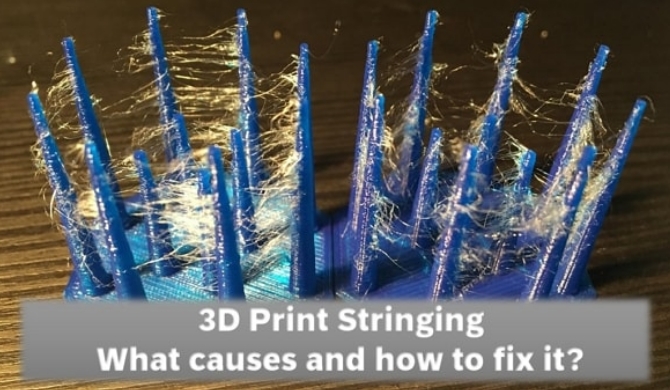
2.1 Problem Description
Stringing occurs when the model is printed across different locations.
2.2 Cause Analysis
-
Moisture ingress into the consumables during extrusion leads to the formation of water vapor, causing excessive pressure within the nozzle and abnormal outflow of molten material.
-
Extended storage of consumables results in reduced molecular weight, increased molecular fluidity, diminished molten strength, and heightened natural outflow.
-
Absence of retraction settings in the printing process.
-
Inoperative or faulty cooling fan for the model, causing insufficient cooling post-molten extrusion and resulting in stringing.
2.3 Solutions
-
If consumables are exposed to the air for an extended period after unpacking, they may absorb moisture. Before usage, it is recommended to dry them in a dry box for 4-5 hours. For newly opened consumables, it is advisable to use them promptly. If not used completely, vacuum or seal them for dry storage.
-
Consumables experiencing degradation or aging issues should be discontinued, and new high-quality materials should be employed.
-
Implement a certain amount of retraction in the printing settings, preferably within the range of 3-8mm, with a speed of around 60mm/s.
-
Verify the functionality of the cooling fan and adjust the cooling airflow based on the type of materials. For filaments like PLA, TPU, PETG, a setting of 100% airflow is suitable, while for ABS, PA, PC, consider either partially closing or reducing the airflow.
3. Warping
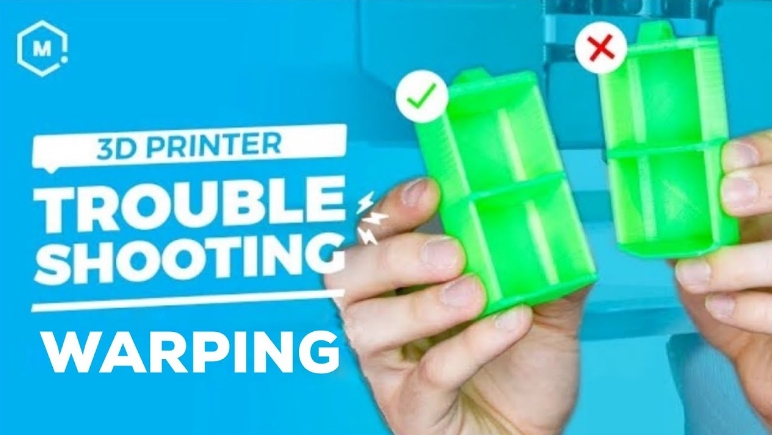
3.1 Problem Description
Warping occurs during the 3D printing process.
3.2 Cause Analysis
-
The type and performance of consumables play a decisive role. High shrinkage of consumables leads to the incomplete release of internal stresses during the hot-melt extrusion cooling and forming process, resulting in warping.
-
Insufficient bed temperature or heating malfunctions can cause the lower layers of the model to shrink without adhering to the bed, leading to warping.
3.3 Solutions
-
For consumables with high shrinkage rates, such as ABS, ASA, PA, PC, it is advisable to utilize a 3D printer with a closed chamber. If the chamber is heated, it is even more beneficial. For consumables with low shrinkage rates, such as PLA, PETG, TPU, open-type printers can be used normally.
-
The thermal bed temperature settings for consumables can be referenced from parameters provided by VIPMALL. It is preferable to set the bed temperature above the glass transition temperature of the consumables, allowing for molecular chain movement to relieve or even eliminate stress.
Detail Printing Parameter Settings here:
CR-10 SE Printing Parameter Settings
Ender 3 S1 Pro Filament Parameter Settings & Operation
K1 Series Printing Parameter Settings
4. Crack
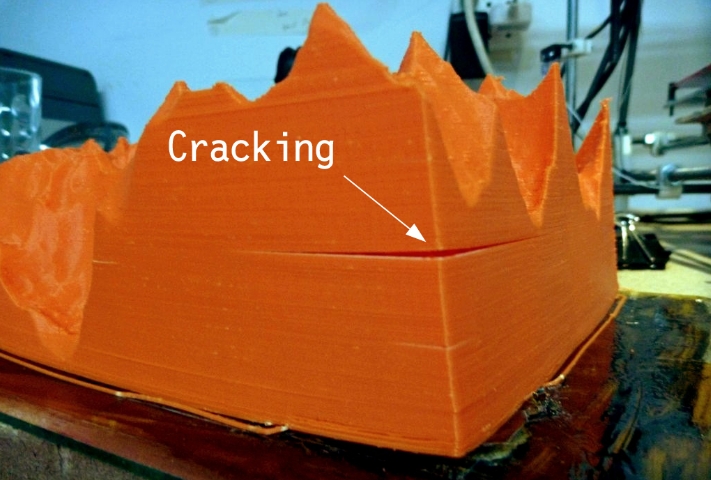
4.1 Problem Description
4.2 Cause Analysis
-
The high shrinkage rate of the consumable, coupled with insufficient release of internal stress during the printing cooling process, leads to contraction and subsequent cracking.
-
Printing at a low temperature results in weak interlayer adhesion, where the extruded layers fail to adhere effectively to the layer below, causing cracking upon cooling.
-
Excessive cooling fan airflow during printing accelerates model cooling, reducing interlayer bonding and causing shrinkage deformation, leading to cracks.
4.3 Solutions
-
For high-temperature consumables with significant shrinkage rates, it is recommended to use a constant temperature chamber 3D printer.
-
Elevate the printing temperature to the appropriate level for the filament.
-
For high-temperature materials, adjust the cooling fan in the printing parameters to 50% or turn it off, slightly decrease the printing speed to ensure effective molecular diffusion between layers, and reduce internal stress, thus minimizing the risk of cracking.
5. Layer Pattern
5.1 Problem Description
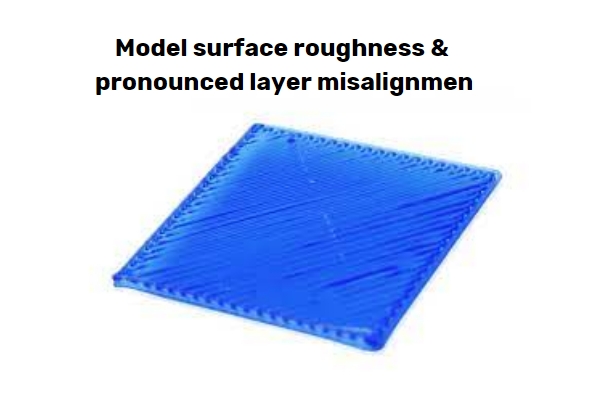
Model surface roughness and pronounced layer misalignment.
5.2 Cause Analysis
-
The Z-axis of the machine lacks smooth motion, encountering resistance, and the lead screw is not straight.
-
Non-uniform dispersion of consumable components results in uneven extrusion, creating irregular patterns on the surface.
-
Excessive printing speed causes the X-axis motor to lose steps, leading to model misalignment.
5.3 Solutions
-
Inspect the lead screw and ensure proper lubrication. Use lubricating oil for lead screw maintenance. Check for straightness by rolling the lead screw in the horizontal plane. If bent, replace it.
-
Opt for high-quality consumables to ensure even dispersion of components. Creality filaments that have undergone extensive multidimensional testing are reliable.
-
Reduce printing speed to address the issue.
6. Poor Accuracy
6.1 Problem Description
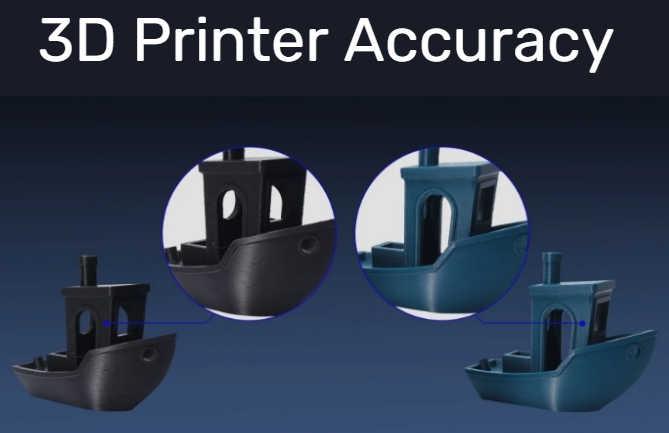
Significant deviation between model size and design size.
6.2 Cause Analysis
-
Unreasonable consumable formulation with incompatible components can lead to swelling during extrusion, causing size discrepancies.
-
High consumable shrinkage results in substantial model contraction.
-
Consumables prone to moisture absorption or containing volatile components may experience molten material rupture during printing, resulting in model burrs, roughness, and significant deviations from the original dimensions.
6.3 Solutions
-
Switch to high-quality consumables to ensure uniform component dispersion. Creality materials are a reliable choice, subjected to extensive multidimensional testing.
-
Compensate for the high shrinkage of consumables during slicing.
-
Dry consumables that have absorbed moisture before use. In addition to potentially causing poor print quality, substandard consumables may pose safety risks.
7. Poor Interlayer Adhesion
7.1 Problem Description
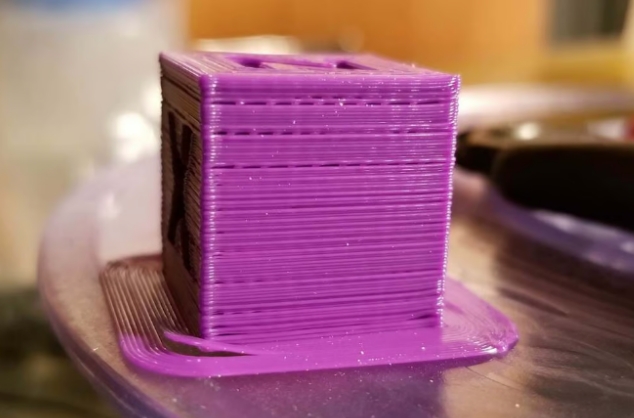
Poor interlayer adhesion leading to low model strength, susceptibility to breakage, and cracking.
7.2 Cause Analysis
-
Incorrect consumable printing settings, such as excessively low printing temperature, high cooling fan airflow, or a low printing environment temperature, result in rapid cooling of the molten material after extrusion. This leads to decreased molecular chain diffusion, reducing interlayer bonding.
-
Excessive filler content in consumables restricts molecular chain movement.
7.3 Solutions
-
Adjust printing parameters according to the specific requirements of different consumables to optimize interlayer adhesion.
-
Utilize corresponding parameters for printing different filaments to enhance model strength.
8. Brittle Filament

8.1 Problem Description
Brittle filament – prone to breakage during printing, with fractures occurring within the layers of the filament spool.
8.2 Cause Analysis
-
Extended exposure of filaments to the air results in degradation, aging, and a decline in performance.
-
The use of recycled or off-brand materials, especially in the case of PLA, can lead to inferior performance
8.3 Solutions
-
Utilize opened filament promptly. For unused portions, store them in a dry and sealed environment. Vacuum-sealing and placing them in a storage container with desiccant are recommended for prolonged preservation.
-
Opt for high-quality materials to avoid unnecessary complications.
Conclusion
In summary, addressing these printing issues involves a combination of adjusting settings, choosing quality materials, and implementing proper storage practices. By following these guidelines, makers can enhance their printing experience and achieve more consistent and reliable results.
Recent News

8 Halloween 3D Print Ideas to Make Before October 31

Ender Series 3D Printers Parameter Comparison

Creality Back-to-School Sale 2026: Save Up to 50% on 3D Printers and More
