



Creality Ender 5 S1: An Epic Leap Forward $335.00 Online
【Speedy to Realize Creative Ideas】
【Higher Efficiency and More Eco-friendly】
【Stand Firmly to Print Quality Models】
【Direct Extrusion Adapted to Flexible Filaments】
【Hotend Upgrade for High-temp Printing】
【Straightforward Touch Screen UI】
Creality Ender 5 S1, Pro & Plus: The Differences
all
2024-12-23 05:04:45
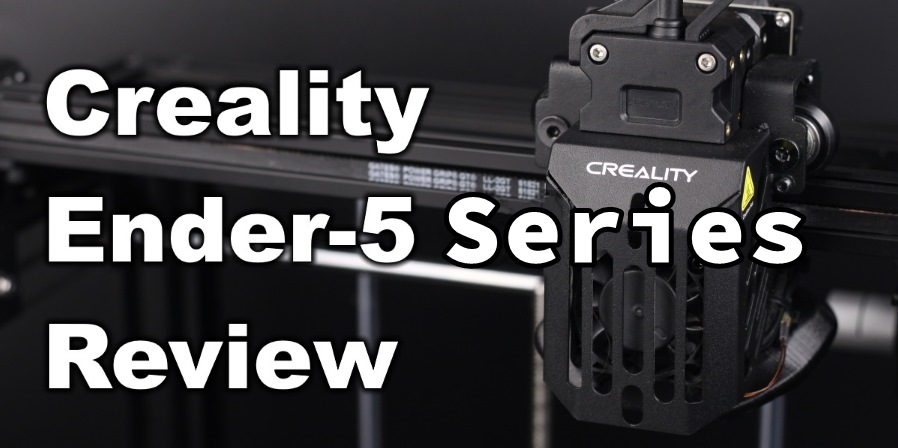
With the series evolving over time, it's crucial to understand the distinctions among the Ender 5 Pro, Ender 5 Plus, and Ender 5 S1 models. Choosing between the Ender-5 series models—depends on specific needs, preferences, and particular features each model offers.
It's logical to expect some similarities among all three printers, given they share the same series name. However, we'll take an impartial stance to unmistakably outline their differences, assisting you in making an informed decision. Let’s dive in.
-
Part1: Ender 5 S1/Ender 5 Pro/Ender 5 Plus Specification at A Glance
-
Part3: The Verdic: Ender 5 S1 vs Ender 5 Pro vs Ender 5 Plus
Part1: Ender 5 S1/Ender 5 Pro/Ender 5 Plus Specification at A Glance
First, Here are the Ender 5 series differences.
| Model | Ender 5 Pro | Ender 5 S1 | Ender 5 Plus |
| Release Date | 2019.1 |
2022.9 |
2019.8 |
| Build Volume (mm) | 220*220*300 | 220*220*280 | 350*350*400 |
| Product Dimensions (mm) | 552*485*510 | 425*460*570 | 632*666*619 |
| Package Dimensions (mm) | 560*540*240 | 528*474*340 | 730*740*310 |
| Net Weight(kg) | 11.8 | 12.1 | 17.2 |
| Gross Weight (kg) | 13.5 | 14.7 | 22 |
| Supported Filaments | PLA, TPU, PLA-Wood, PLA-CF | PLA, TPU, PETG, ABS, PC, ASA, HIPS | PLA, ABS, TPU, PLA-Wood, Copper-filled Filament,Gradient Color Filament |
| Build Surface | Soft Magnetic Sticker | PC Spring Steel Sheet+Magnetic Base | Carborundum Glass Plate |
| Display Screen | 12864 Monochrome Screen with Rotary Knob | 4.3" Color Touch Screen | 4.3" Color Touch Screen |
| Power Loss Recovery | √ | √ | √ |
| Filament Runout Sensor | X | √ | √ |
| Dual Z-axis | X | X | √ |
| Auto Leveling | X | √ (CR-Touch) | √ (CR-Touch & BL-Touch) |
| Auxiliary Leveling | √ | √ | √ |
| Data Bus Width | 32-bit | 32-bit | 8-bit |
| Silent Mainboard | √-International | √ | / |
| Non-Silent Mainboard | √-Domestic | / | / |
| File Transfer | TF Card, USB Cable | SD Card, USB Cable | TF Card, USB Cable |
| Max. Heatbed Temperature | 110℃ | 110℃ | 100℃ |
| Max. Nozzle Temperature | 260℃ | 300℃ | 260℃ |
| Rated Voltage | 100-120V~, 200-240V~ | 100-120V~,200-240V~ | 100-240V~ |
| Rated Power | 270W | 350W | 500W |
| Max. Printing Speed | 100mm/s | 250mm/s | 100mm/s |
| Typical Printing Speed | 50mm/s | 120mm/s | 50mm/s |
| Acceleration | / | 20000mm/s² | / |
| Power Input Frequency | 50/60Hz | 50/60Hz | 50/60Hz |
| Output Voltage | 24V | 24V | 24V |
| Printing Technology | FDM | FDM | FDM |
| Extruder Count | 1 | 1 | 1 |
| Nozzle Diameter | Standard 0.4mm | Standard 0.4mm | Standard 0.4mm |
| Layer Height | 0.1-0.4mm | 0.1-0.35mm | 0.1-0.4mm |
| Printing Accuracy | ±0.1mm | ±0.1mm | ±0.1mm |
| Filament Diameter | 1.75mm | 1.75mm | 1.75mm |
| File Formats | STL, OBJ, AMF | STL, OBJ, AMF | STL, OBJ, AMF |
| Slicing Software | Creality, Cura, Repetier-Host, Simplify3D | Creality Slicer, Creality Print, Cura, Repetier-Host, Simplify3D | Creality, Cura, Repetier-Host, Simplify3D |
Part2: Overview of the Ender 5 Series
1. Launch Dates and Physical Dimensions
- Ender-5 Pro: Launched in January 2019, it sports dimensions of 552x485x510mm and a print size of 220x220x300mm.
- Ender-5 Plus: Released in August 2019, this model boasts a more substantial footprint at 632x666x619mm and an impressive print size of 350x350x400mm.
- Ender-5 S1: The latest model, unveiled in September 2022, features dimensions of 425x460x570mm with a slightly reduced print volume at 220x220x280mm compared to its predecessors.
2. Performance and Print Quality
- Extruder Type: A significant distinction is the shift from Bowden extruders in the Pro and Plus models to a Direct Drive Extruder in the S1, offering better control, especially for flexible filaments like TPU.
- Supported Materials: While all models support common filaments like PLA and TPU, the Plus and S1 expand the repertoire with materials like ABS, Copper-filled, and Gradient Color Filament for the Plus, and even more, including PETG, ASA, and HIPS for the S1.
- Print Bed: The variation in print beds, from a Soft Magnetic Sticker in the Pro model to a Carborundum Glass Plate in the Plus, and finally, a PC Spring Steel Sheet with a Magnetic Base in the S1, showcases an evolution designed to enhance adhesion and ease of use.
3. Interface and Ease of Use
All models feature a 4.3" color touchscreen except for the Pro, which uses a 12864 Monochrome Screen with a Rotary Knob. Enhanced user interfaces in the Plus and S1 models facilitate more straightforward interaction and control.
4. Technical Specifications and Capabilities
- Maximum Temperatures: The Ender-5 S1 can withstand higher temperatures up to 300°C, compared to 260°C in the other models, allowing it to work with a wider variety of materials.
- Power Supply and Energy Consumption: The Plus model requires more power, with a 500W supply, opposed to 270W and 350W for the Pro and S1, respectively, reflecting its larger build volume and heated bed capabilities.
- Printing Speed and Precision: Notably, the S1 stands out with a maximum printing speed of 250mm/s and an acceleration of 20000mm/s², emphasizing its efficiency and robustness for faster output without compromising on the ±0.1mm precision that all models maintain.
5. Connectivity and Compatibility
While all models offer TF or SD Card and USB Cable connections, they vary in software compatibility, with the Ender-5 S1 supporting an expanded array of slicing software, including Creality's proprietary options, enhancing its versatility.
Part3: The Verdic: Ender 5 S1 vs Ender 5 Pro vs Ender 5 Plus
Choosing the right printer from the Ender 5 lineup entails a careful consideration of your printing needs, preference for material versatility, budget, and willingness to engage in hardware tinkering.
Ender 5 S1
Ender 5 Plus

The Ender 5 Plus shines when it comes to printing large objects, boasting an impressive build volume. However, our hands-on review revealed some concerns, particularly with the BLTouch Sensor's partial bed measurement. Despite achieving an exceptional Autodesk Kickstarter score of 27 out of 30, we suggests that this model could benefit from further refinement and updates. For enthusiasts willing to invest time in tweaks and modifications, the Ender 5 Plus holds potential for both sizeable and visually appealing prints. Alternatively, if seeking a large build volume with less necessity for adjustments, the Creality CR-10 S might be a better fit.
Moving to the mid-range, the Ender 5 Pro stands out by offering notable improvements over its predecessor for a relatively modest price increase. Pre-installed enhancements in safety, quieter operation, and filament flexibility render it a user-friendly option right out of the box. While it shares many capabilities with the basic Ender 5 model, the Pro's upgrades could provide the edge for those seeking a more refined printing experience without the need for future modifications.
The latest Ender 5 S1, presents a compelling option for those prioritizing speed and the ability to handle high-temperature materials. Equipped with Creality’s Sprite direct extruder and an all-metal hot end, it can reach temperatures up to 300°C, pushing the boundaries of printing speed and material compatibility. Despite lacking an enclosure and requiring occasional bed leveling, the Ender 5 S1 impresses with its robust performance and ease of use, making it a strong contender for professionals and enthusiasts alike. Priced at $335, it represents a significant evolution within the popular Ender series.
- Ender 5 Pro: Best for hobbyists starting their journey in 3D printing, offering a balanced mix of features and reliability.
- Ender 5 Plus: Ideal for users undertaking large projects or professional use, requiring expansive build volumes and enhanced bed leveling features.
- Ender 5 S1: Appeals to those prioritizing speed, material versatility, and print quality, backed by the latest technology innovations.
Conclusion
In essence, whether you're a beginner or a professional, the Creality Ender 5 series offers a range that can cater to varied printing demands, ensuring quality, efficiency, and reliability across its lineup.
Read more if you are interested in:
Recent News

all
2026-10-13
8 Halloween 3D Print Ideas to Make Before October 31
Halloween is coming, and the candy stash has already suffered a few unexplained disappearances. W...

all
2026-09-18
Ender Series 3D Printers Parameter Comparison
The Creality Ender Series has evolved significantly since the original Ender-3. What began as an ...

all
2026-08-02
Creality Back-to-School Sale 2026: Save Up to 50% on 3D Printers and More
A new school year is a chance to start fresh projects, develop practical skills and turn digital ...

all
2026-05-26
Is PLA Recyclable?
PLA is a biodegradable plastic derived from renewable resources such as corn starch or sugarcane....