


K1 Max Third-Party Slicer Setup
Integrating your Creality K1 Max with third-party slicers such as Cura, PrusaSlicer, Simplify3D, and others requires you to adjust the slicer file header in your slicing software. Below is a comprehensive guide on setting up these slicers for optimal performance with your K1 Max.
Overview
Before diving into the specifics for each slicer, let’s go over the general settings you'll need to use:
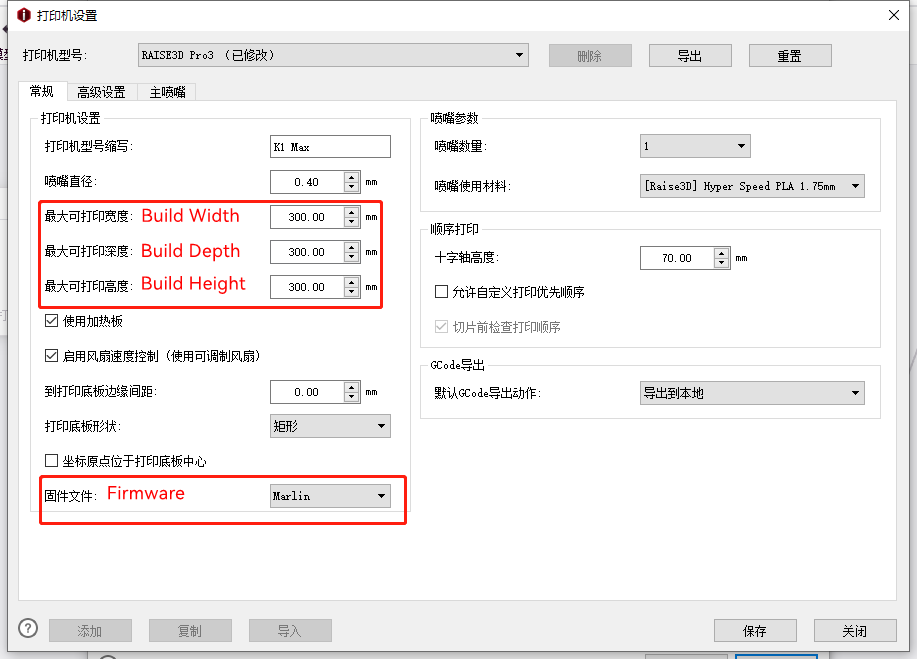
- G-code Flavor Setting: Marlin2/Klipper
- Print Size Setting: 300x300x300 mm
- Thumbnail Size Setting: 96x96, 300x300
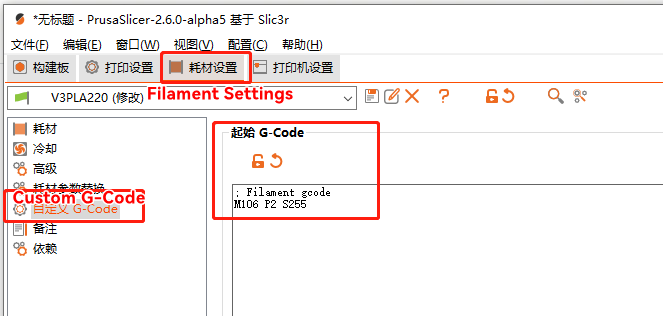
To enable the auxiliary fan at the beginning of the material G-code, insert the following command:
M106 P2 S255 ; Fan speed range: 0-255
1. CrealityPrint
For versions V4.2.0.4273 and above, the setup is pre-configured, and no further changes are required.
M140 S0
M104 S0
START_PRINT EXTRUDER_TEMP=[material_print_temperature_layer_0] BED_TEMP=[material_bed_temperature_layer_0]
2. Cura
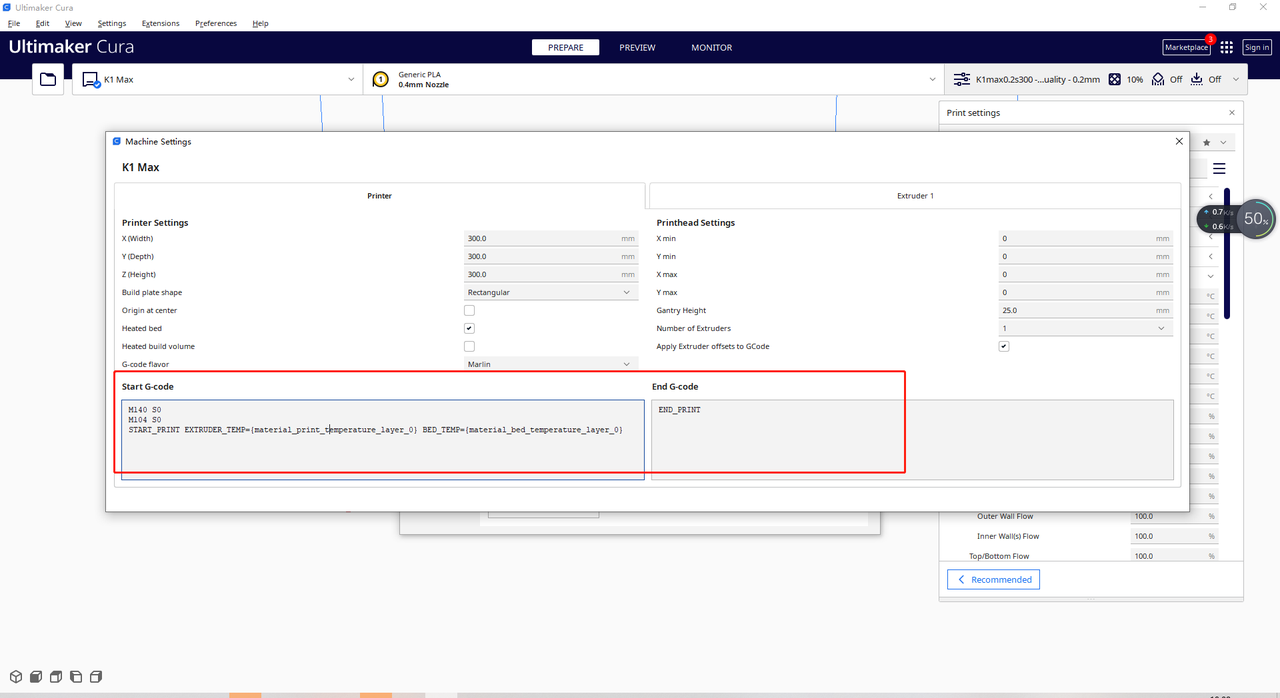
For Cura, modify the startup G-code as follows:
M140 S0
M104 S0
START_PRINT EXTRUDER_TEMP={material_print_temperature_layer_0} BED_TEMP={material_bed_temperature_layer_0}
3. Simpfy3D
For Simplify3D, use this G-code configuration:
M140 S0
M104 S0
START_PRINT EXTRUDER_TEMP=[extruder0_temperature] BED_TEMP=[bed0_temperature]
4. PrusaSlicer
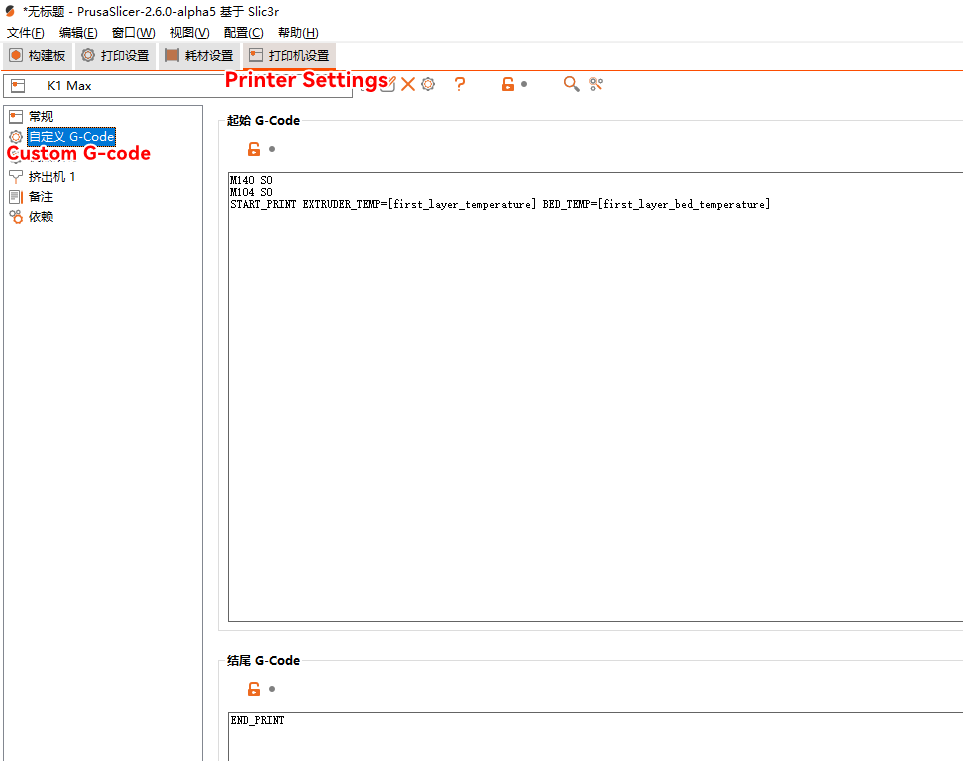
In PrusaSlicer, the startup G-code looks like this:
M140 S0
M104 S0
START_PRINT EXTRUDER_TEMP=[first_layer_temperature] BED_TEMP=[first_layer_bed_temperature]
5. OrcaSlicer
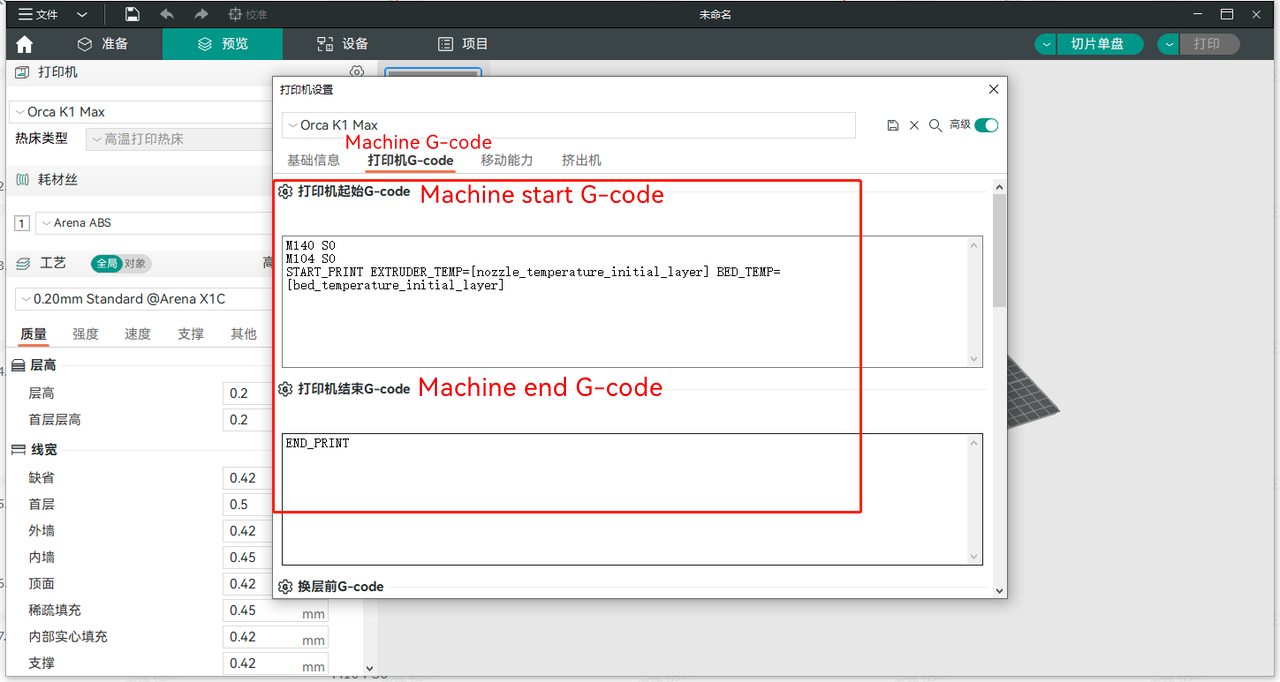
The startup G-code for OrcaSlicer is:
M140 S0
M104 S0
START_PRINT EXTRUDER_TEMP=[nozzle_temperature_initial_layer] BED_TEMP=[bed_temperature_initial_layer]
You can also download and import configuration files from the provided link.
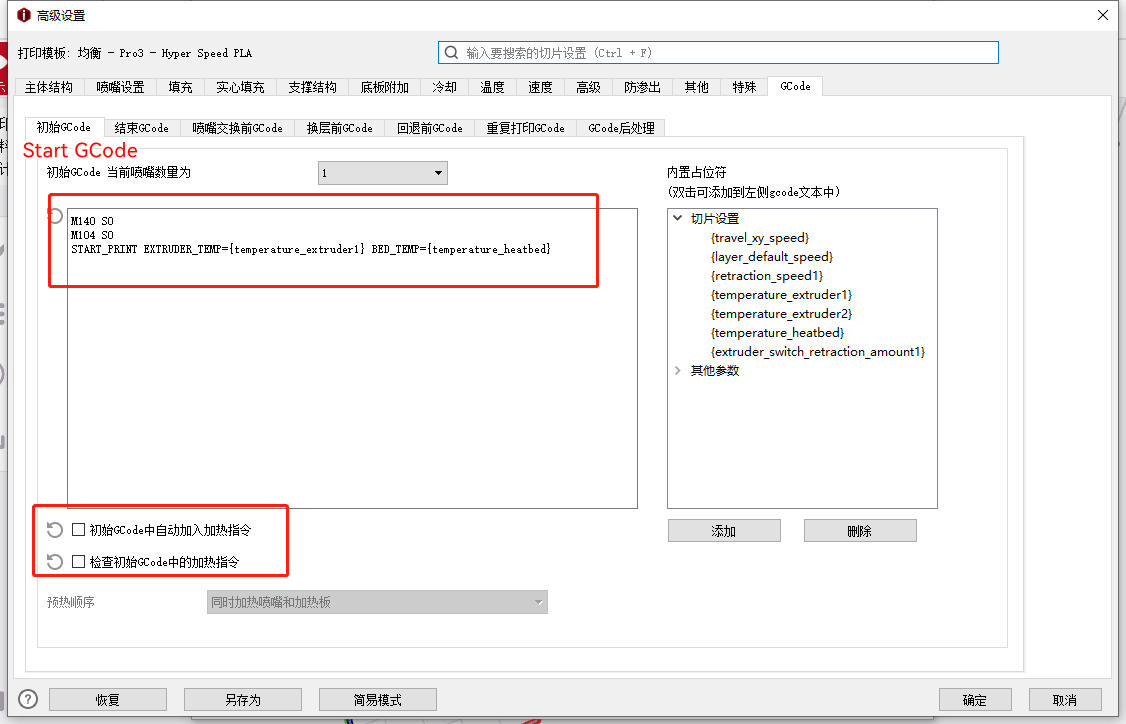
6. IdeaMaker
For IdeaMaker, set up the G-code as follows:
M140 S0
M104 S0
START_PRINT EXTRUDER_TEMP={temperature_extruder1} BED_TEMP={temperature_heatbed}
7. SuperSlicer
Lastly, for SuperSlicer, the startup G-code is:
M140 S0
M104 S0
START_PRINT EXTRUDER_TEMP=[first_layer_temperature] BED_TEMP=[first_layer_bed_temperature]
Related Article:
K1 Max Filament Guide : How to Load & Unload & Change Filament >>
Conclusion
By following these configuration settings, you can successfully set up your Creality K1 Max with a variety of third-party slicers, ensuring optimal printing performance. If specific slicer configurations are required, they can typically be downloaded directly from the respective slicer software's resources.
Read more if you are interested in:
K1 Max G-code Commands Compatibility Notes
Recent News

8 Halloween 3D Print Ideas to Make Before October 31

Ender Series 3D Printers Parameter Comparison

Creality Back-to-School Sale 2026: Save Up to 50% on 3D Printers and More
